Raksha Bandhan AI Photo Editing Prompts: Rakhi Collage & Cinematic Portraits
Make this Raksha Bandhan more special. Copy a prompt and drop in your sibling photos.
Raksha Bandhan photos usually end up as a quick phone snapshot with a filter slapped on top. The five prompts on Prompt Seen below build something closer to an actual festive memory, warm lighting, a proper puja thali, marigold decorations, and the kind of candid pose that looks planned rather than rushed.
One prompt below builds a full 7-photo scrapbook collage, and four build a single cinematic portrait in different outfit colors and poses. Each one only needs one clear photo of the brother and sister.
1. Raksha Bandhan Scrapbook Collage Prompt
A 7-photo Polaroid-style scrapbook collage covering the Rakhi tying, sweets, playful moments, and a close-up of the tied Rakhi.
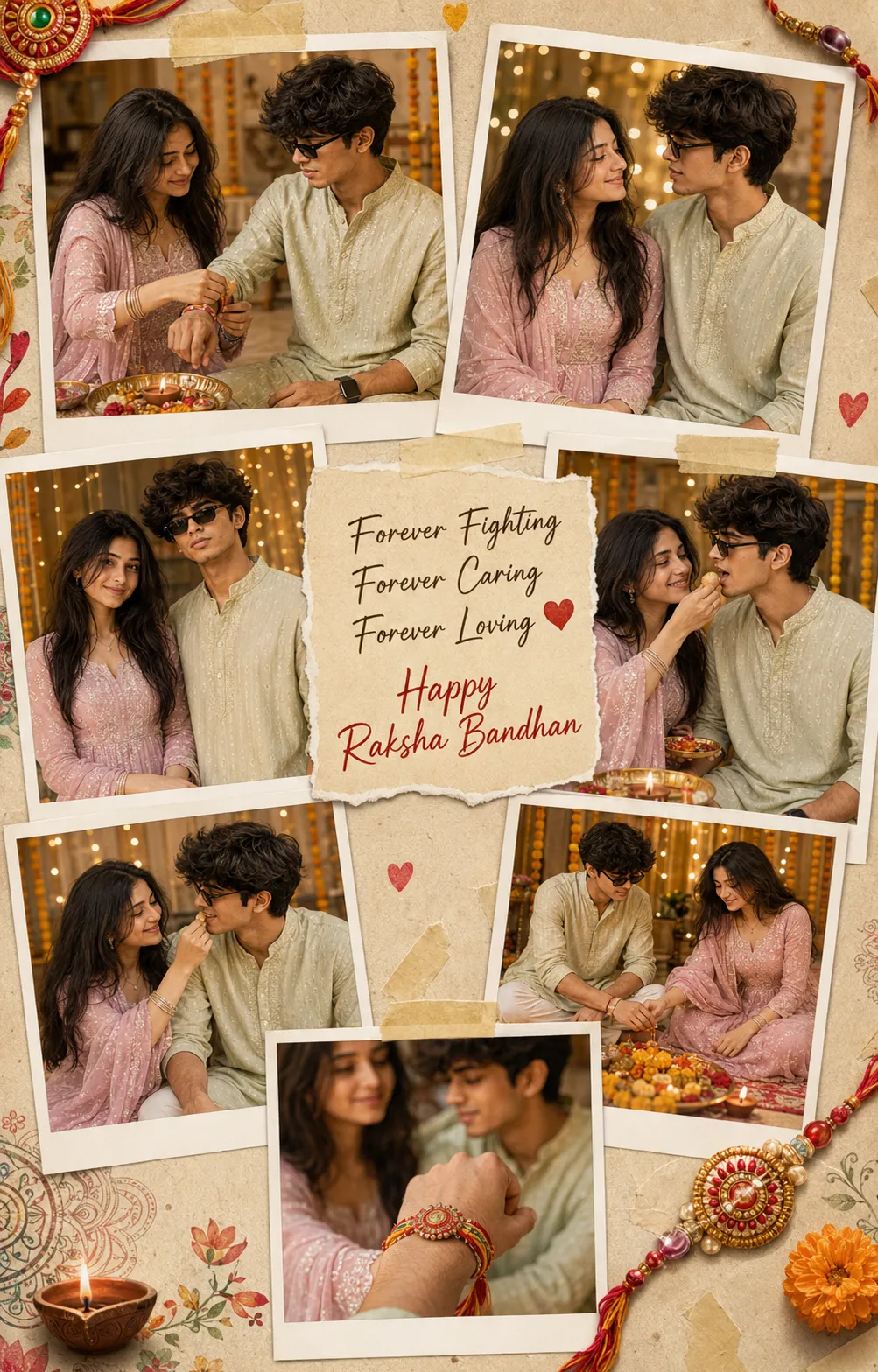
A 7-photo Rakhi scrapbook collage, Polaroid-style frames, festive decorations, handwritten message card.
2. Royal Blue & Lavender Rakhi Portrait Prompt
A cinematic sitting portrait, royal blue kurta and pastel lavender salwar suit, with a puja thali and marigold decorations.
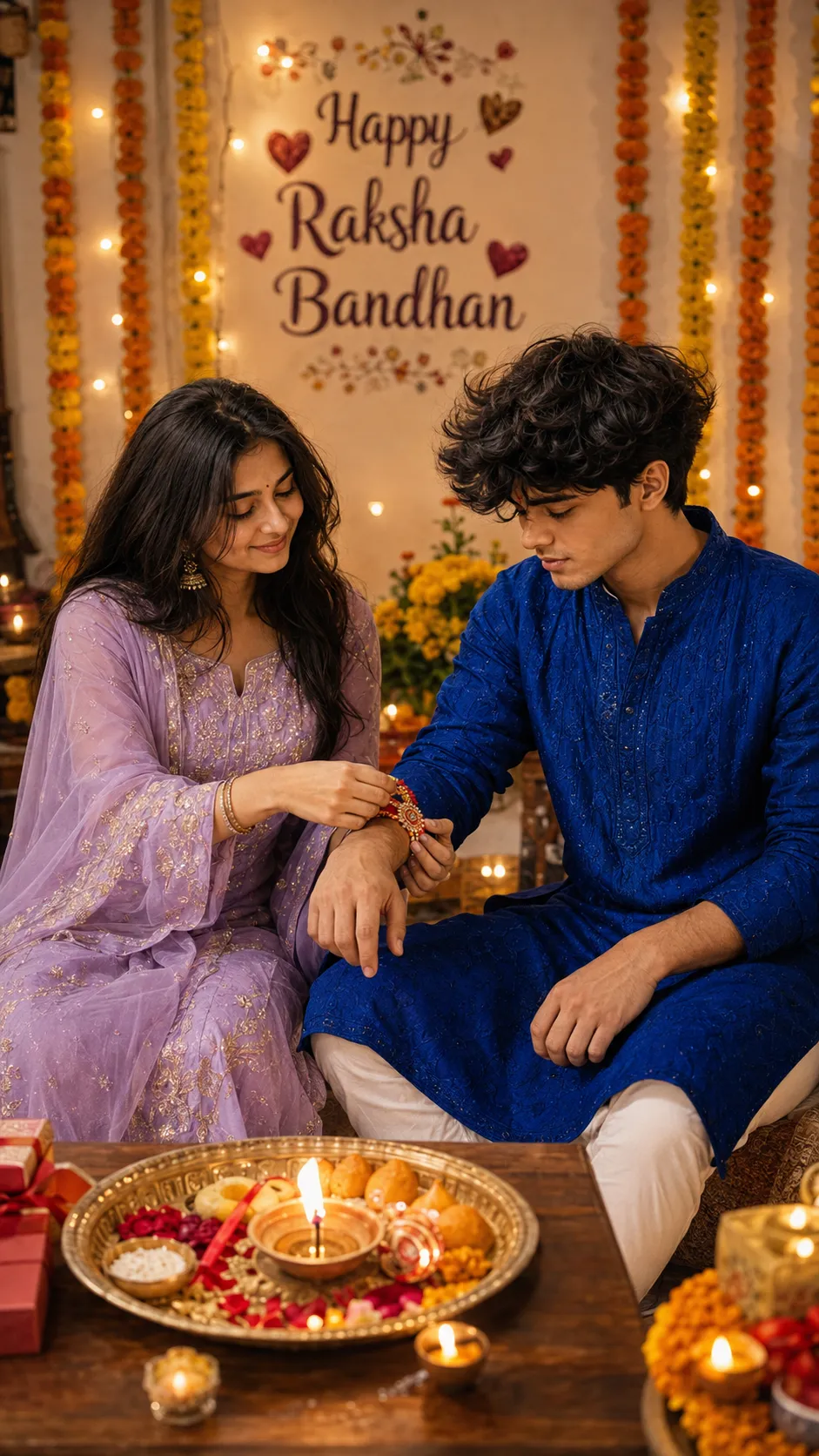
A royal blue and lavender Rakhi portrait, tying pose, puja thali, marigold garlands, warm lighting.
3. Royal Blue & Emerald Green Standing Prompt
A standing portrait in royal blue and deep emerald green, tying the Rakhi together against a festive backdrop.
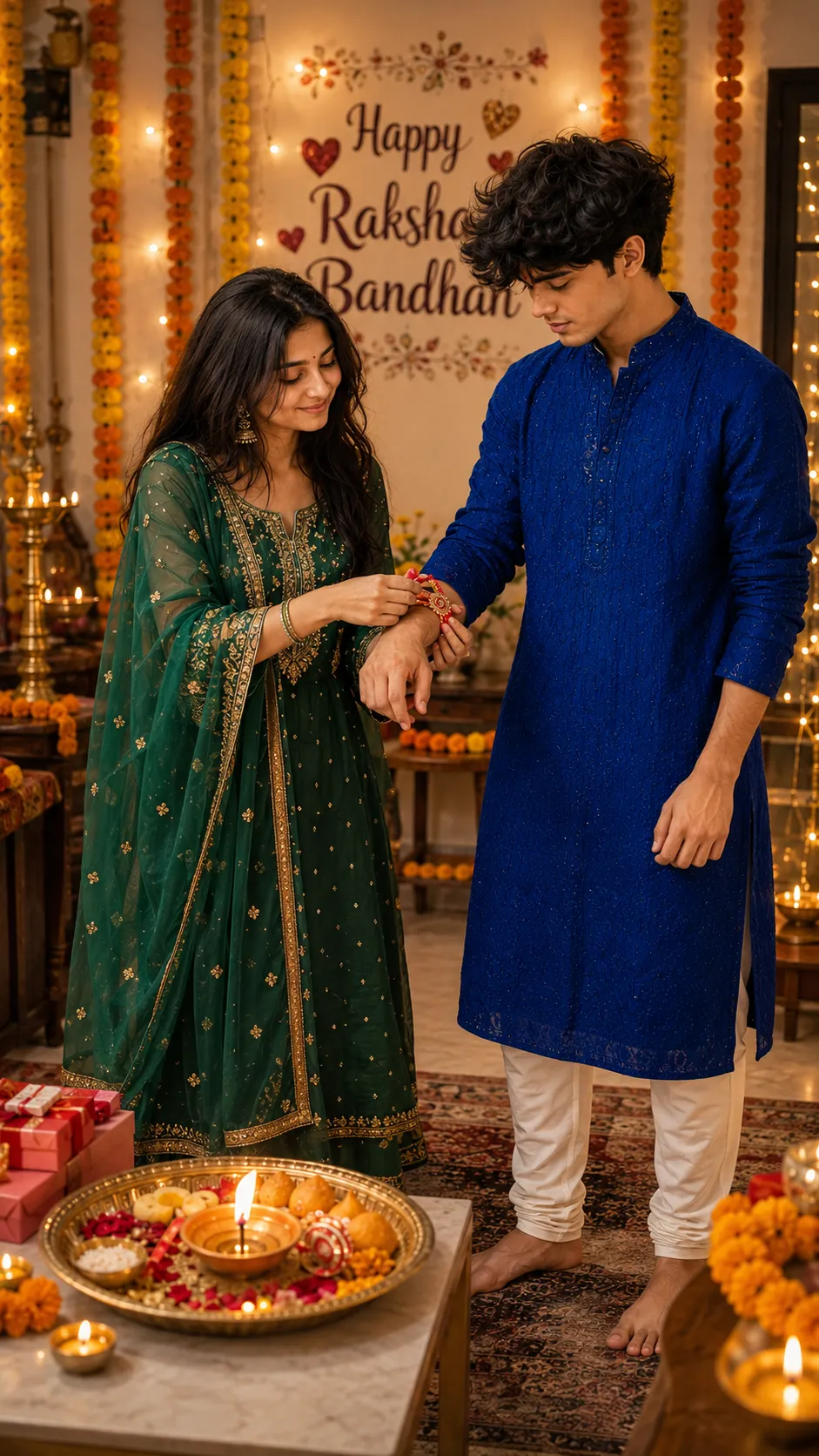
A standing Rakhi portrait, royal blue and emerald green outfits, puja thali, marigold garlands.
4. Cream & Peach Rakhi Portrait Prompt
A softer, cream and pastel peach sitting portrait, tying the Rakhi at home with a warm festive backdrop.
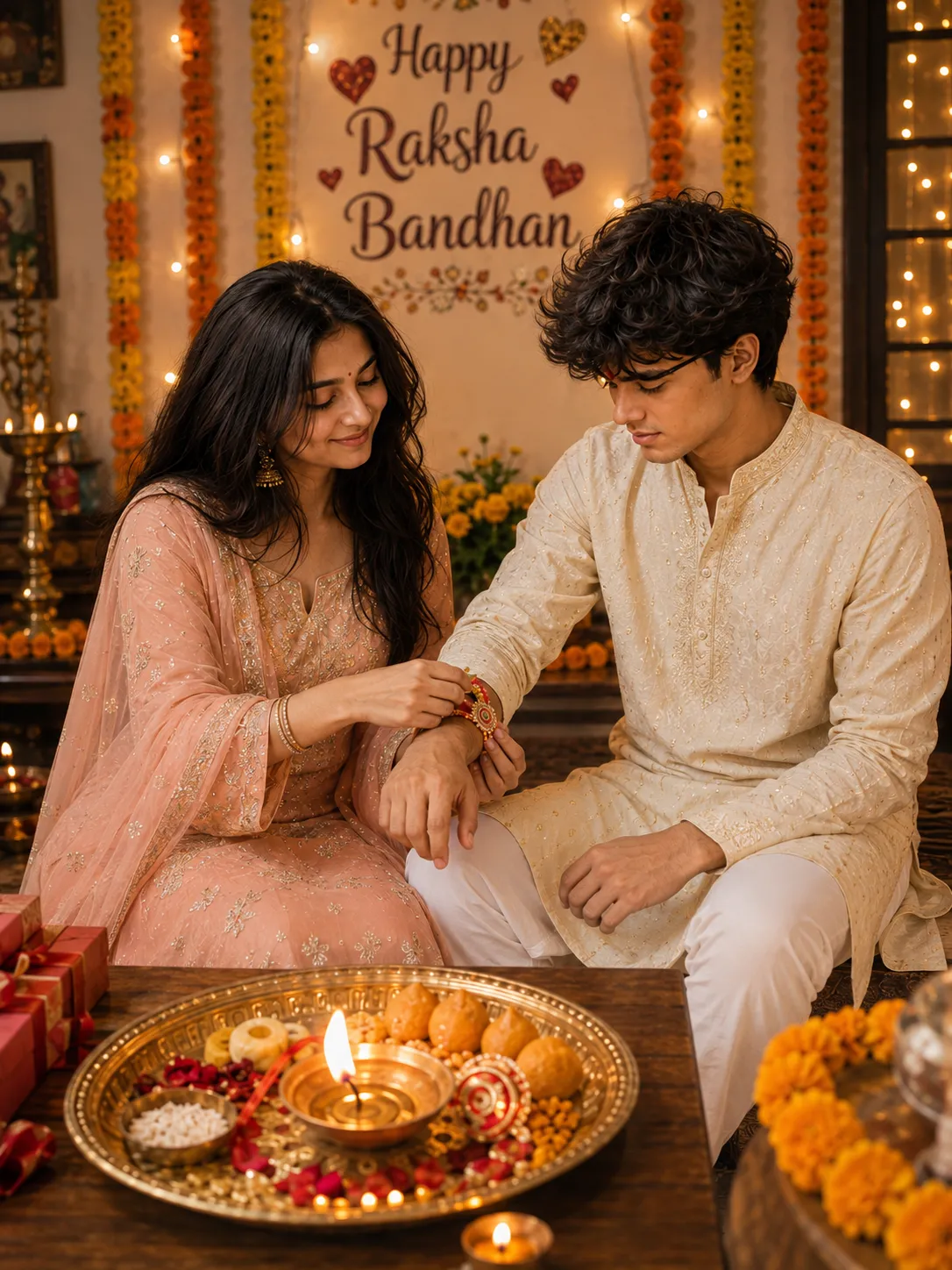
A cream and pastel peach Rakhi portrait, sitting at home, puja thali, marigold garlands, warm lighting.
5. Emerald Green Standing Portrait Prompt
A standing portrait facing the camera, deep emerald green outfit, with the tied Rakhi clearly visible on the wrist.
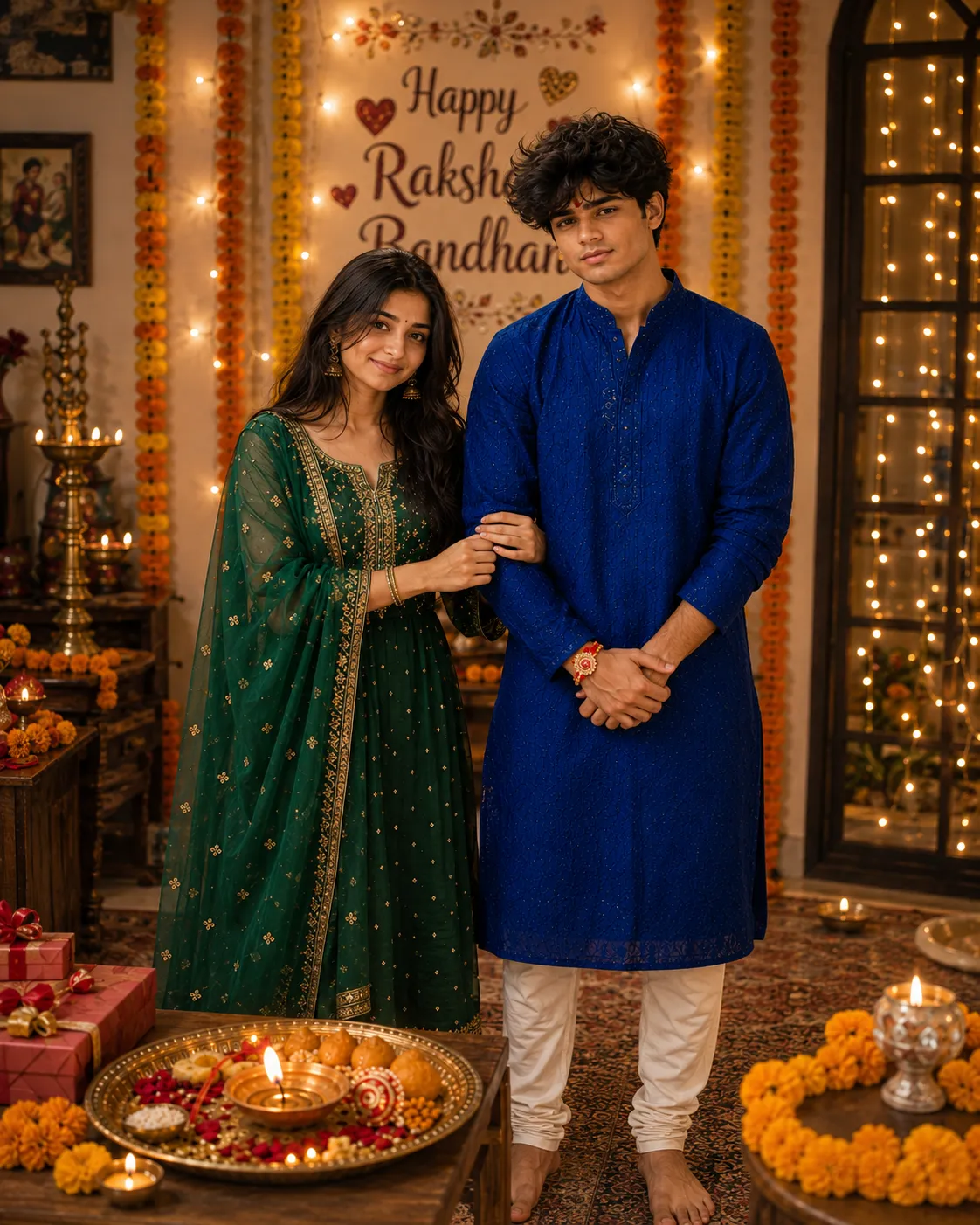
A standing portrait facing the camera, emerald green outfit, visible Rakhi, festive background.
How to Use These Prompts
- Pick one clear photo of the brother and one of the sister, or a single photo of both together, this is the reference each prompt builds the outfit and pose around.
- Copy the prompt for the style you want and paste it into ChatGPT or Gemini along with the photo or photos.
- Want a different outfit color instead of what’s listed? Swap that one detail in the prompt and keep the rest as written.
- If either face changes too much, ask for a redo and add: “keep both faces exactly as shown in the uploaded photos, do not alter or blend features.”
Tips for Better Results
Clear, well-lit reference photos matter more for the collage prompt, since the same two faces have to stay consistent across all 7 frames. If the Rakhi or jewelry comes out too plain, add “add visible thread texture and detail to the Rakhi” to the end of the prompt. For the standing portraits, a plain background in your source photo makes it easier for the AI to build the festive decorations cleanly.
Conclusion
These five Raksha Bandhan prompts cover a full scrapbook collage and four single-portrait looks in different outfit colors. Start with whichever format matches what you’re picturing, then adjust one detail, the outfit color or the pose, until the result feels ready to share.
FAQ
What does the Raksha Bandhan photo collage prompt include?
It arranges 7 candid Polaroid-style photos of the same brother and sister on a scrapbook background, covering the Rakhi tying, sweets, playful moments, and a close-up of the tied Rakhi, with a handwritten-style message in the center.
Do these Raksha Bandhan AI photo prompts work on Gemini as well as ChatGPT?
Yes. Every prompt here is plain descriptive text, so the same wording works on ChatGPT, Gemini, or any other AI image tool that accepts a photo along with a prompt.
Do I need one photo or two for these brother-sister prompts?
One clear photo of each person usually gives the strongest identity match, though a single photo of both together can also work for most of these prompts.
Can I change the outfit colors in these Raksha Bandhan prompts?
Yes. Details like the kurta or salwar suit color are just text, so you can swap them for your own preference before pasting the prompt in.
If you enjoyed these prompts, explore more trending AI photo prompts and keep creating high-quality images with ease.
← Back to All Prompts