Girl Lehenga AI Photo Prompts: Turn Your Photo into a Festive Portrait
Turn your photo into a royal lehenga portrait. Copy a prompt and drop in your picture.
Prompt Seen’s girl lehenga AI photo prompt turns an ordinary photo into a festive, wedding-ready portrait. Instead of your usual background, the AI dresses you in a detailed embroidered lehenga, adds traditional jewelry, and places you against a warm, royal backdrop, exactly the kind of shot people post before a wedding, Eid, or festive event.
Below are two lehenga prompt versions on Prompt Seen. One is a luxurious pastel pink lehenga with heavy golden embroidery, and the other is a softer pastel sage green lehenga with gold floral work. Pick whichever mood matches your photo, and swap the color or fabric details for your own preference.
1. Pastel Pink Lehenga Prompt
A luxurious pastel pink lehenga with heavy golden embroidery, full-body portrait in a warm wedding setting.
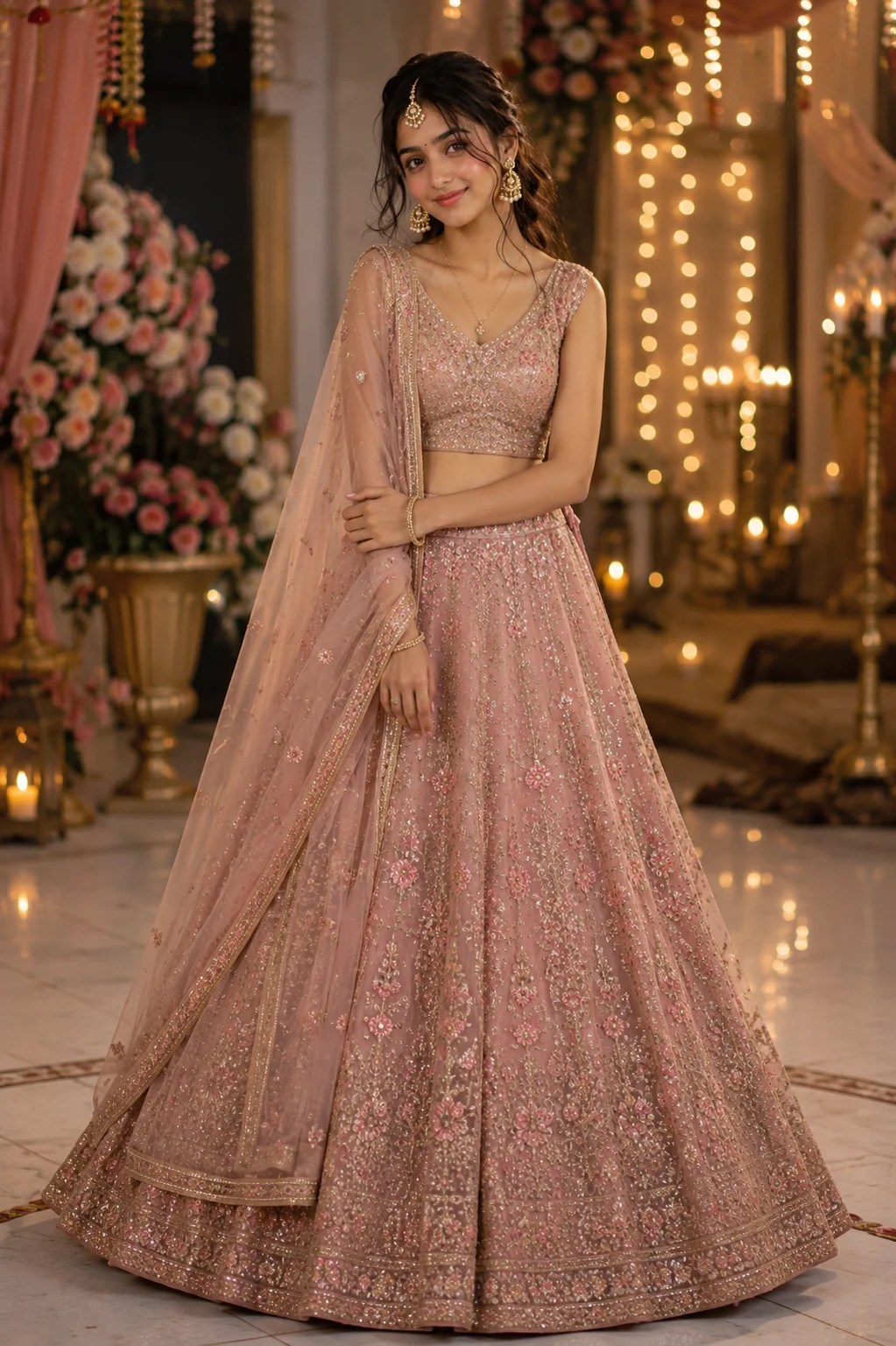
A pastel pink lehenga with heavy golden embroidery, full-body view, warm wedding setting with fairy lights.
2. Sage Green Lehenga Prompt
A pastel sage green lehenga with floral gold embroidery, full-body portrait in a chandelier-lit wedding venue.
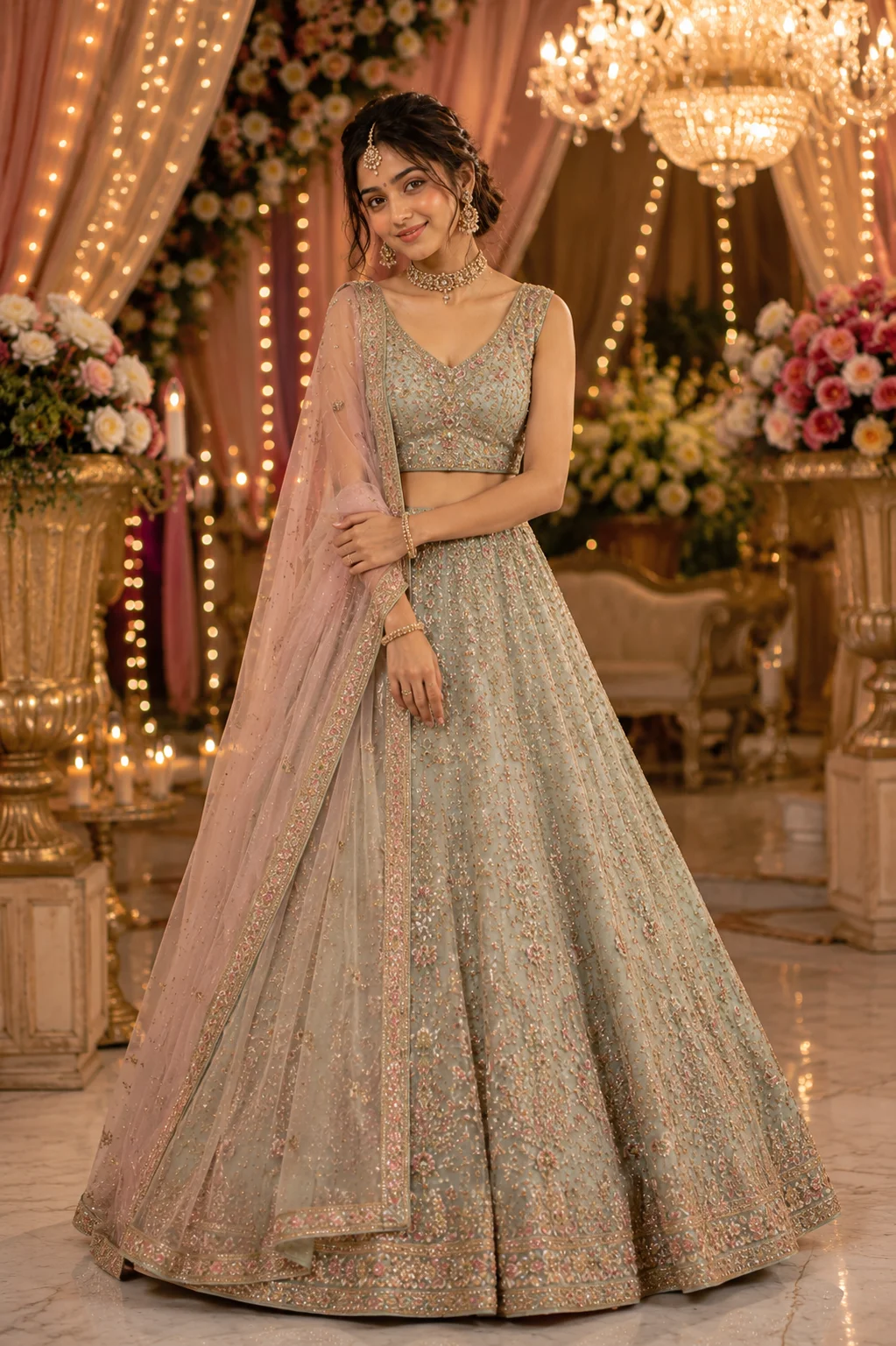
A sage green lehenga with gold floral embroidery, full-body view, luxurious chandelier-lit wedding venue.
How to Use These Lehenga Prompts
- Pick one clear, front-facing photo where your face is well lit. This is the reference each prompt builds the lehenga portrait around.
- Copy the prompt that matches the mood you want, then paste it into ChatGPT or Gemini along with your photo.
- If you want a different lehenga color, swap the color and fabric words in the prompt before pasting it in.
- If your face comes out altered, ask for a redo. Add this line: “keep my exact face from the uploaded photo unchanged, only update the outfit and background.”
Tips for Better Results
A clear, front-facing photo with good lighting gives this prompt the strongest base, since the AI has to match your face against a fairly detailed outfit and jewelry. If the jewelry or embroidery looks too plain, add “add more detailed embroidery and jewelry work” to the end of the prompt.
For a bridal-heavy look instead of a festive-casual one, add “bridal-style makeup, heavier jewelry, and a more elaborate dupatta drape” to either prompt.
Conclusion
Both Prompt Seen girl lehenga prompts turn a simple photo into a festive, ready-for-the-event portrait. One leans bold and bridal in red and gold, the other stays soft and pastel. Start with the version that matches the mood you want, then adjust the color or jewelry details to make it your own. Prompt Seen keeps adding traditional and festive styles like this one, so it’s worth checking back for more.
FAQ
What is the girl lehenga AI photo prompt on Prompt Seen?
It is a Prompt Seen prompt that turns your photo into a festive lehenga portrait, adding a detailed lehenga outfit, jewelry, and a royal or floral backdrop while keeping your face unchanged.
Does the Prompt Seen lehenga prompt work on ChatGPT and Gemini?
Yes. The lehenga prompts on Prompt Seen are plain descriptive text, so the same wording works on ChatGPT, Gemini, or any other AI image tool that accepts a photo along with a prompt.
Can I change the lehenga color in the prompt?
Yes. Just replace the color and fabric words in the prompt, such as swapping pastel pink for sage green, deep red, or royal blue, and the rest of the prompt still works.
Will the AI keep my face the same in the lehenga photo?
Yes, if you upload a clear reference photo. Both Prompt Seen lehenga prompts specifically instruct the AI to preserve your exact facial identity and only change the outfit and background.
If you enjoyed these lehenga prompts, explore more trending AI photo prompts on Prompt Seen and keep creating high-quality images with ease.
← Back to All Prompts