Aesthetic Instagram DP Photo Editing Prompts: Neon Purple Profile Picture Looks
In this post, we’ll share viral aesthetic DP photo editing prompts for Instagram and other social media.
A good display picture does more work than people give it credit for, it’s the first thing anyone sees before they read a single post. The neon purple “Editor” style DP has been showing up everywhere lately: a bold circular crop, a serious expression, and your name worked directly into the design like a personal brand mark.
The three prompts below all build that same look, a high-contrast purple and magenta color grade, a confident pose, and glowing name text at the bottom, styled for a circular profile picture. Two are written for a man and one for a woman, and each only needs a single clear reference photo.
1. Neon Purple DP Prompt for Boys
A circular Instagram DP with a bold purple and magenta color grade, glowing name text, and a confident, serious pose.
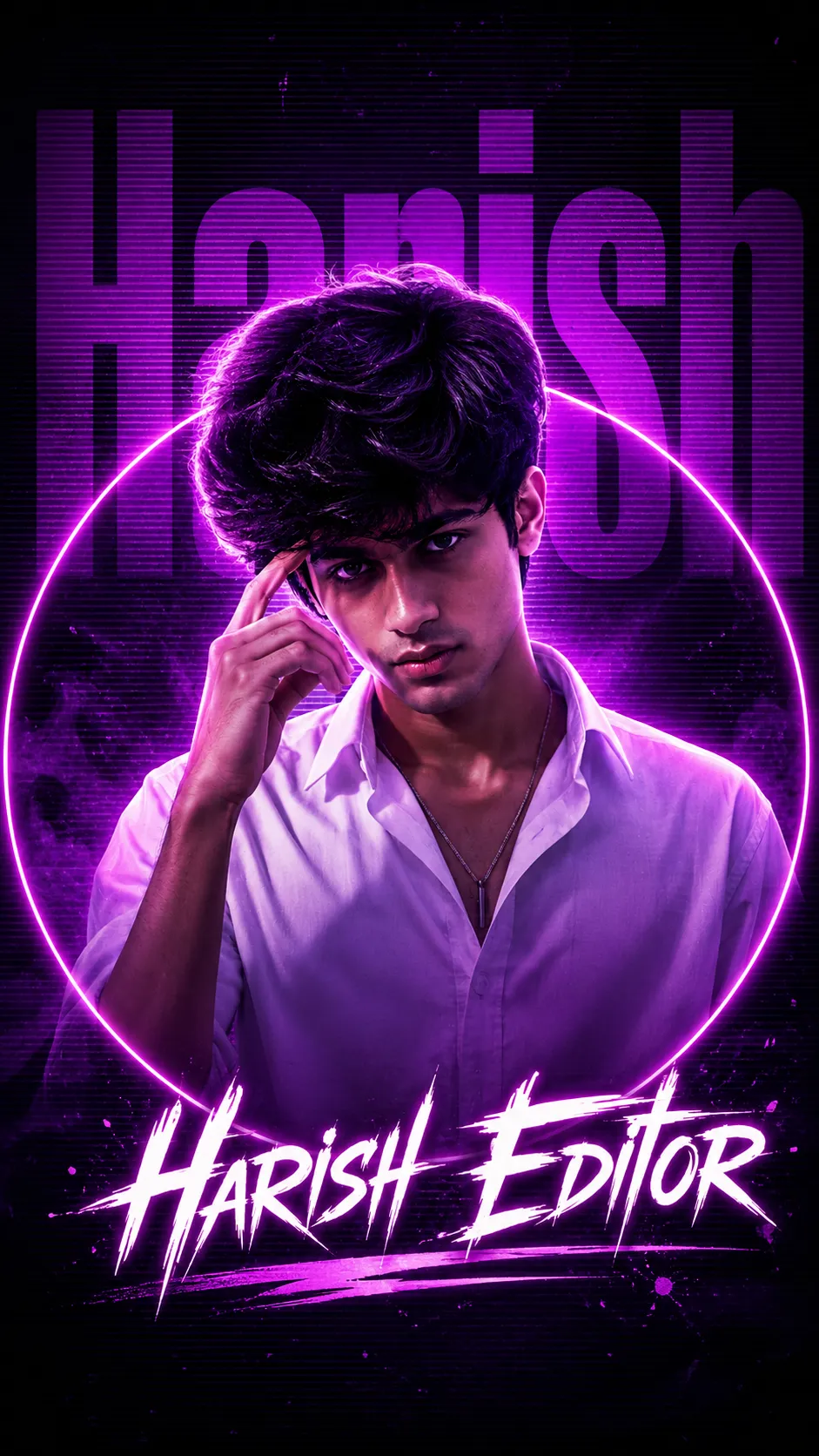
A circular DP with purple and magenta color grade, serious pose, hand at temple, glowing name text.
2. Neon Purple DP Prompt for Girls
The same DP look, written for a woman, with natural skin tones preserved under the purple and magenta color grade.
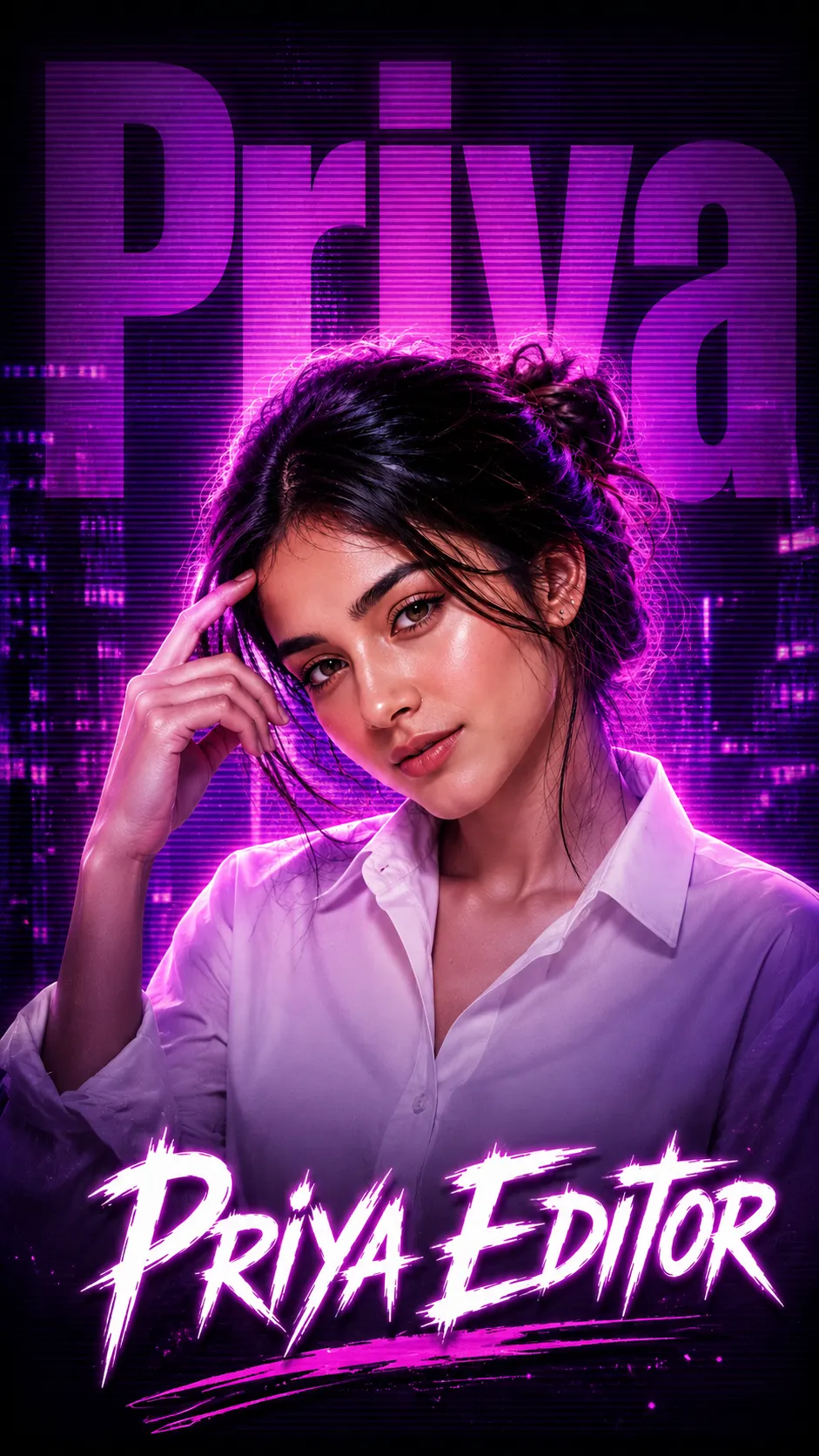
A circular DP with purple and magenta color grade, serious pose, hand at temple, glowing name text.
3. Neon Purple DP Prompt for Boys (Alternate)
A second version of the same purple and magenta DP style for a man, keeping the same pose and glowing name-text layout.
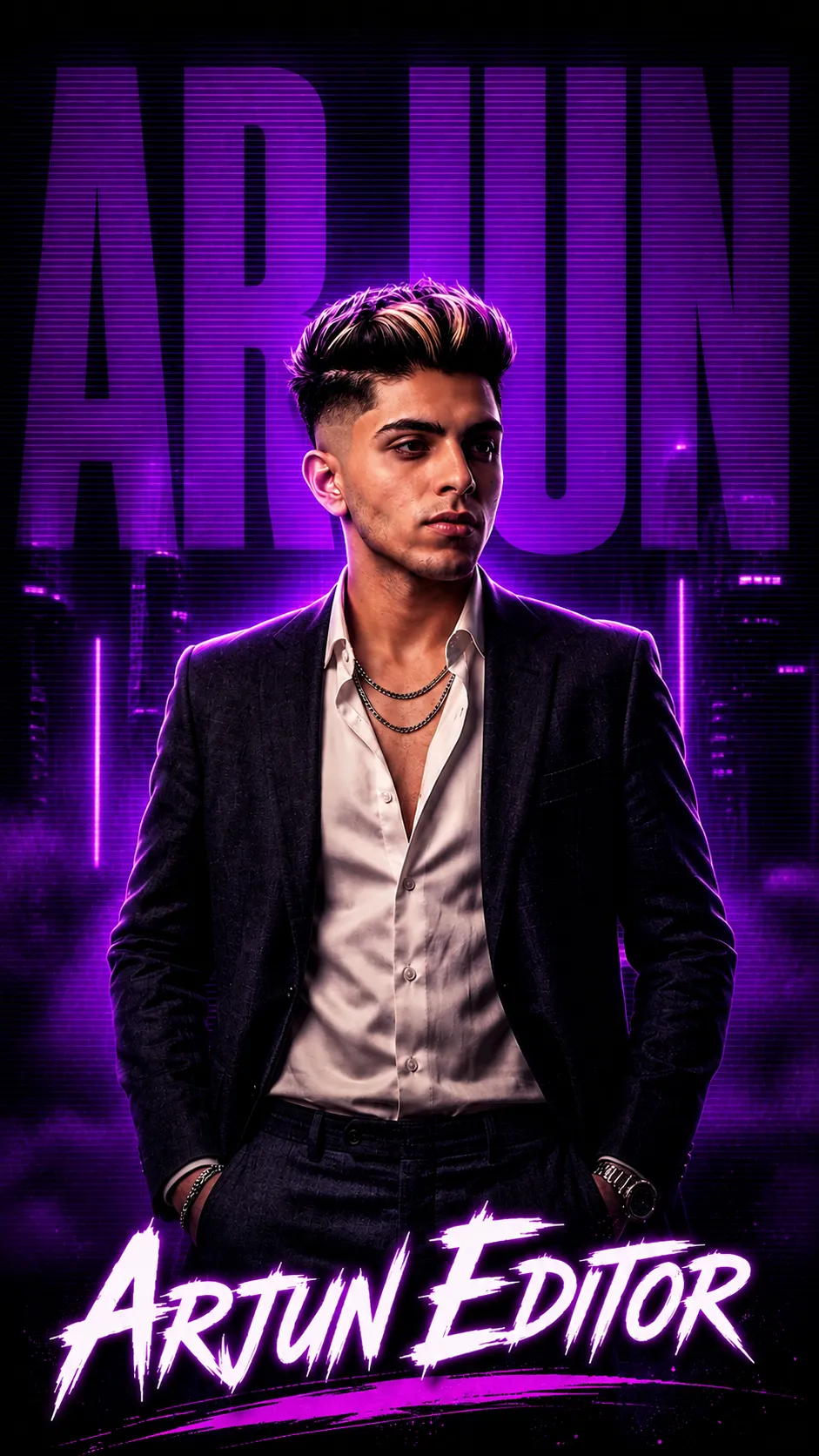
A circular DP with purple and magenta color grade, serious pose, hand at temple, glowing name text.
How to Use These Prompts
- Pick one clear, front-facing photo with good, even lighting, this is the face reference the DP is built from.
- Copy the prompt for your gender and paste it into ChatGPT or Gemini along with your photo.
- Before pasting, swap “[YOUR NAME]” for your own name, this is the text that appears in the background and at the bottom of the DP.
- If your face comes out altered, ask for a redo and add: “keep my exact face from the uploaded photo unchanged, only update the color grade, lighting, and text.”
Tips for Better Results
Since the whole DP gets cropped into a circle, a photo where your face is centered and reasonably close-up works better than a full-body shot. If the name text comes out too small to read at DP size, add “make the name text large and bold enough to read at a small profile picture size” to the end of the prompt. Want a different color instead of purple and magenta? Just name the two colors you’d rather use.
Conclusion
All three DP prompts above share the same neon purple and magenta styling, just adjusted for gender and pose. Start with the version closest to your own photo, swap in your name, then adjust one detail, the color grade or the text size, until the DP feels ready to post.
FAQ
What makes a good aesthetic Instagram DP photo?
A strong DP photo usually has a bold, consistent color grade, a confident expression, and a circular crop that reads clearly at a small profile picture size, ideally with your name worked into the design.
Do these Instagram DP prompts work on Gemini as well as ChatGPT?
Yes. All three prompts are written as plain descriptive text, so the same wording works on ChatGPT, Gemini, or any other AI image tool that accepts a photo along with a prompt.
Can I change the name text or color grade in these prompts?
Yes. Swap the example name in brackets for your own, and the purple and magenta color grade is just text too, so you can request a different color combination if you prefer.
Is there a version of this DP prompt for both boys and girls?
Yes. This post includes two versions of the same neon purple DP look, one written for a man and one for a woman, both using the same pose, lighting, and name-text layout.
If you enjoyed these prompts, explore more trending AI photo prompts on Prompt Seen and keep creating high-quality images with ease.
← Back to All Prompts