Cinematic Movie Poster Editing Prompts: Your Own Premiere Night Photo
Turn your photo into a movie premiere moment. Copy a prompt and drop in your picture.
These cinematic movie poster editing prompts are a creative way to turn an ordinary portrait into a stylish, movie-premiere-style photo. Instead of a plain background, you end up standing in a glossy cinema lobby. Beside you glows an action-movie poster, exactly the kind of shot people post before a big release.
Below, you’ll find two versions on Prompt Seen. One is written for a boy, and the other for a girl, both sharing the same luxury lobby setting and poster design. So, pick the one that matches your photo, and feel free to swap in your own title or release date.
1. Movie Poster Premiere Prompt for Boys
A confident lobby portrait beside a glowing black-and-gold action poster, with a custom title and release date.
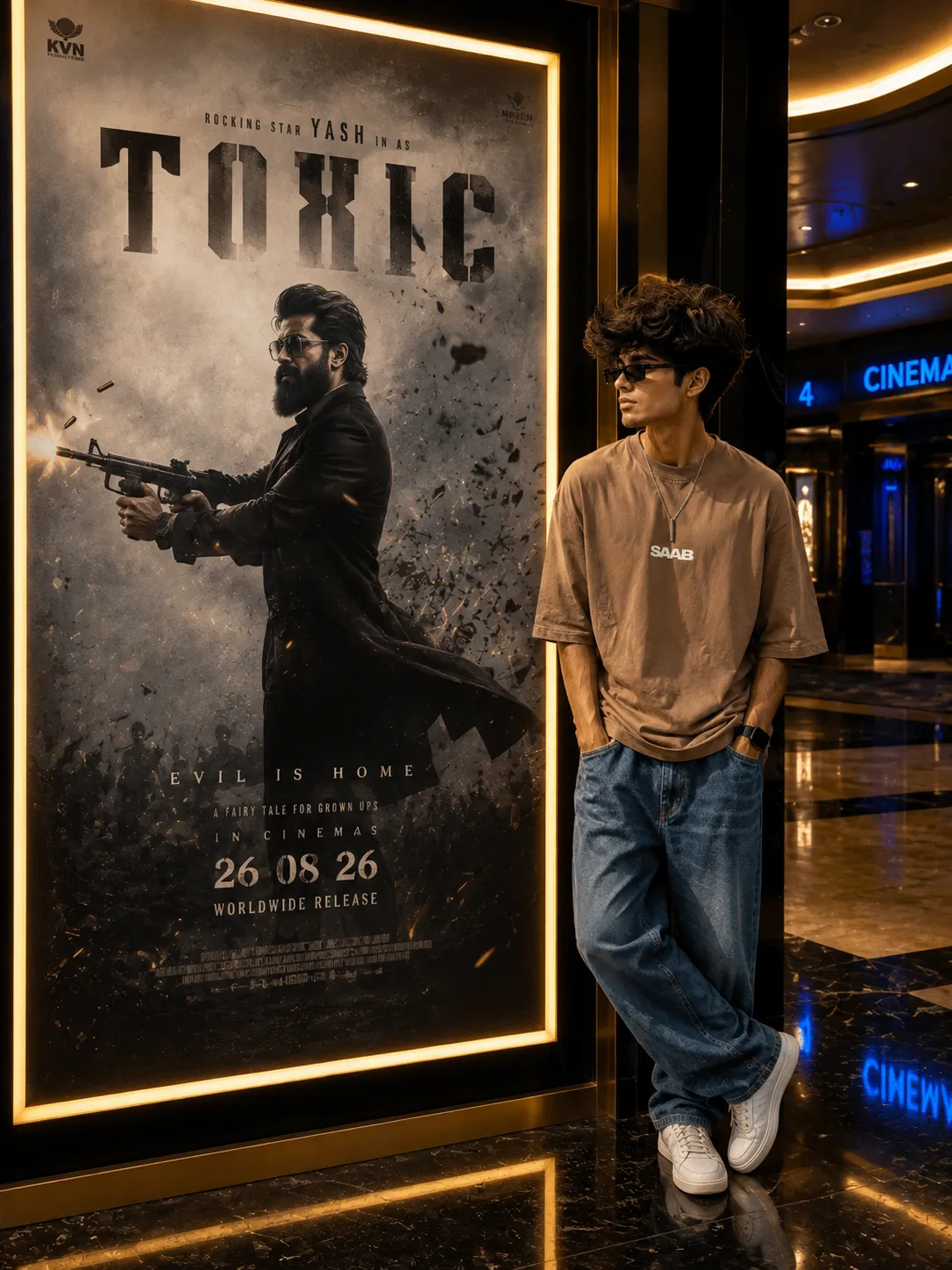
A cinema lobby portrait beside a glowing action-movie poster, luxury marble setting, custom title text.
2. Movie Poster Premiere Prompt for Girls
The same premiere-night lobby portrait, styled for a girl in her own outfit, standing beside the glowing poster.
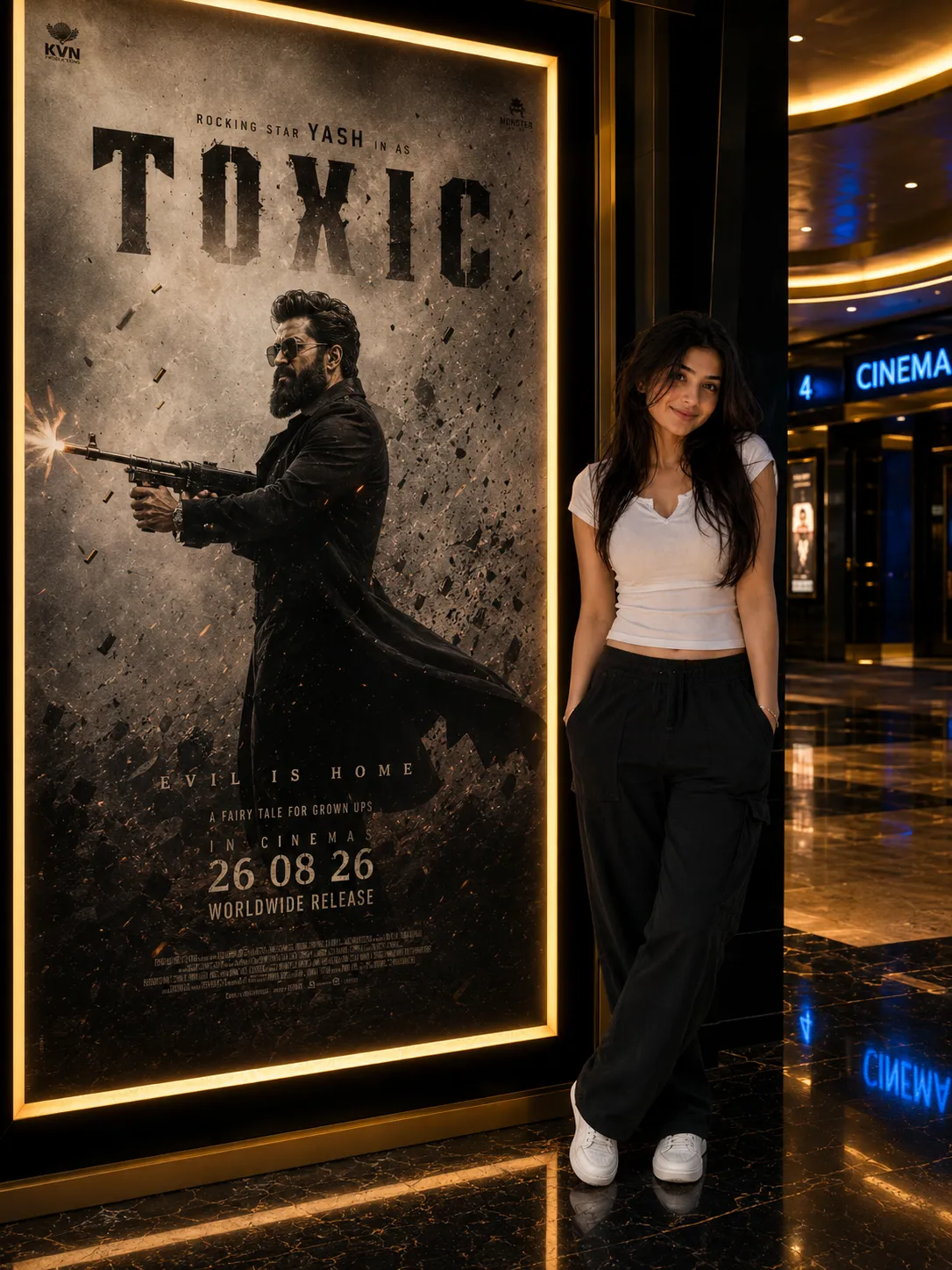
A confident cinema lobby portrait beside a glowing action-movie poster, luxury marble setting, custom title text.
How to Use These Prompts
- Pick one clear, front-facing photo with your outfit visible. This is the reference each prompt builds the lobby scene around.
- Copy the prompt that matches your photo, then paste it into ChatGPT or Gemini along with your picture.
- Before pasting, decide on a movie title, tagline, and release date. Then swap them into the prompt where it says to add your own text.
- If your face comes out altered, ask for a redo. Add this line: “keep my exact face from the uploaded photo unchanged, only update the setting and poster.”
Tips for Better Results
A well-lit, front-facing photo gives this prompt the strongest base. That’s because your face has to hold up clearly against a fairly detailed background. If the poster text comes out blurry or misspelled, add “make all poster text large, bold, and correctly spelled” to the end of the prompt.
For a different mood than an action poster, describe the genre directly. For example, try “romantic drama poster” or “mystery thriller poster” instead of leaving it as an action theme.
Conclusion
Both cinematic movie poster prompts turn a simple photo into a premiere-night moment. One is styled for a boy, the other for a girl, and both share the same luxury lobby setting. Start with the version that matches your own photo, then pick a title and tagline that feels like yours. Prompt Seen keeps adding cinematic styles like this one, so it’s worth checking back for more.
FAQ
What is the cinematic movie poster photo trend?
It’s a photo style that places your portrait inside a luxury cinema lobby, standing beside a glowing, action-movie-style poster, as if you were attending your own film premiere.
Do these movie poster prompts work on ChatGPT and Gemini?
Yes. Both prompts on Prompt Seen are plain descriptive text, so the same wording works on ChatGPT, Gemini, or any other AI image tool that accepts a photo along with a prompt.
Can I change the poster title or the release date text?
Yes. The title, tagline, and date are just text, so you can swap them for your own wording before pasting the prompt in.
Is there a version of this prompt for both boys and girls?
Yes. This post includes one version written for a boy and one written for a girl, both sharing the same cinema lobby setting and poster design.
If you enjoyed these prompts, explore more trending AI photo prompts on Prompt Seen and keep creating high-quality images with ease.
← Back to All Prompts