Crayon Shin-Chan Character AI Photo Prompt
This viral Shin-chan style edit is everywhere. Copy the prompt and drop in your own photo.
In this post, I’ll share the Instagram-viral Shin-chan style photo editing prompt that’s been showing up everywhere lately, real photos turned into bold, clean cartoon characters in the classic Crayon Shin-chan art style. Big oval eyes, thick black outlines, and flat colors replace the realistic details, while your actual outfit and pose stay fully recognizable.
Below are three examples on Prompt Seen, all using the exact same prompt. Each one shows how the wording adapts naturally to a different outfit and person, a red saree, a white saree, and a boy’s outfit, so you can see the range before trying it on your own photo.
1. Shin-Chan Style Cartoon Prompt, Red Saree Example
A bold 2D cartoon transformation in the Crayon Shin-chan style, keeping the red saree, jewelry, and pose recognizable.
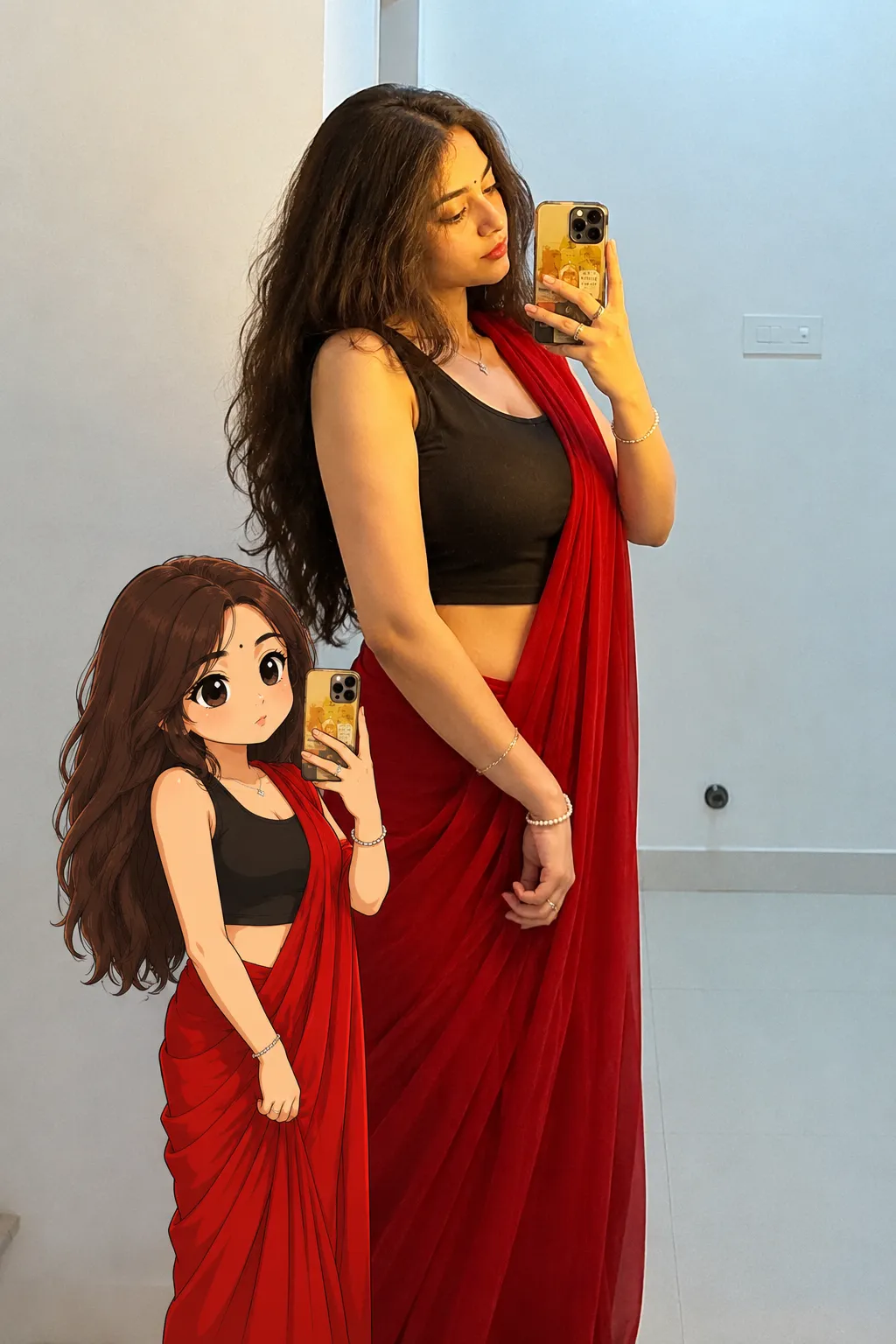
A Crayon Shin-chan-style 2D cartoon transformation, keeping the outfit, pose, and expression recognizable.
2. Shin-Chan Style Cartoon Prompt, White Saree Example
The exact same prompt as above, shown with a white saree to see how the style holds up across different outfits.
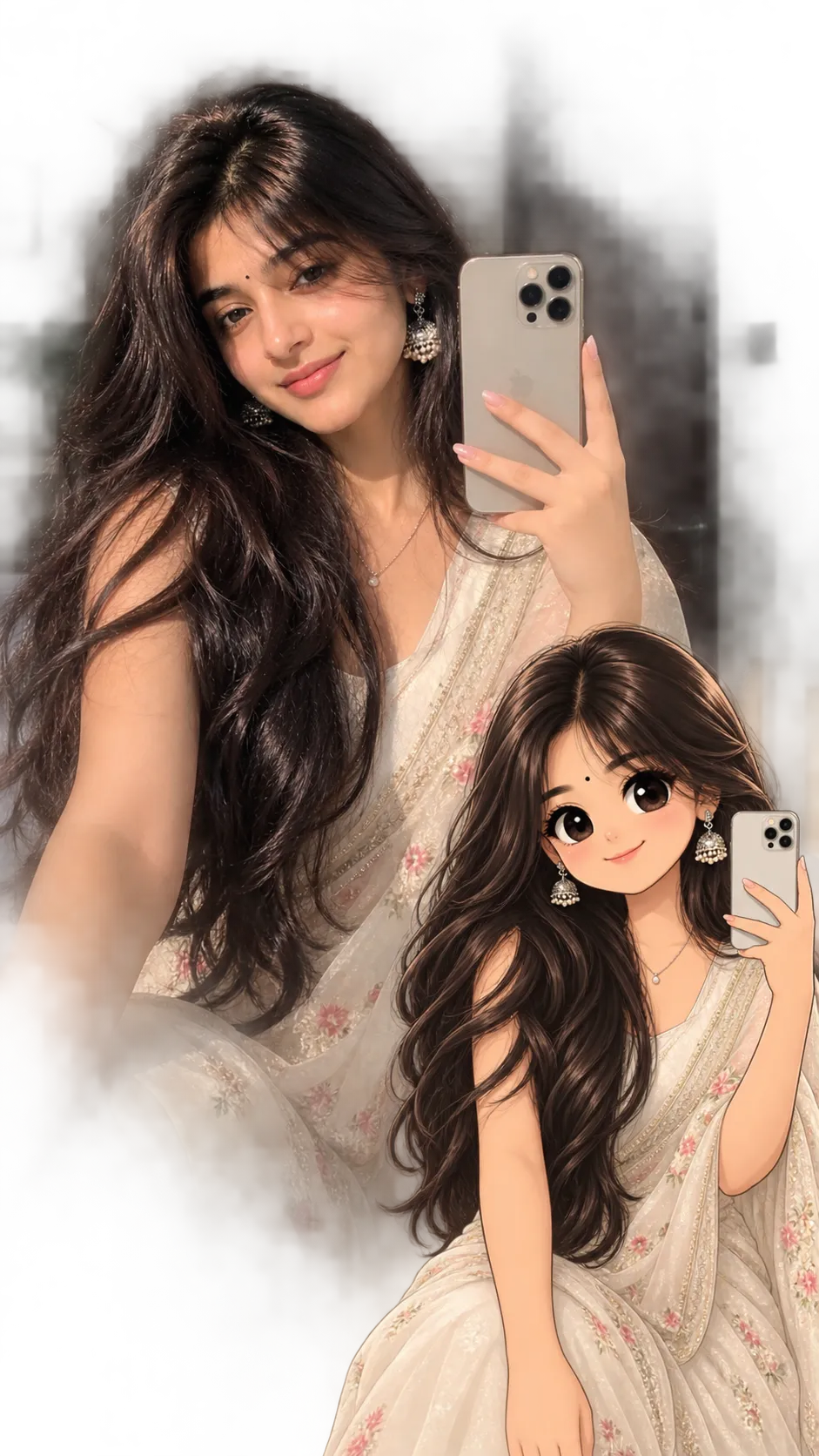
A Crayon Shin-chan-style 2D cartoon transformation, keeping the outfit, pose, and expression recognizable.
3. Shin-Chan Style Cartoon Prompt, Boy Example
The same prompt again, this time applied to a boy’s photo to show the style working for both genders.
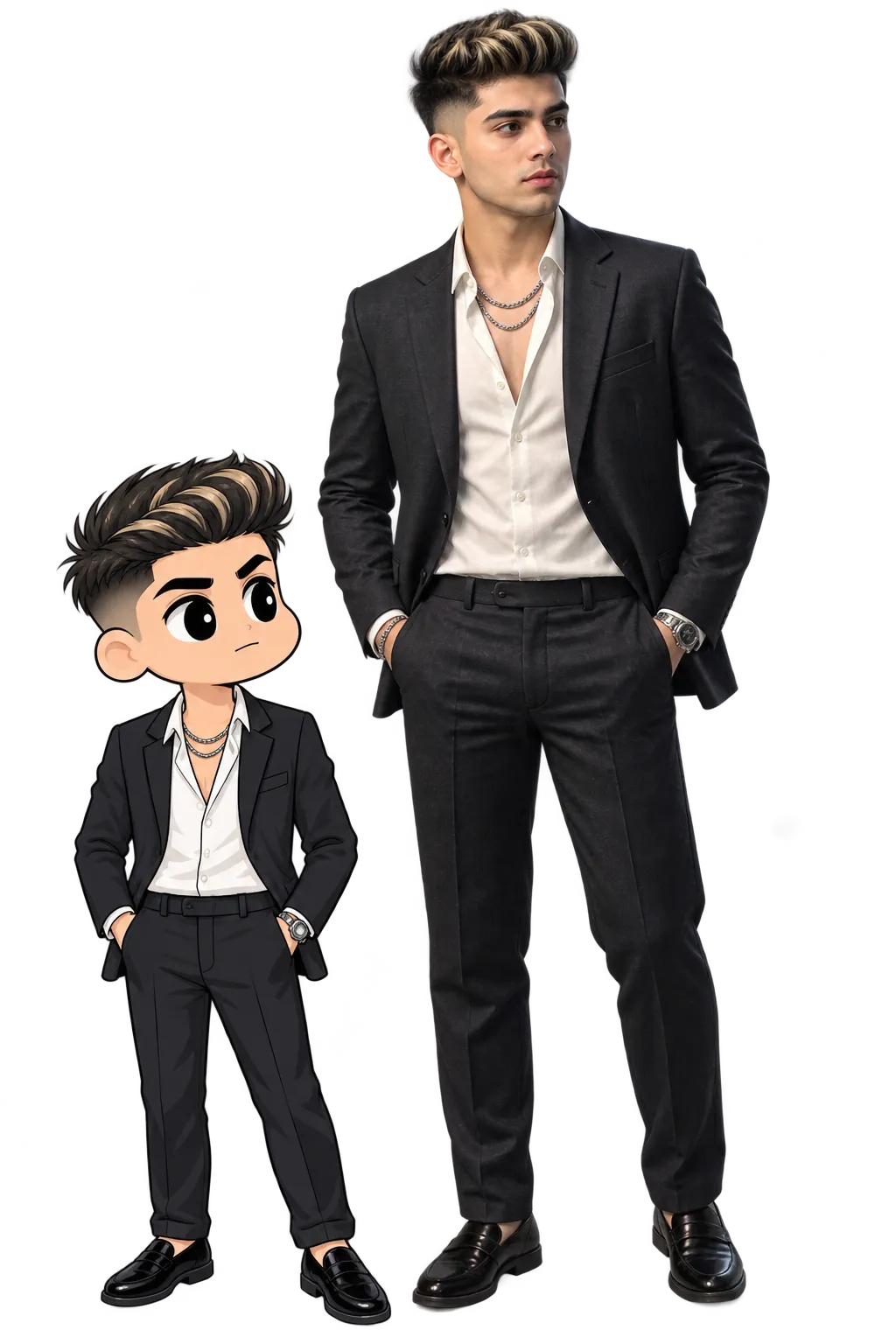
A Crayon Shin-chan-style 2D cartoon transformation, keeping the outfit, pose, and expression recognizable.
How to Use This Prompt
- Pick one clear, full-body photo with your outfit and pose visible, this is what the cartoon version is built from.
- Copy the prompt above and paste it into Gemini, ChatGPT, or your preferred AI image tool along with your photo.
- Have more than one person in the photo? The prompt already handles that, each person gets converted individually while keeping their position.
- If the outfit or accessories come out changed, ask for a redo and add: “keep the exact outfit, colors, and accessories from the uploaded photo unchanged.”
Tips for Better Results
A clear, full-body photo with good lighting gives this prompt the most to work with, since it needs to read your outfit, pose, and accessories accurately before simplifying them into cartoon shapes. If the result leans too realistic or too shaded, add “flatten the shading further, keep colors bold and cel-style” to the end of the prompt.
For group photos, a shot where everyone is clearly visible and not overlapping too much helps the AI keep each person distinct in the cartoon version.
Conclusion
This one Crayon Shin-chan prompt covers a wide range of outfits and people, as the three examples above show. Start with one clear photo, paste the prompt in, and adjust a small detail, like shading or outfit accuracy, if the first result isn’t quite right. Prompt Seen keeps adding viral styles like this one, so it’s worth checking back for more.
FAQ
What is the Crayon Shin-Chan AI photo trend?
It’s a viral style that turns a real photo into a 2D cartoon character in the bold, simple art style of Crayon Shin-chan, large oval eyes, thick outlines, and flat cel-shaded colors, while keeping the outfit and pose recognizable.
Does this Crayon Shin-Chan prompt only work on Gemini?
No. The prompt is written as plain descriptive text, so the same wording works on Gemini, ChatGPT, or any other AI image generation tool that accepts a photo along with a prompt.
Why do all three examples on this page use the same prompt?
The wording stays identical across all three, since the goal is the same, a recognizable Shin-chan-style cartoon of the uploaded photo. The three examples show how the same prompt adapts to different outfits and people.
Will this prompt work with a group photo of more than one person?
Yes. The prompt includes an instruction to transform each person individually while keeping their position and appearance, so it can handle more than one person in a single uploaded photo.
If you enjoyed this prompt, explore more trending AI photo prompts on Prompt Seen and keep creating high-quality images with ease.
← Back to All Prompts