Classic Black & White Studio Portrait AI Photo Prompt for ChatGPT & Gemini
One rim-lit, black & white studio look, works for both a boy and girl portrait 🖤
A real studio session with this kind of lighting, a suit fitted just right, a rim light tracing the hairline, and a seamless black backdrop, usually means booking a photographer, a studio, and a stylist. This prompt gets you the same result from one clear photo and a few lines of text.
It is one of the cleanest looks on Prompt Seen right now because it strips everything back to light, shadow, and one confident expression. No busy background, no distracting colors, just a sharp black-and-white portrait that reads as premium the moment it loads. Below are two ready-to-copy versions, one built around a boy’s portrait and one around a girl’s, both using the same lighting and wardrobe formula.
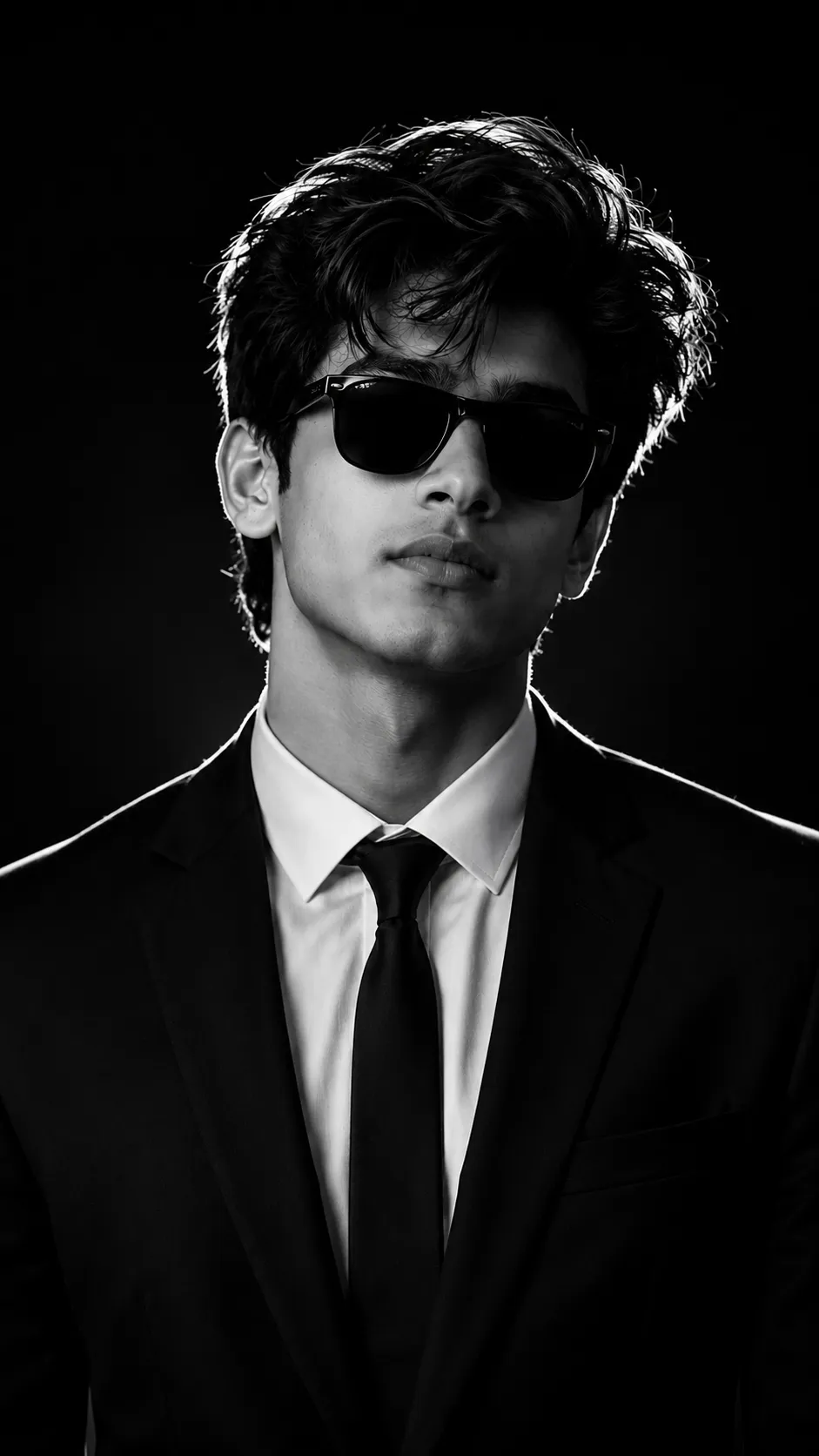
Black Suit Studio Portrait Prompt
Cinematic black-and-white studio portrait: tailored black suit, white shirt, black tie, matte sunglasses, rim-lit hair, deep shadows, seamless black background.
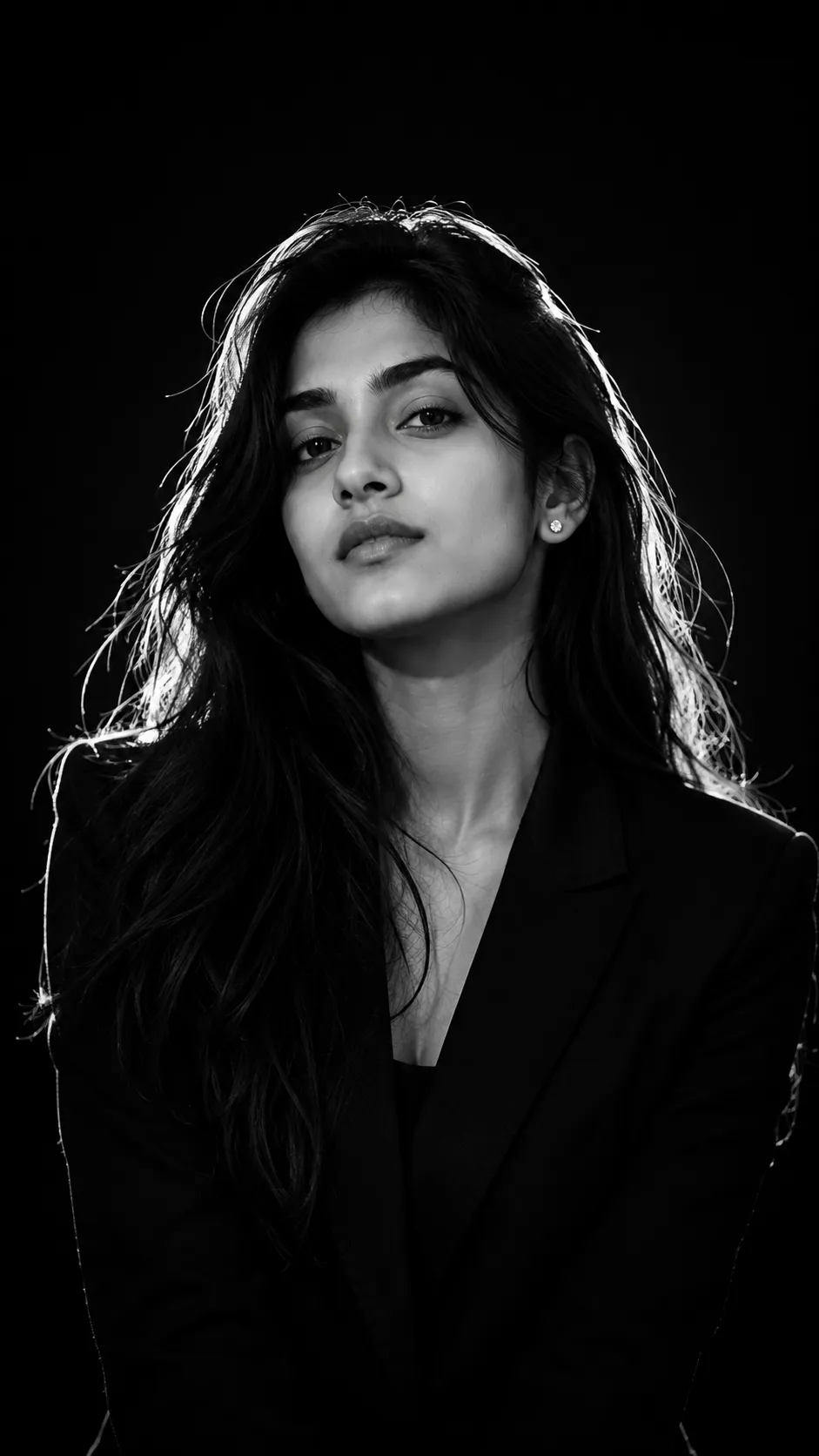
Elegant Studio Portrait Prompt
The same rim-lit, high-contrast studio formula, carried over for an elegant black-and-white portrait with a serious, editorial mood.
How to Use This Prompt
1. Choose one clear, front-facing photo with even lighting, this is what the AI holds onto for the face and hair.
2. Copy the prompt above and paste it into ChatGPT or Gemini along with that photo.
3. Prefer a different accessory instead of sunglasses, or a plain tie instead of a suit? Swap that one detail in the prompt before pasting it in.
4. If the first result feels off, regenerate. A small wording change usually fixes it faster than starting over.
Tips for Better Results
Even, front-facing lighting in your original photo keeps the face accurate once everything else turns black-and-white. If the rim light looks too faint or too harsh, add a line like “keep the rim light subtle” or “make the rim light stronger along the shoulders” and regenerate. Because the background is meant to be pure black, a source photo with a plain wall or simple backdrop tends to generate a cleaner result than a busy, cluttered original.
Why This Look Is Trending
This style keeps showing up on Prompt Seen because it photographs well anywhere it’s posted, a profile photo, a LinkedIn headshot, a festival post. It works equally well for a boy or a girl portrait since nothing in the prompt is gender-specific, only the lighting and wardrobe change the mood. And because it skips color entirely, small skin tone or lighting mismatches from your original photo barely show up in the final result.
Conclusion
Both versions of this prompt build the same studio setup, rim light, deep shadow, seamless black background, on top of your own face. Start with one sharp reference photo, pick whichever version matches your look, and adjust one detail at a time instead of rewriting the whole prompt from scratch.
FAQ
What makes this Prompt Seen studio portrait prompt look so premium?
The rim light along the hair and shoulders combined with a pure black background is what separates it from a flat phone photo. That single lighting detail is what gives the shot its editorial, magazine-cover feel.
Does this prompt work for both a boy and a girl portrait?
Yes. The prompt only describes styling, lighting, and camera settings, not a specific gender, so the same wording works for either a boy or a girl reference photo on Prompt Seen.
Will the AI keep my actual face in a black-and-white result?
Yes, as long as your reference photo is clear and front-facing. The prompt opens by instructing the AI to preserve your exact face, hairstyle, and skin tone before applying the black-and-white studio treatment.
Can I use this prompt with a color photo as my starting image?
Yes. Your reference photo can be in color, the black-and-white styling is generated by the prompt itself, not by pre-editing your original photo.
If you enjoyed this prompt, explore more trending AI photo prompts on Prompt Seen and keep creating high-quality images with ease.
← Back to All Prompts