Romantic Couple Photo Prompt: Lock-Screen Pose & Close-Up Portrait
Turn two photos into a romantic couple portrait. Copy a prompt and drop in your pictures.
A romantic couple photo doesn’t need a studio or a photographer standing off to the side. With the right prompt, two ordinary reference photos can turn into a playful lock-screen wallpaper or an intimate close-up that looks like it came from an actual shoot.
Below are two prompts on Prompt Seen built around that idea: a mirrored, playful “shhh” pose set up as a working phone lock screen, and a tight eye-to-eye close-up with warm cinematic bokeh. Each one only needs one clear photo of each partner.
1. “Shhh” Couple Lock-Screen Pose Prompt
A playful mirrored pose set up as a working Android lock screen, matching outfits, index fingers on lips, a synced leg kick.
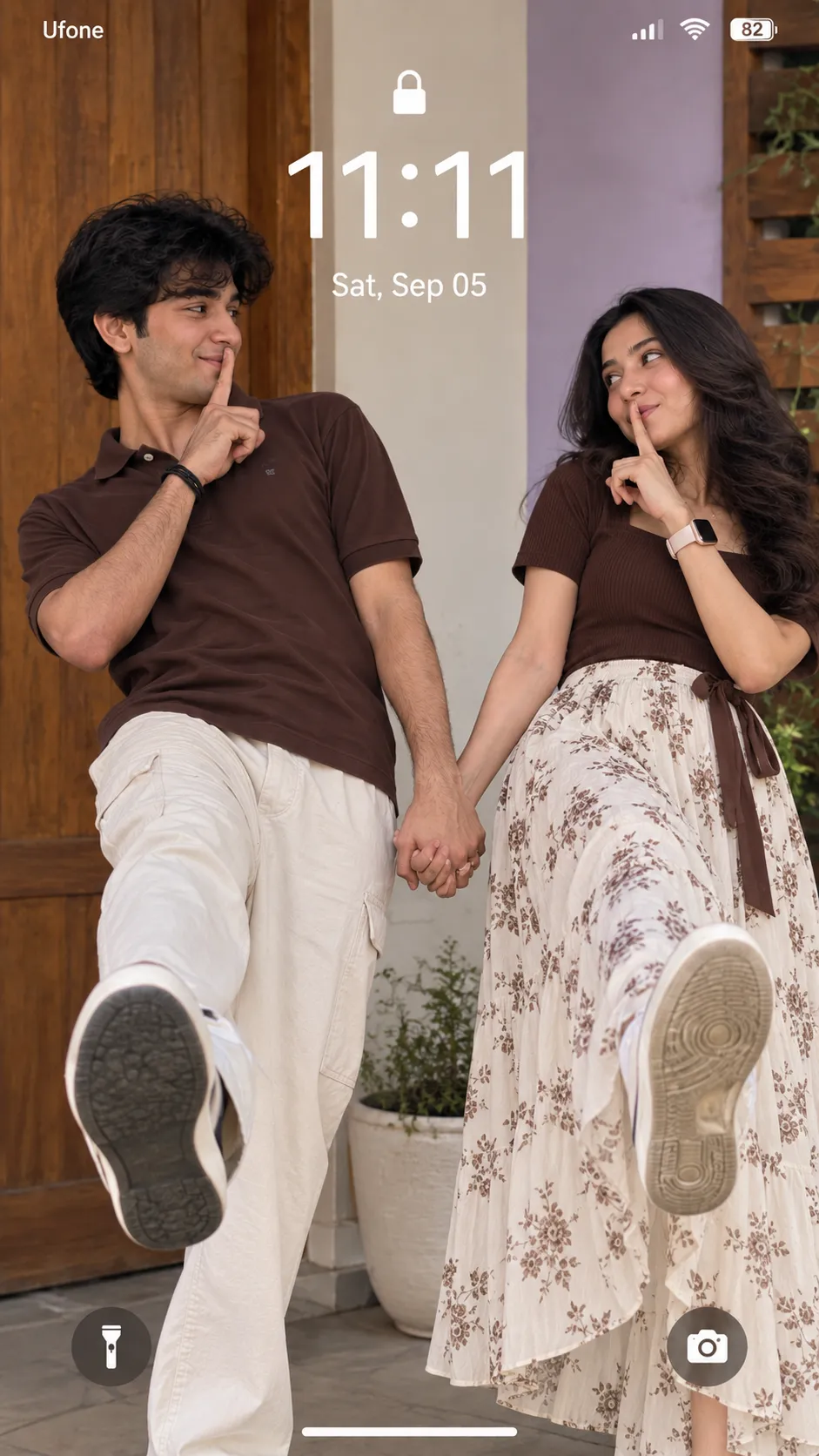
A mirrored “shhh” pose set as a working Android lock screen, matching yellow outfits, synced leg kick.
2. Eye-to-Eye Close-Up Couple Portrait Prompt
An intimate close-up with faces in opposite orientations, eyes meeting at the center, warm cinematic bokeh.
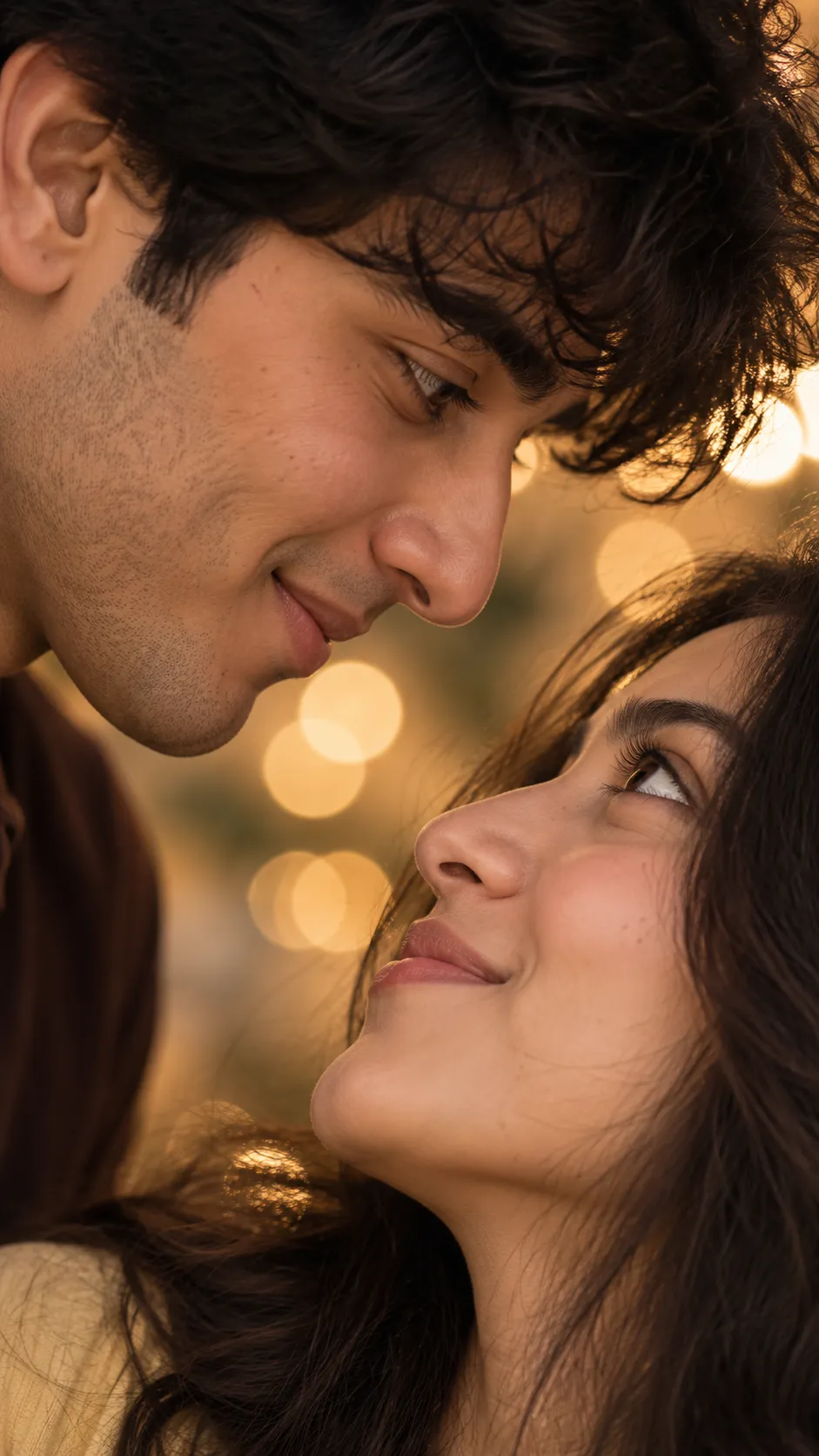
An extreme close-up, faces in opposite orientations, eyes meeting at the center, golden cinematic bokeh.
How to Use These Prompts
- Pick one clear, front-facing photo of each partner, this is the reference both prompts build the pose and expression from.
- Copy the prompt for the style you want and paste it into ChatGPT or Gemini along with both photos.
- Want a different outfit color or lock-screen date? Swap that one detail in the prompt and keep the rest as written.
- If either face changes too much, ask for a redo and add: “keep both faces exactly as shown in the uploaded photos, do not alter or blend features.”
Tips for Better Results
Clear, even lighting on both source photos keeps the identity match strong in both prompts, especially the close-up where each face fills most of the frame. For the lock-screen pose, a plain, well-lit background in your reference photos makes it easier for the AI to keep the mirrored pose balanced and clean. If the leg kick or hand placement comes out uneven, add “keep the pose perfectly mirrored and symmetrical” to the end of the prompt.
Conclusion
These two romantic couple prompts cover a playful, shareable lock-screen look and a quieter, more intimate close-up. Start with whichever mood matches the occasion, then adjust one detail, the outfit colors or the lock-screen date, instead of writing a new prompt from scratch.
FAQ
Do these romantic couple photo prompts work on Gemini as well as ChatGPT?
Yes. Both prompts on Prompt Seen are plain descriptive text, so the same wording works on ChatGPT, Gemini, or any other AI image tool that accepts a photo along with a prompt.
Do I need one photo or two for the couple lock-screen prompt?
One clear photo of each partner gives the strongest identity match for both people in the mirrored pose.
Will the lock-screen date and time update automatically?
No. The time and date shown are part of the generated image itself, so you can edit them to any date you like before pasting the prompt in, but they won’t update on their own afterward.
Can I change the outfit colors in these prompts?
Yes. Details like the outfit colors are just text, so you can swap them for your own preference before pasting the prompt in.
If you enjoyed these prompts, explore more trending AI photo prompts on Prompt Seen and keep creating high-quality images with ease.
← Back to All Prompts