3D Chibi Aesthetic Photo Editing Prompt: Cute Doodle Style
Turn one real photo into a full chibi doodle collage, copy the prompt and drop in your own picture.
Scroll through Instagram or Pinterest right now and you’ll spot this style everywhere, a real photo in the center, surrounded by tiny cartoon versions of the same person waving, sitting, sipping a drink, all wrapped in hand-drawn hearts, stars, and cute handwritten words. It reads as playful and polished at the same time, which is exactly why it keeps getting reused for profile pictures and story posts.
The prompt below recreates that exact look. It keeps your real face and background untouched, then adds several small 3D chibi avatars around you, along with white doodle outlines, sparkle motion lines, and soft pastel handwriting. Below are two example outputs from the same prompt, so you can see how the chibi poses and doodle placement shift slightly each time it runs.
1. Chibi Doodle Aesthetic Prompt
Real face and background kept intact, surrounded by cute mini chibi avatars, hand-drawn doodles, and pastel handwriting.
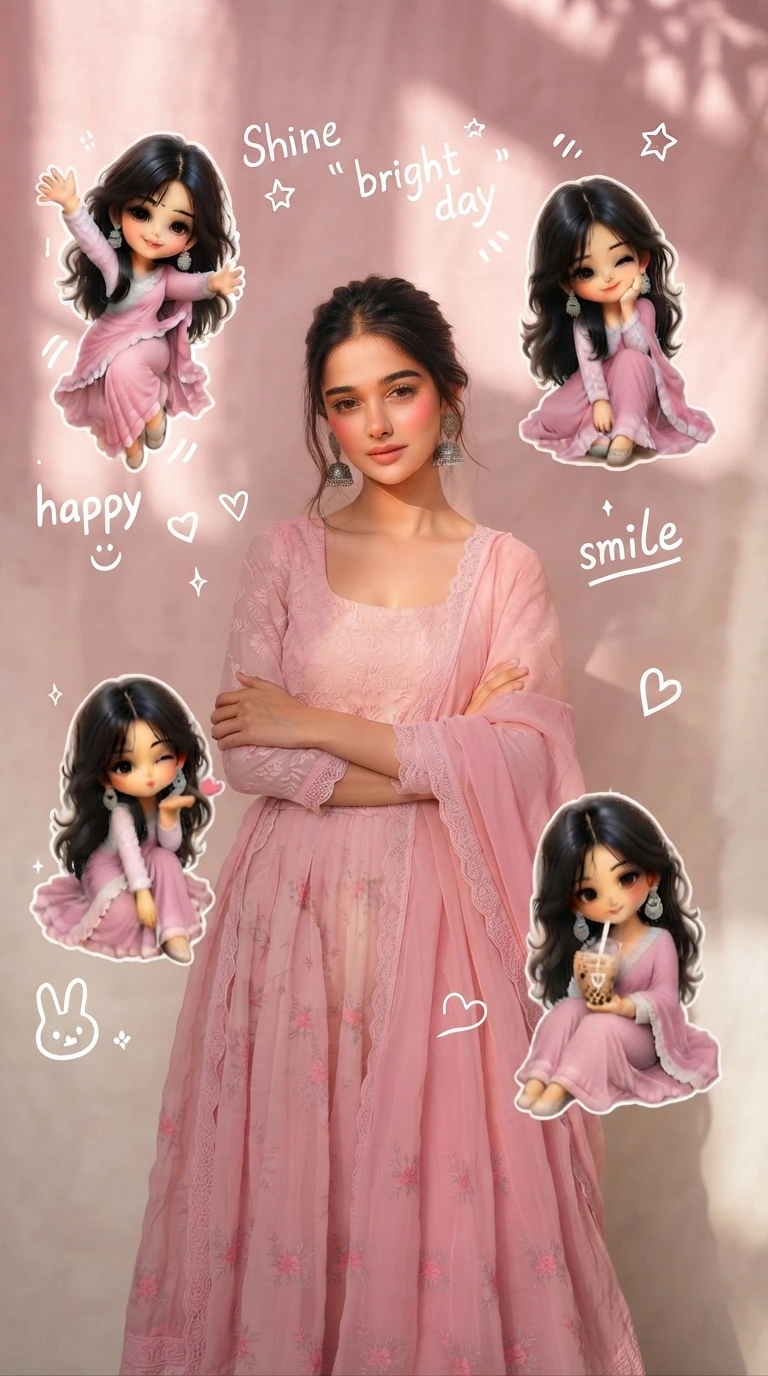
Real face and background kept as is, with several playful 3D chibi avatars, white doodles, and pastel handwriting around the photo.
2. Chibi Doodle Aesthetic Prompt, Second Example
The exact same prompt as above, shown a second time to give you a sense of how the chibi poses and doodle layout can vary.
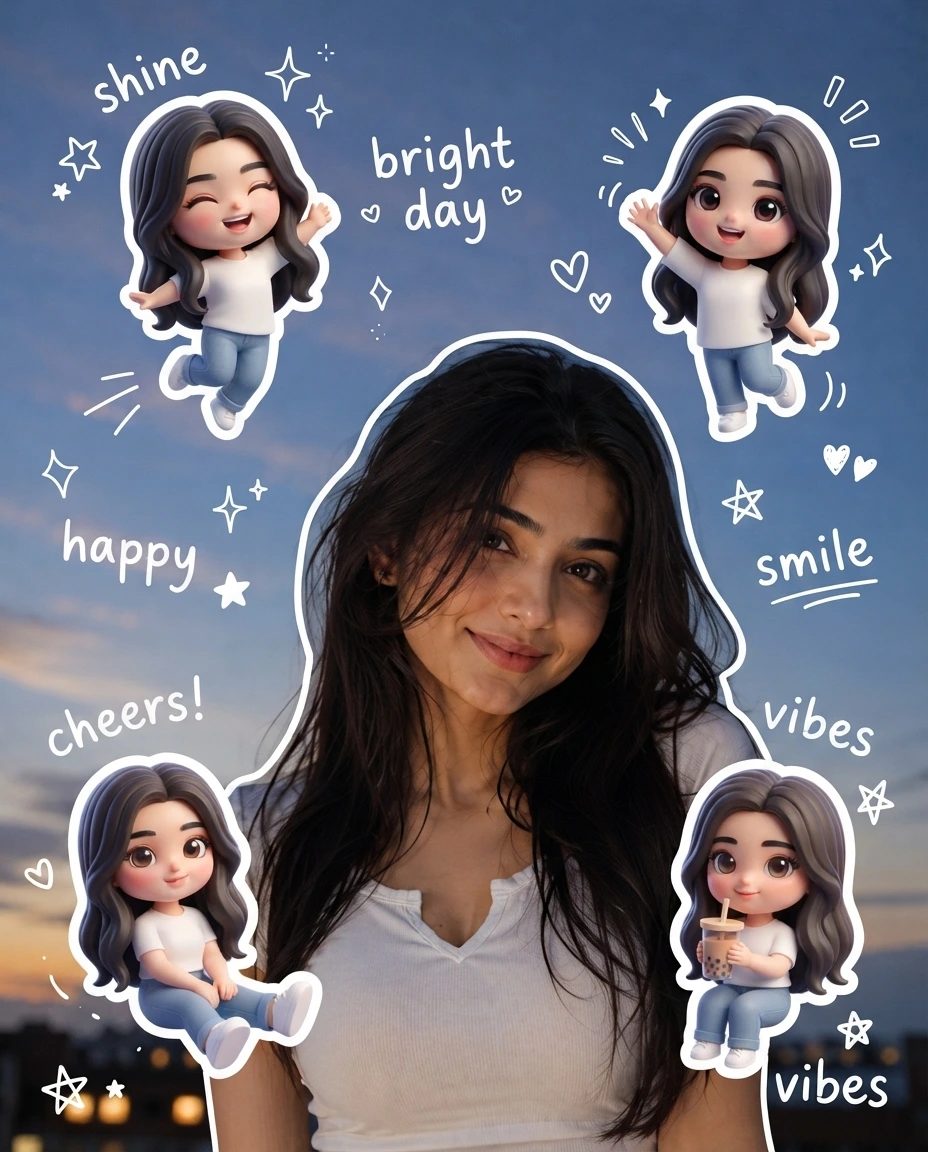
Real face and background kept as is, with several playful 3D chibi avatars, white doodles, and pastel handwriting around the photo.
How to Use This Prompt
- Pick one clear photo where both your face and the background are visible, the prompt keeps that background as is.
- Copy the prompt above and paste it into your AI image tool along with your photo.
- Want different handwritten words or a different drink or pose for the chibi characters? Swap those specific words in the prompt and keep the rest as written.
- If the chibi count feels too crowded or too sparse, add a line like “add exactly four mini chibi characters” to control the number more precisely.
Tips for Better Results
A photo with a reasonably simple, uncluttered background gives the chibi characters and doodles more room to stand out clearly, since the prompt keeps that background unchanged. If the pastel tones come out too saturated, add “keep the color palette light and desaturated” to the end of the prompt. For the handwritten phrases, listing two or three specific words instead of leaving it open usually gives a more consistent, less random layout across regenerations.
Conclusion
This chibi doodle prompt turns one ordinary photo into a full aesthetic composition, cute mini avatars, hand-drawn stickers, and soft pastel handwriting, without touching your actual face or background. Start with a clear photo, paste in the prompt, and adjust one detail, the handwriting phrases or the chibi poses, if the first result isn’t quite what you pictured.
FAQ
What is a 3D chibi aesthetic photo edit?
It’s a photo style that keeps your real face and background but adds several small, cute 3D chibi versions of yourself around the main photo, along with hand-drawn doodles, stickers, and pastel handwriting for a playful, Korean-style aesthetic.
Do I need a specific type of photo for this chibi prompt?
A clear photo with your face and background both visible works best, since the prompt keeps the same background and builds the chibi characters and doodles around it.
Can this chibi photo editing prompt be used on tools other than the one shown?
Yes. The prompt is written as plain descriptive text, so the same wording works on ChatGPT, Gemini, or any other AI image tool that accepts a photo along with a prompt.
Why do the two example images look slightly different if the prompt is the same?
The prompt describes a style and set of elements rather than an exact fixed layout, so the chibi poses, doodle placement, and handwriting phrases can vary a little between generations, even with identical wording.
If you enjoyed this prompt, explore more trending AI photo prompts on Prompt Seen and keep creating high-quality images with ease.
← Back to All Prompts