Aesthetic Spotify Background Photo Prompt
Turn one portrait into a sticker-style Spotify collage, copy the prompt and drop in your own photo.
If you want to create stylish and eye-catching edits, an Aesthetic Spotify Background Photo Prompt is a great choice. It takes a single portrait and turns it into a layered digital collage. Your photo gets a bold white sticker outline, then sits over a soft, blurred music app screen. As a result, this look has become a favorite on Instagram Stories and Pinterest boards, mainly because it looks polished without needing any real design skill.
This prompt helps you generate modern, scrapbook-style edits using nothing more than one clear photo. Below, you’ll find two versions on Prompt Seen: a shorter one and a more detailed one with extra texture and doodle elements. So, you can pick whichever level of detail fits your style.
1. Spotify Sticker Collage Prompt
A saree portrait cut out with a thick white sticker outline, placed over a blurred dark-mode Spotify playlist background.
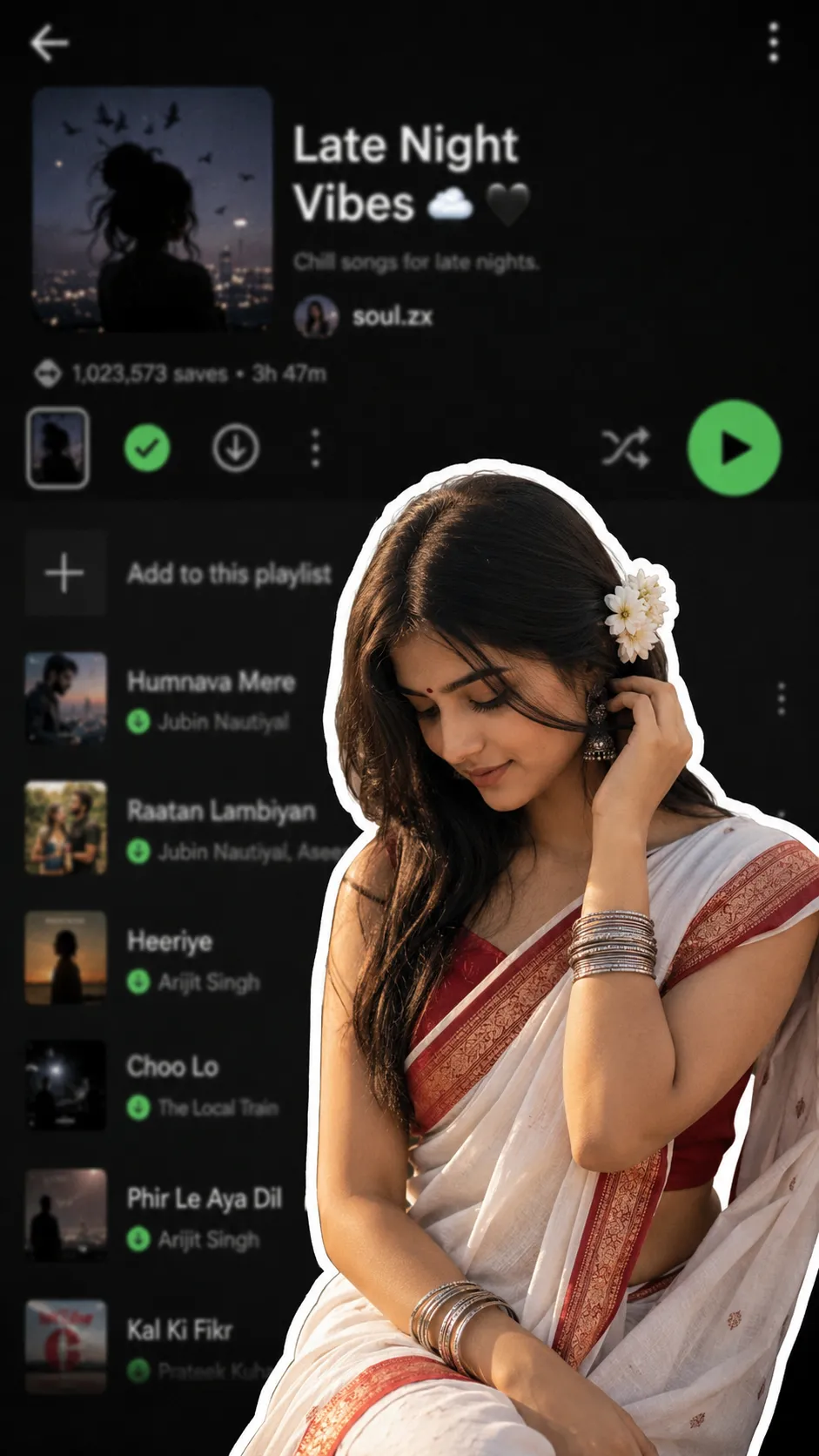
A saree portrait with a sticker-style white outline, blurred dark-mode music app playlist in the background.
2. Premium Spotify Scrapbook Collage Prompt
A more detailed version with torn-paper textures, doodles, sparkles, and a defined charcoal-and-crimson color palette.
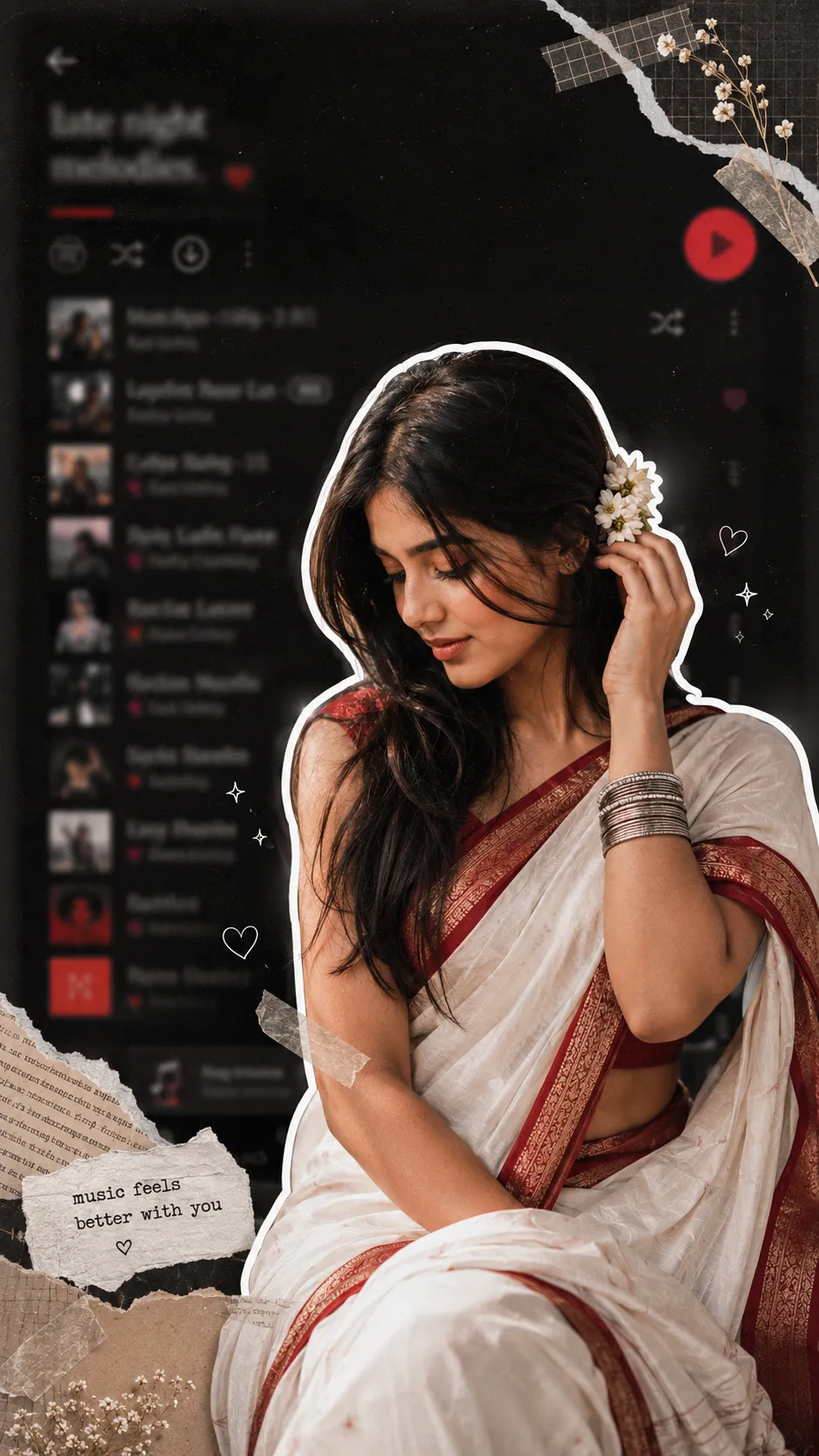
A premium saree collage with sticker outline, torn-paper textures, doodles, sparkles, and a charcoal-crimson palette.
How to Use These Prompts
- Pick one clear, front-facing photo with good lighting. The AI cuts this out and layers it over the blurred playlist background.
- Copy the prompt from Prompt Seen and paste it into ChatGPT or Gemini along with your photo.
- Want a different outfit or color palette instead of the saree and red tones? Simply swap those details in the prompt and keep the rest as written.
- If the sticker outline looks too thin, or the background too readable, ask for a redo. Add this line: “make the white outline thicker and blur the background text completely.”
Tips for Better Results
A simple, uncluttered background in your photo makes the sticker-style cutout look cleaner. That’s because the AI can separate you from the scene more easily. If the blurred playlist background looks too sharp or readable, add this line: “increase the blur on the background app screenshot.”
For the detailed version, try naming one or two specific doodle elements, such as sparkles or masking tape, instead of leaving it open-ended. This usually gives a tidier, less cluttered composition.
Conclusion
Both prompts above turn a single portrait into a stylish, layered Spotify-style collage. One stays simple, while the other adds more texture and detail. Start with whichever version matches how much detail you want. Then adjust one thing, like the outfit, the color palette, or the blur level, until the result feels like your own. Prompt Seen updates this collection regularly as new aesthetic styles trend, so it’s worth checking back for fresh looks.
FAQ
What is an aesthetic Spotify background photo prompt?
It is a photo style that cuts your portrait out with a thick white sticker-style outline and places it over a heavily blurred, dark-mode music streaming app screenshot, giving a layered, scrapbook-style collage look.
Do these Prompt Seen prompts work on ChatGPT and Gemini?
Yes. Both prompts on Prompt Seen are written as plain descriptive text, so the same wording works on ChatGPT, Gemini, or any other AI image tool that accepts a photo along with a prompt.
Do I need an actual Spotify screenshot for this prompt?
No. The blurred playlist background is generated by the prompt itself, so you only need one clear portrait photo to start.
What’s the difference between the two prompts in this post?
The first is a shorter version of the same idea, while the second adds more detail, torn-paper textures, doodles, sparkles, and a defined color palette, for a more finished, premium scrapbook look.
If you enjoyed these prompts, explore more trending AI photo prompts on Prompt Seen and keep creating high-quality images with ease.
← Back to All Prompts