4 Cinematic Gemini Boy Photo Prompts for a Confident, Editorial Look
Four moody, editorial looks, just copy a prompt and drop in your own photo.
There’s a specific kind of confidence that shows up in a well-shot cinematic portrait, a calm expression, deliberate lighting, a pose that doesn’t try too hard. That look isn’t accidental, and it isn’t easy to fake with a plain prompt like “make me look cool.” What actually gets you there is a prompt that spells out the lighting setup, the exact pose, and the mood, down to where your hands are and how the light falls.
The four prompts below do exactly that. One uses a dramatic orange backlight for a moody profile shot, one puts you behind the wheel of a Hyundai Creta, one leans into a high-fashion staircase pose with harsh side light, and one goes full studio editorial in a charcoal grey suit. Each one only needs a single clear photo to work from.
1. Orange Backlight Profile Portrait Prompt
A moody profile shot with a dramatic orange spotlight glowing behind the head, creating a radiant circular aura against a dark backdrop.
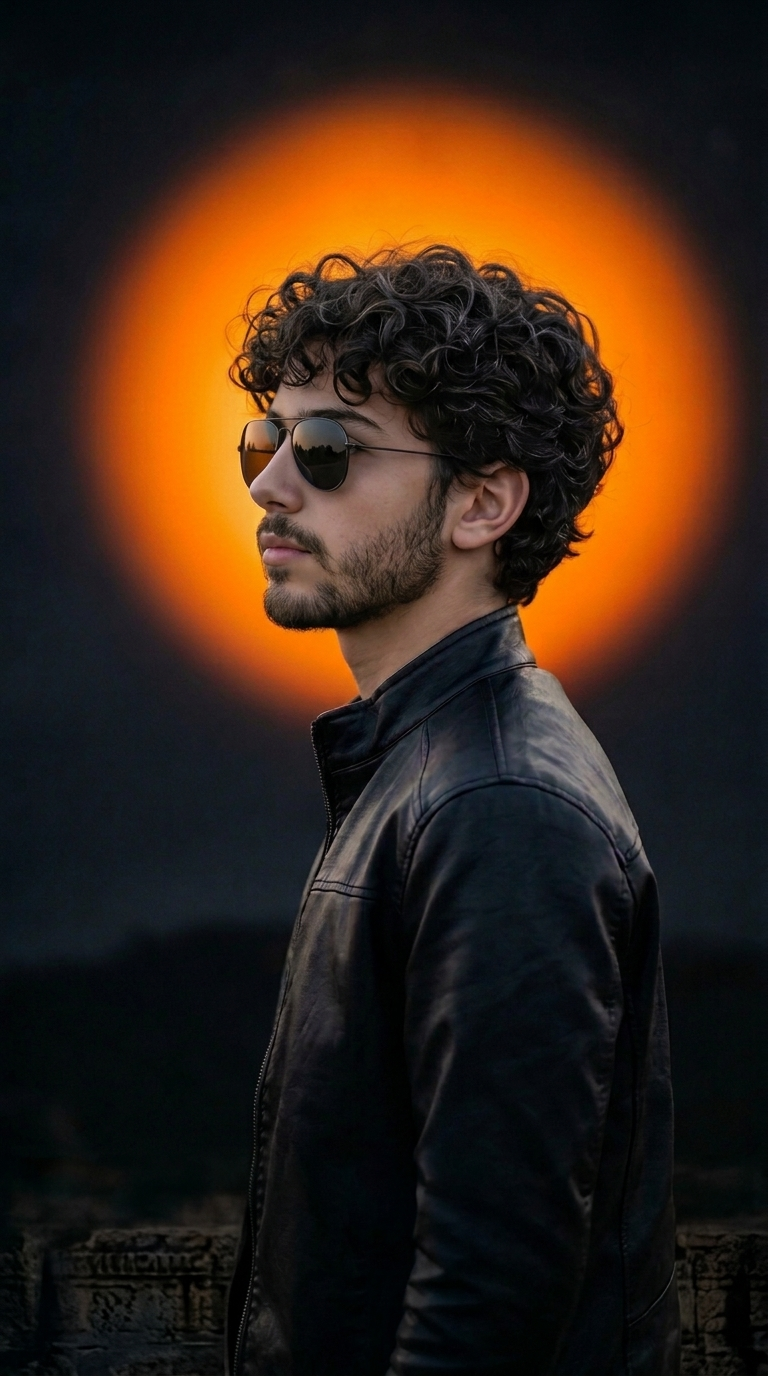
A profile portrait in a black jacket and aviators, with a glowing orange spotlight aura behind the head.
2. Hyundai Creta Driving Pose Prompt
A confident, relaxed driving portrait in a black Hyundai Creta, shot from a cinematic side-front angle with the window down.
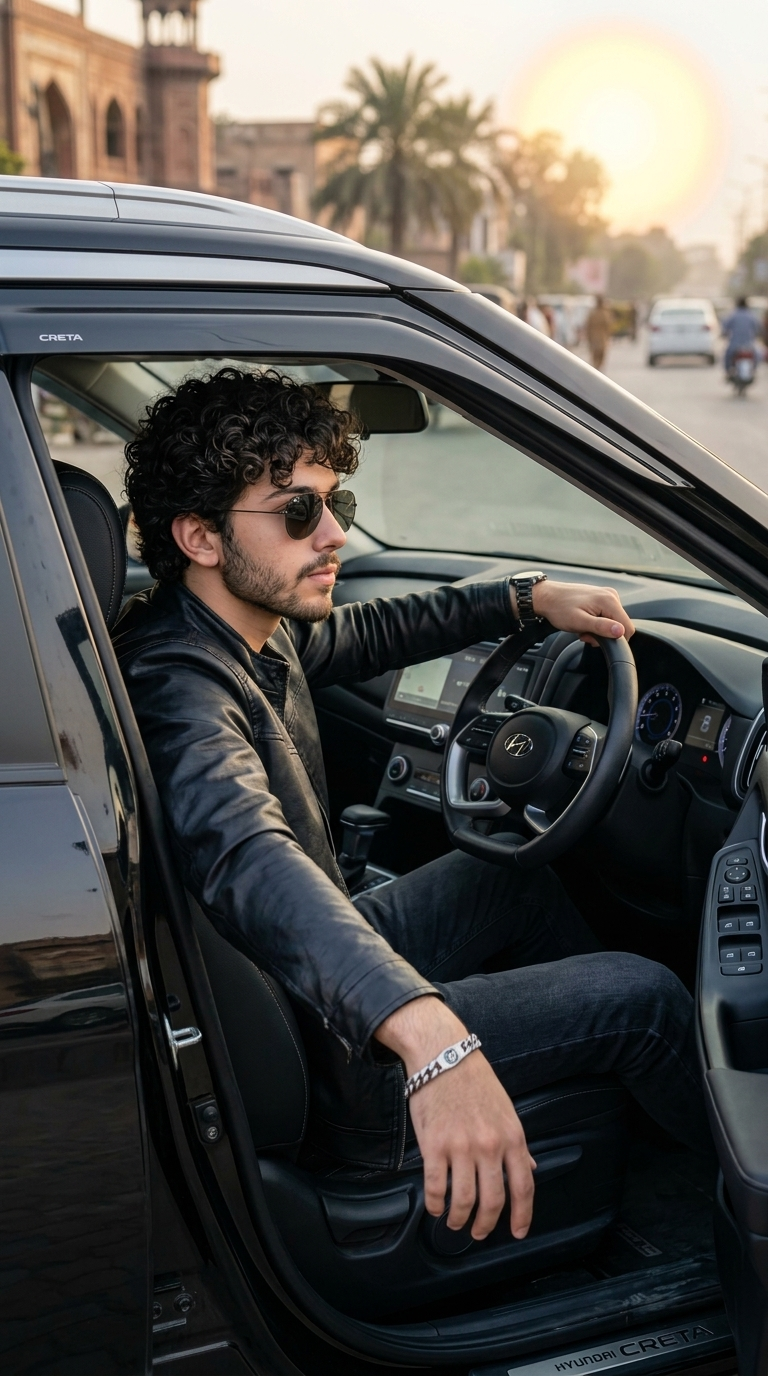
A cinematic driver’s-seat portrait in a black Hyundai Creta, relaxed posture, sunglasses, calm confident attitude.
3. Marble Staircase Fashion Portrait Prompt
A high-angle fashion shot leaning on a marble staircase banister, with harsh side sunlight casting sharp, dramatic shadows.
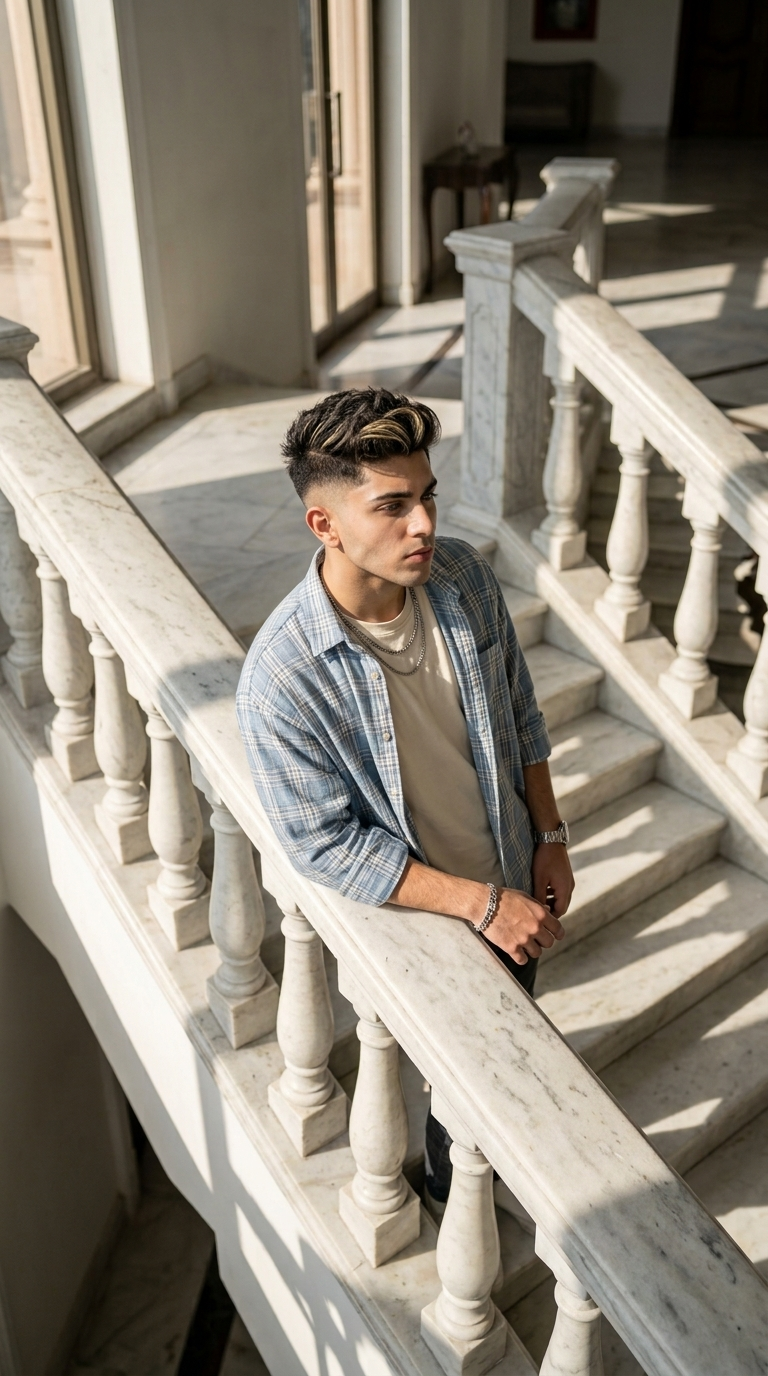
A high-angle staircase fashion portrait in an oversized plaid shirt, with dramatic harsh side lighting.
4. Charcoal Grey Suit Studio Portrait Prompt
A premium editorial studio portrait in a charcoal grey suit, hands in pockets, relaxed shoulders, and dramatic moody lighting.
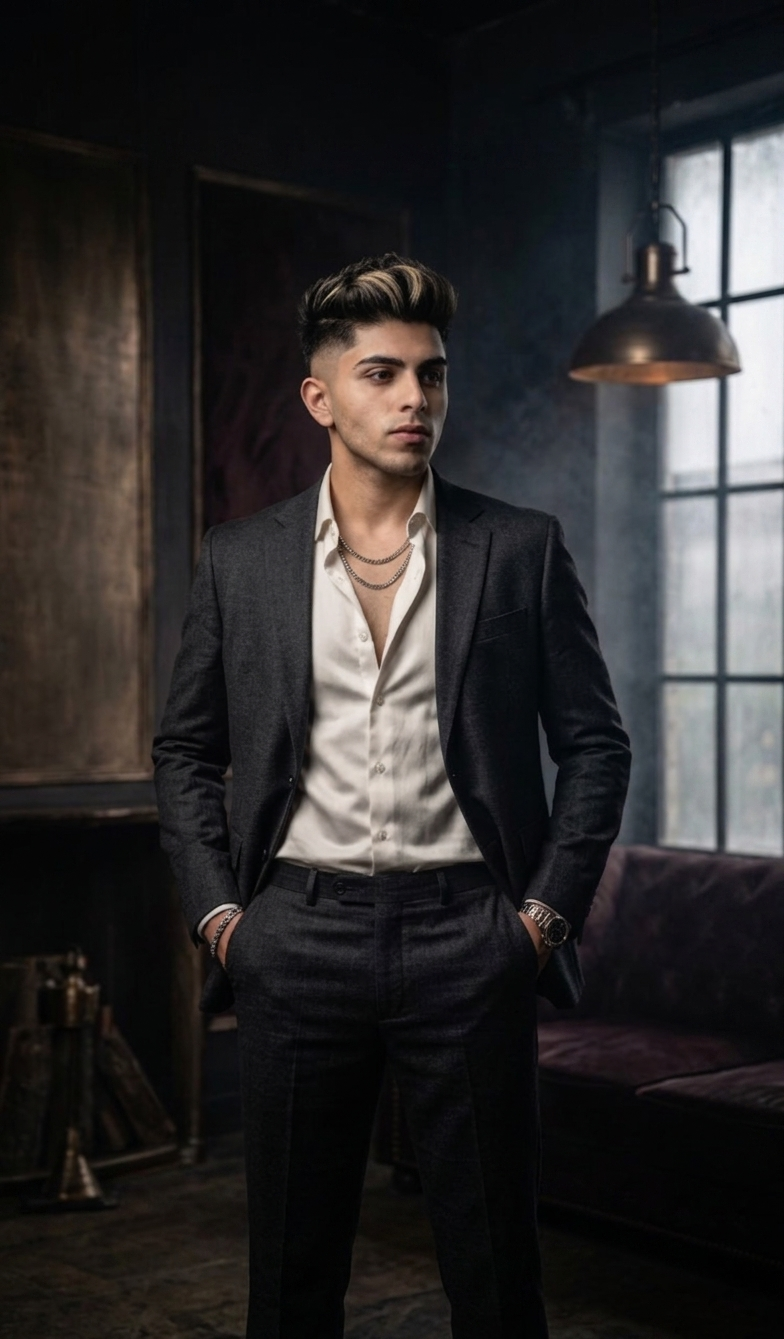
A premium editorial studio portrait in a charcoal grey suit, hands in pockets, dark moody lighting.
How to Use These Prompts
- Pick one clear, front-facing photo with good, even lighting, this is the reference every prompt below builds its scene around.
- Copy the prompt for the look closest to your own photo and paste it into Gemini or ChatGPT along with your picture.
- Want a different car, outfit color, or lighting tone? Swap that one detail in the prompt and keep the rest of the wording as written.
- If your face comes out altered, ask for a redo and add: “keep my exact face from the uploaded photo unchanged, only update the outfit, pose, and lighting.”
Tips for Better Results
A photo with your face lit evenly and clearly gives all four prompts a stronger base, since each one relies on your features holding up under dramatic lighting, whether that’s a backlit glow, harsh side sun, or a dark studio setup. If a face starts to drift from the reference, add “preserve the exact facial structure and features from the uploaded photo” to the end of the prompt. For the car and outfit details, naming one specific color or model instead of leaving it general usually gives a more consistent result across regenerations.
Conclusion
These four cinematic Gemini boy photo prompts cover a solid range of moods, a moody backlit profile, a confident driving shot, a high-fashion staircase pose, and a premium studio portrait. Start with whichever setting matches your own photo best, then adjust one detail, the lighting, the outfit, or the car, until the result feels like your own.
FAQ
Do these cinematic Gemini boy photo prompts work on ChatGPT as well?
Yes. All four prompts are written as plain descriptive text, so the same wording works on ChatGPT or any other AI image tool that accepts a photo along with a prompt.
Why do these prompts ask to keep the face 100 percent accurate?
That instruction tells the AI to treat your uploaded photo as the identity reference, so it keeps your real face while changing the outfit, lighting, and setting around you.
What kind of source photo works best for these cinematic prompts?
A clear, front-facing photo with good, even lighting works best. Since every prompt describes a full scene, outfit, and pose, the source photo mainly needs to give the AI an accurate face reference.
Can I change the car, outfit, or lighting color in these prompts?
Yes. Every detail, including the car model, outfit color, or the orange backlight glow, is just text, so you can swap it for your own preference before pasting the prompt in.
If you enjoyed these prompts, explore more trending AI photo prompts on Prompt Seen and keep creating high-quality images with ease.
← Back to All Prompts