Prompt Seen Attitude Boy – 3 Free AI Photo Prompts for ChatGPT & Gemini
3 attitude looks, rain-soaked, golden beach, and 90s flash, from one photo 🌊
Quick answer: Prompt Seen Attitude Boy is a free set of 3 ready-to-copy AI photo prompts. It includes a rain-soaked cinematic portrait, a golden hour beach triptych, and a 1990s candid flash portrait, all built for ChatGPT and Gemini. Simply upload one clear photo, paste a prompt, and generate a confident, editorial-style attitude portrait in seconds.
Attitude shots are everywhere on Instagram right now. This look mixes confident posture, sharp lighting, and a slightly detached expression. As a result, the photo feels like a magazine cover instead of a regular selfie.
So, what’s the trick? It’s in the details. The right jacket, the right shadow, and the right angle make all the difference.
What’s Inside This Collection
This Prompt Seen Attitude Boy collection has three of those prompts. First, there’s a rain-soaked cinematic close-up. Next comes a golden hour beach triptych. Finally, a 1990s-style candid flash portrait rounds out the set. Each prompt is written so you can paste it directly into ChatGPT or Gemini alongside a clear photo of yourself.
Key takeaways:
- All 3 prompts are free and work on both ChatGPT and Gemini.
- Each prompt only needs one clear, front-facing photo to generate.
- Styles range from cinematic and moody to bright, energetic, and street-inspired.
- Prompts include camera, lighting, and lens details for a realistic, non-AI look.
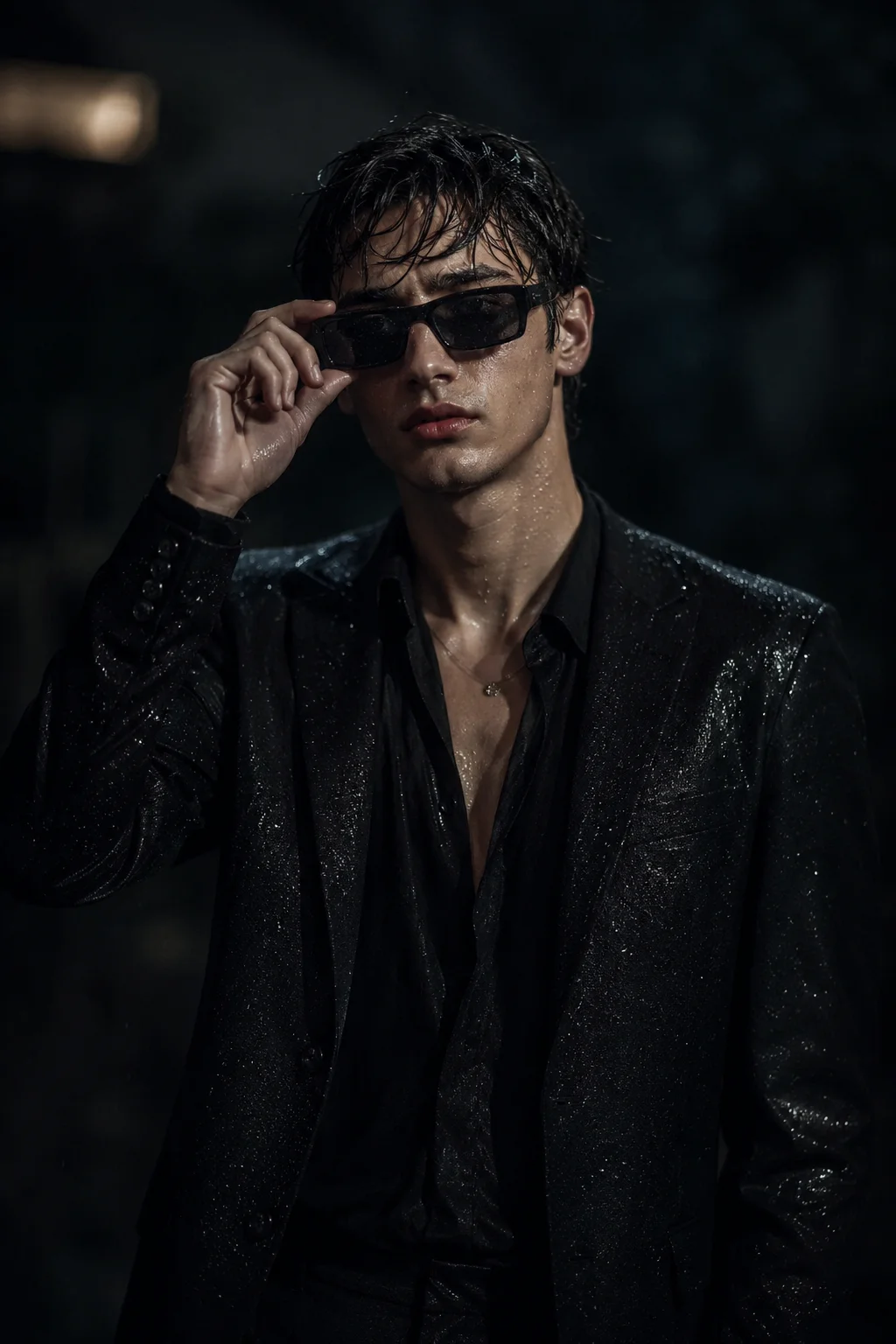
1. Rain-Soaked Cinematic Portrait
A moody, rain-soaked cinematic portrait with wet hair, sunglasses with water droplets, and dramatic low-key lighting.
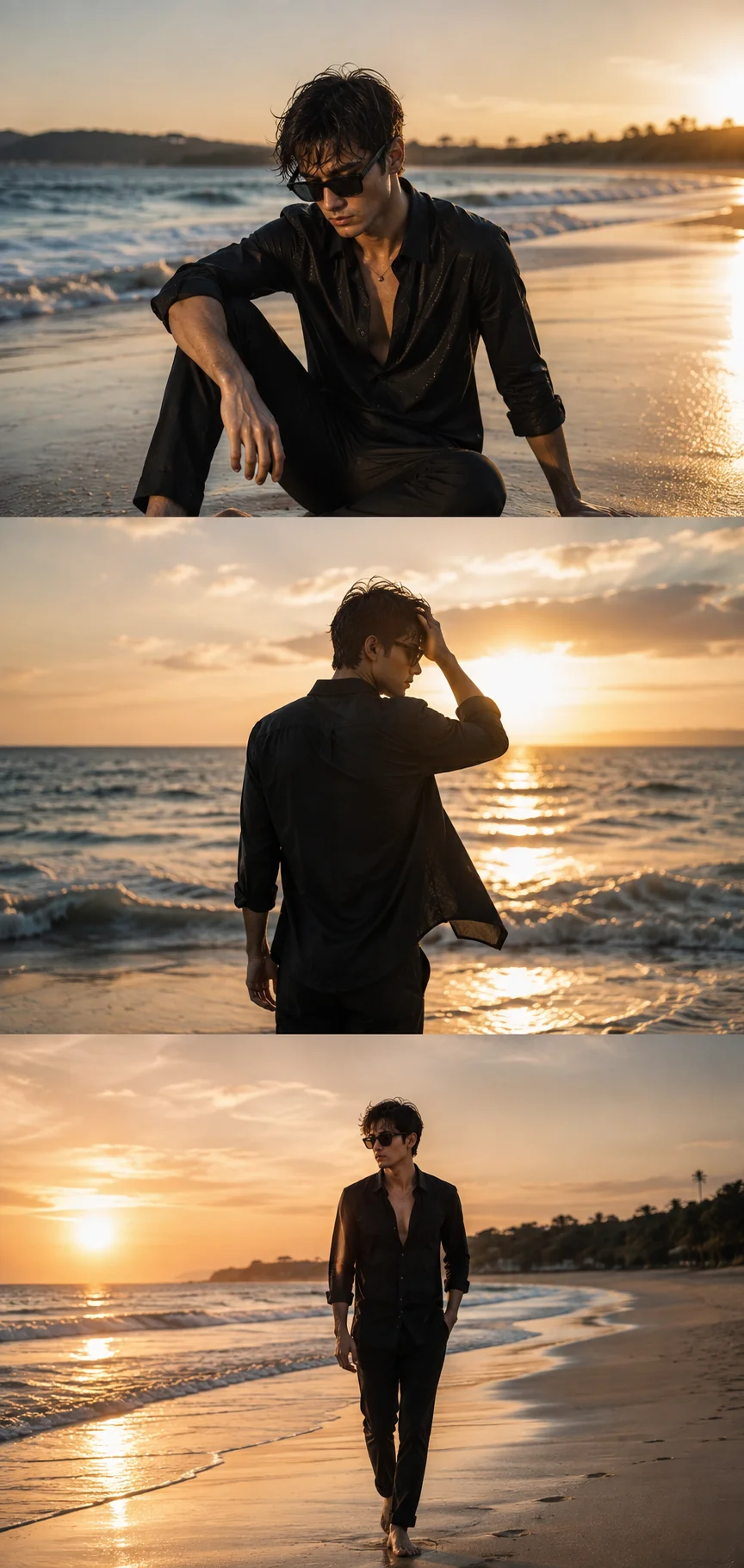
2. Golden Hour Beach Triptych
A cinematic three-panel beach collage at golden hour, sitting on sand, walking by the shoreline, and a rear three-quarter shot facing the ocean.
3. 1990s Candid Flash Portrait
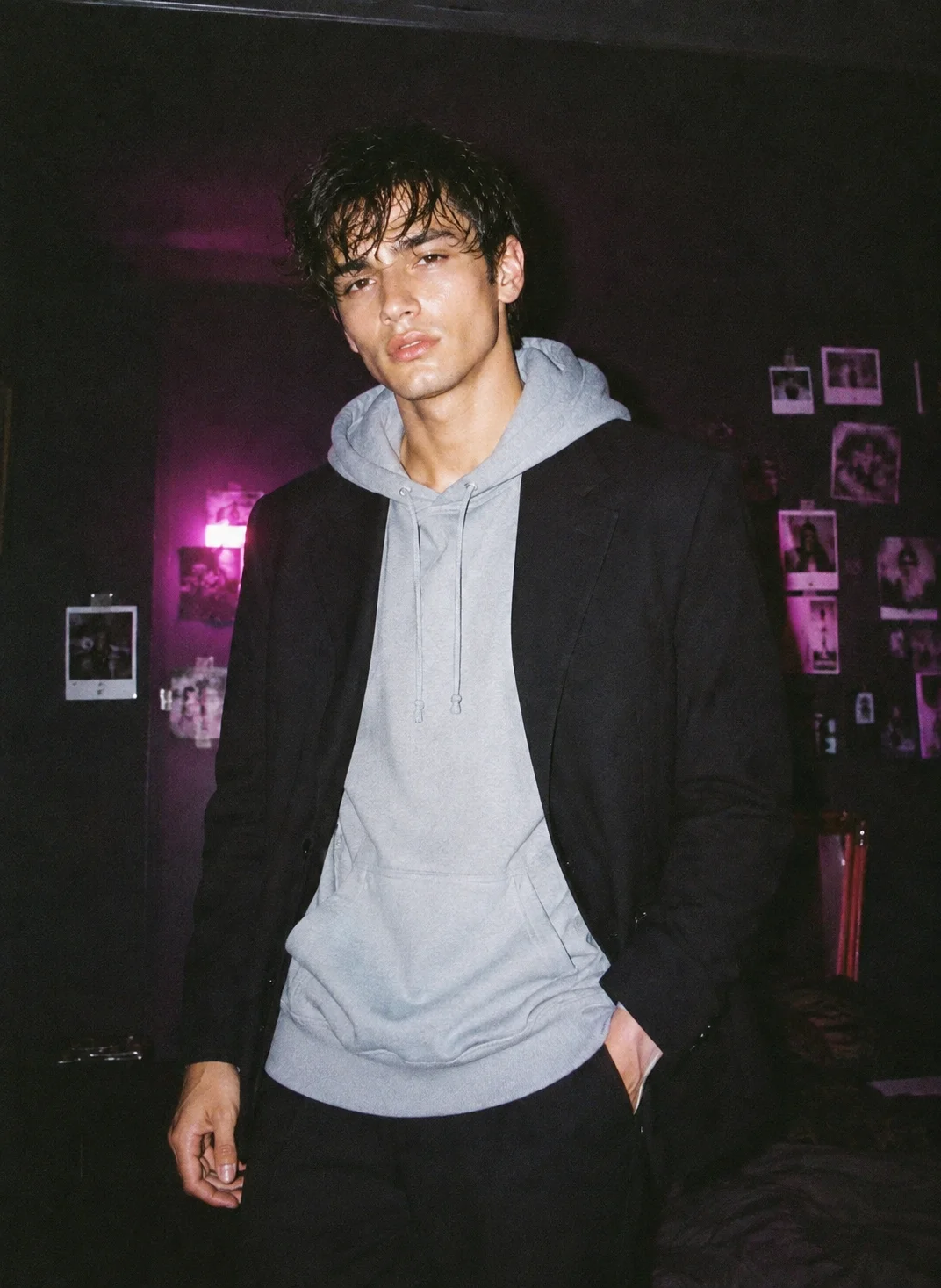
A nostalgic 90s-style flash photo, oversized hoodie under a tailored blazer, dim magenta-lit background with faint vintage Polaroids.
How to Use These Prompts
- Upload one clear, front-facing photo of yourself in good lighting, this is what the AI uses to keep your face recognizable.
- Copy the prompt for the style you want and paste it into ChatGPT or Gemini along with your photo.
- For the beach triptych and 90s flash-portrait styles, keep the lighting and mood cues as written, they’re what make the result look like a real photograph instead of a polished render.
- If a detail doesn’t match what you pictured, edit that one line, the jacket color, the background, the pose, and regenerate.
Tips for Better Results
Clear, even lighting on your source photo matters most. It gives every prompt the cleanest identity match, especially for the close-crop and shadow-heavy styles.
If your face starts to drift, try adding a line like “keep the face exactly as shown in the uploaded photo, do not alter or morph it.” This small addition often fixes the issue.
For the realistic flash-photo and candid styles, resist the urge to ask for a “cleaner” or “prettier” version. After all, the imperfections are what make them look authentic instead of AI-generated.
Conclusion
This Prompt Seen Attitude Boy set covers the attitude aesthetic from a few different angles. There’s a moody rain-soaked cinematic portrait, a warm golden-hour beach triptych, and a nostalgic 90s flash portrait. So, start with one clear photo, then pick the mood that fits the occasion. From there, just adjust small details in the prompt instead of writing one from scratch.
FAQ
Do these attitude boy prompts work with both ChatGPT and Gemini?
Yes, they do. Every prompt in this post is written in plain language, so it works on both platforms without any extra tweaking.
What makes a photo look like an “attitude” shot instead of a normal portrait?
It usually comes down to a confident pose and a slight head tilt. Sharp lighting, shadow contrast, and styling choices, like a jacket or sunglasses, also play a big part.
Will these look like real phone photos or obviously AI-generated?
Several of these prompts specifically ask for realistic skin texture and natural lighting. So, the goal is a natural camera look rather than a polished AI render.
Do I need a specific type of photo to upload for the best result?
A clear, front-facing photo with good lighting gives the most accurate face match. Therefore, avoid heavily filtered or low-resolution photos for best results.
If you enjoyed these prompts, explore more trending AI photo prompts on Prompt Seen and keep creating high-quality images with ease.
← Back to All Prompts