Neon Lounge AI Photo Prompt for ChatGPT & Gemini
Teal shadows, warm halo light, grainy 35mm film mood, from one photo 🌆
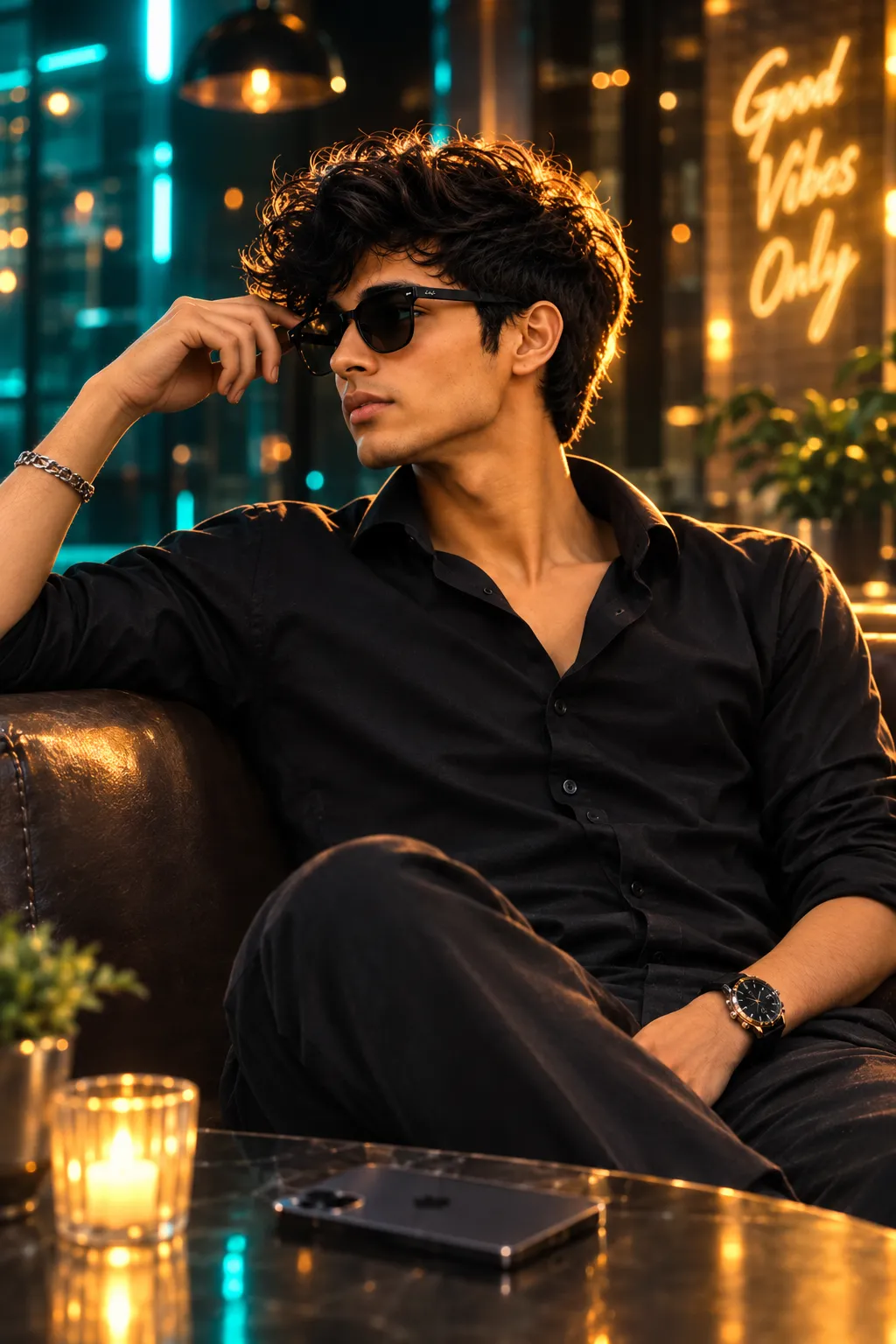
Not every AI portrait needs daylight. Some of the most striking ones lean into moody, colored light instead, teal shadows on one side, a warm glow behind the subject, and a grainy, film-like texture that feels closer to a music video still than a phone photo.
This post shares that prompt: an ultra-realistic portrait set in a neon-lit lounge, with teal shadows, a warm halo backlight, and a high-grain 35mm film look. Paste it into ChatGPT or Gemini alongside a clear photo of yourself.
Neon Lounge AI Photo Prompt
An ultra-realistic portrait in a neon-lit lounge with teal shadows, a warm halo backlight, bokeh background, and grainy 35mm film texture.
How to Use This Prompt
1. Pick one clear, front-facing photo with good, even lighting, this is the reference the whole scene is built from.
2. Copy the prompt above and paste it into ChatGPT or Gemini along with your photo.
3. Want different neon tones, pink and blue, purple and amber? Swap the color words in the prompt before pasting it in.
4. If a detail doesn’t come out right, regenerate, small wording tweaks usually work faster than rewriting the whole prompt.
Tips for Better Results
A plain, well-lit source photo still gives the cleanest identity match, even though the final scene is dark and moody, the AI needs to see your face clearly before it adds the colored lighting on top. If your face starts to drift from your reference photo, add a line like “keep the exact same face as the uploaded photo, do not alter or morph it.” If the grain looks too heavy or too light, adjust with a phrase like “subtle film grain” or “heavy film grain” instead of leaving it unspecified.
Conclusion
This neon lounge prompt is a strong pick when you want something moodier and more cinematic than a daylight portrait, teal shadows, warm backlight, and a bit of film grain go a long way toward that look. Start with one clear photo, swap the color tones if you want a different palette, and adjust the wording instead of guessing a prompt from scratch.
FAQ
Does this neon lounge prompt work with both ChatGPT and Gemini?
Yes. The prompt is written in plain language on Prompt Seen, so it runs on both ChatGPT and Gemini without any extra edits.
Do I need to be in an actual lounge or club for this photo?
No. Any clear, front-facing photo works. The neon lighting, teal shadows, and bokeh background are all generated by the AI from the prompt, not from your original photo.
What does “high-grain 35mm film style” mean in this prompt?
It asks the AI to add a visible film-grain texture and slightly imperfect, analog color rendering, like a photo shot on real 35mm film instead of a clean digital camera.
Can I change the light colors in this prompt?
Yes. Every color cue, teal shadows, warm halo backlight, is just text, so you can swap in different tones, like pink and blue or purple and amber, before pasting it in.
If you enjoyed this prompt, explore more trending AI photo prompts on Prompt Seen and keep creating high-quality images with ease.
← Back to All Prompts