Professional LinkedIn Portrait AI Photo Prompt for ChatGPT & Gemini
Clean corporate headshot, no studio needed, from one photo 💼
A good LinkedIn photo doesn’t need a studio session or a photographer. Most of the clean, corporate headshots you see on professional profiles now come from one clear photo and a prompt written specifically for that low-key, neutral-background look.
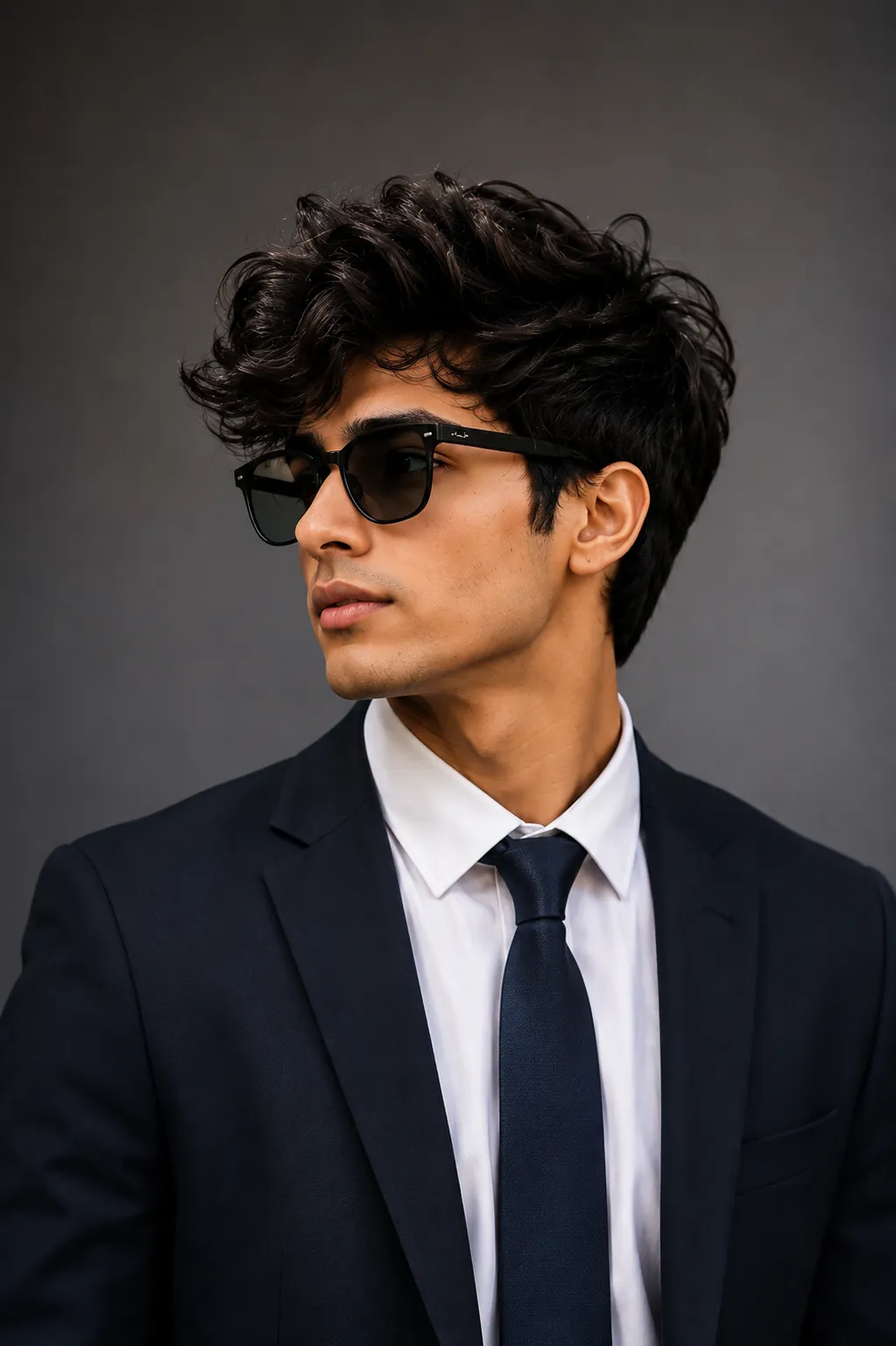
This post shares that prompt: formal attire, diffused studio-style lighting, a neutral gradient background, and sharp focus on the eyes, the exact combination that reads as a professional headshot rather than a casual photo. Paste it into ChatGPT or Gemini alongside a clear photo of yourself.
Professional LinkedIn Portrait AI Prompt
A clean corporate headshot with formal attire, low-key diffused lighting, a neutral gradient background, and sharp focus on the eyes.
How to Use This Prompt
1. Pick one clear, front-facing photo with good, even lighting, this is the reference the headshot is built from.
2. Copy the prompt above and paste it into ChatGPT or Gemini along with your photo.
3. Want a specific attire color or background tone, blue-grey, warm beige, plain white? Add that in one short line at the end of the prompt.
4. If a detail doesn’t come out right, regenerate, small wording tweaks usually work faster than rewriting the whole prompt.
Tips for Better Results
A plain background and soft, even lighting on your face give this prompt the cleanest identity match, since the AI is rebuilding the attire, background, and lighting around your existing face. If your face starts to drift from your reference photo, add a line like “keep the exact same face as the uploaded photo, do not alter or morph it.” For attire, naming one specific option, a navy blazer, a white shirt, a grey suit, tends to render more consistently than a vague description like “business clothes.”
Conclusion
A strong LinkedIn photo comes down to a few consistent things: even lighting, a neutral background, and sharp focus on the eyes, all of which this prompt is built around. Start with one clear photo, adjust the attire or background line if you want a specific look, and skip the studio booking entirely.
FAQ
Does this LinkedIn portrait prompt work with both ChatGPT and Gemini?
Yes. The prompt is written in plain language on Prompt Seen, so it runs on both ChatGPT and Gemini without any extra edits.
What kind of source photo works best for this prompt?
A clear, front-facing photo with even lighting and your full face visible. Since this prompt already sets formal attire and a neutral background, a busy background or heavy filter on the original photo can make the result look less clean.
Can I change the attire or background tone in this prompt?
Yes. Every detail, including the attire, background color, or lighting style, is just text, so you can edit it to match your own company or personal brand before pasting it in.
Is this prompt suitable for a company website or resume photo too?
Yes. The clean, neutral, corporate look works well anywhere a professional headshot is needed, not just LinkedIn.
If you enjoyed this prompt, explore more trending AI photo prompts on Prompt Seen and keep creating high-quality images with ease.
← Back to All Prompts