Aesthetic Couple Eyes AI Photo Prompts for ChatGPT & Gemini
aesthetic couple-eyes looks, lockscreen, selfie & candid flash, from just two photos 👀💕
Full-face couple photos are everywhere, but the trend that’s actually catching attention right now crops in tighter: just the eyes, a strand of hair, a phone flash catching a reflection. It reads as more intimate than a posed shot, and it works whether you want a lockscreen wallpaper or a candid Instagram Story.
This post collects five of those prompts: an iPhone lockscreen wallpaper with only one eye each visible, an over-the-shoulder selfie-style portrait, a windswept outdoor selfie hidden behind a phone, and two late-night flash-selfie styles built for a natural, unfiltered look. Each one is written to paste directly into ChatGPT or Gemini alongside a photo of each partner.
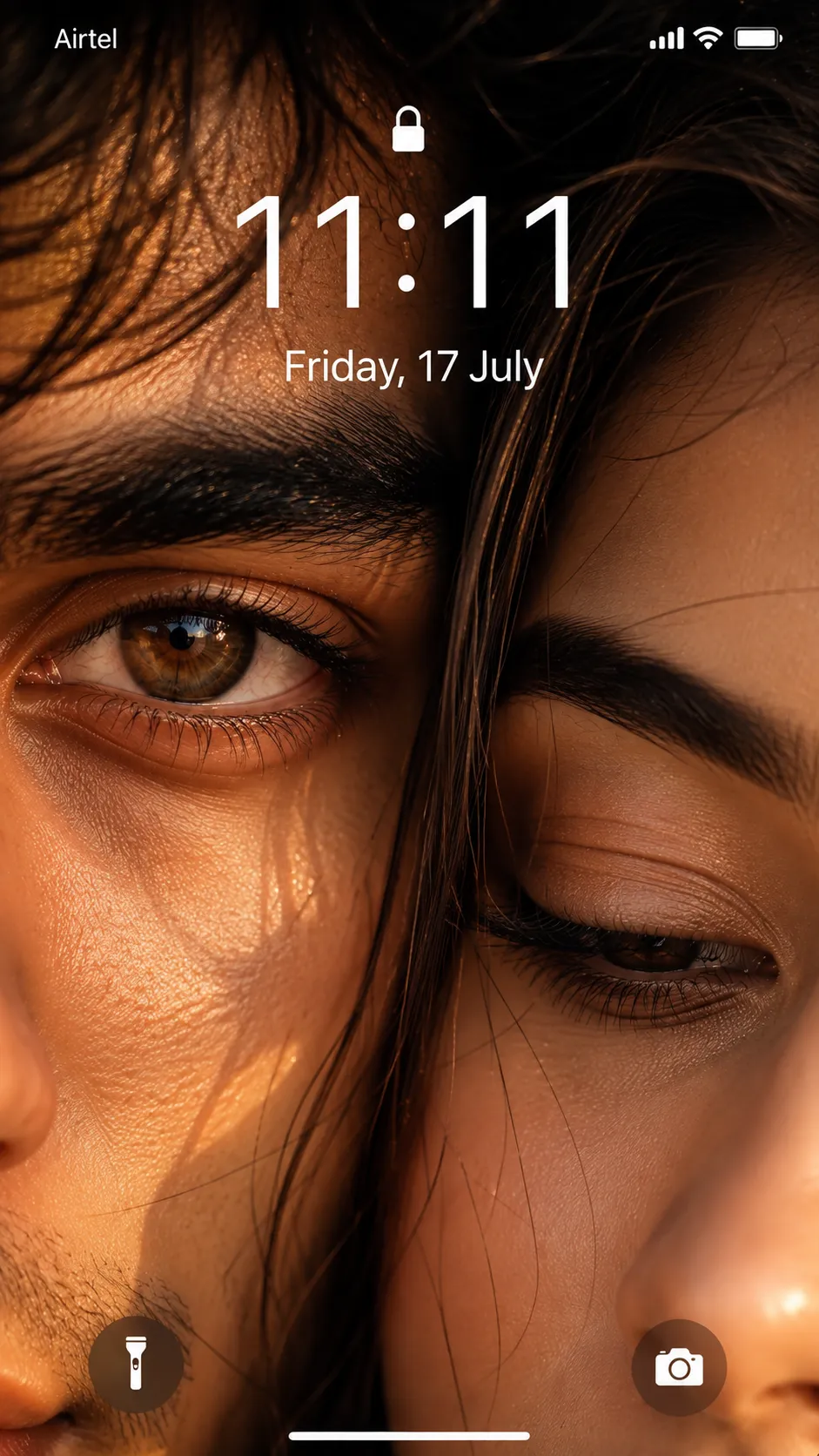
1. Couple Eyes iPhone Lockscreen Wallpaper Prompt
A close-up couple wallpaper with only one eye each visible, golden-hour lighting, and a working iPhone lock screen overlay.
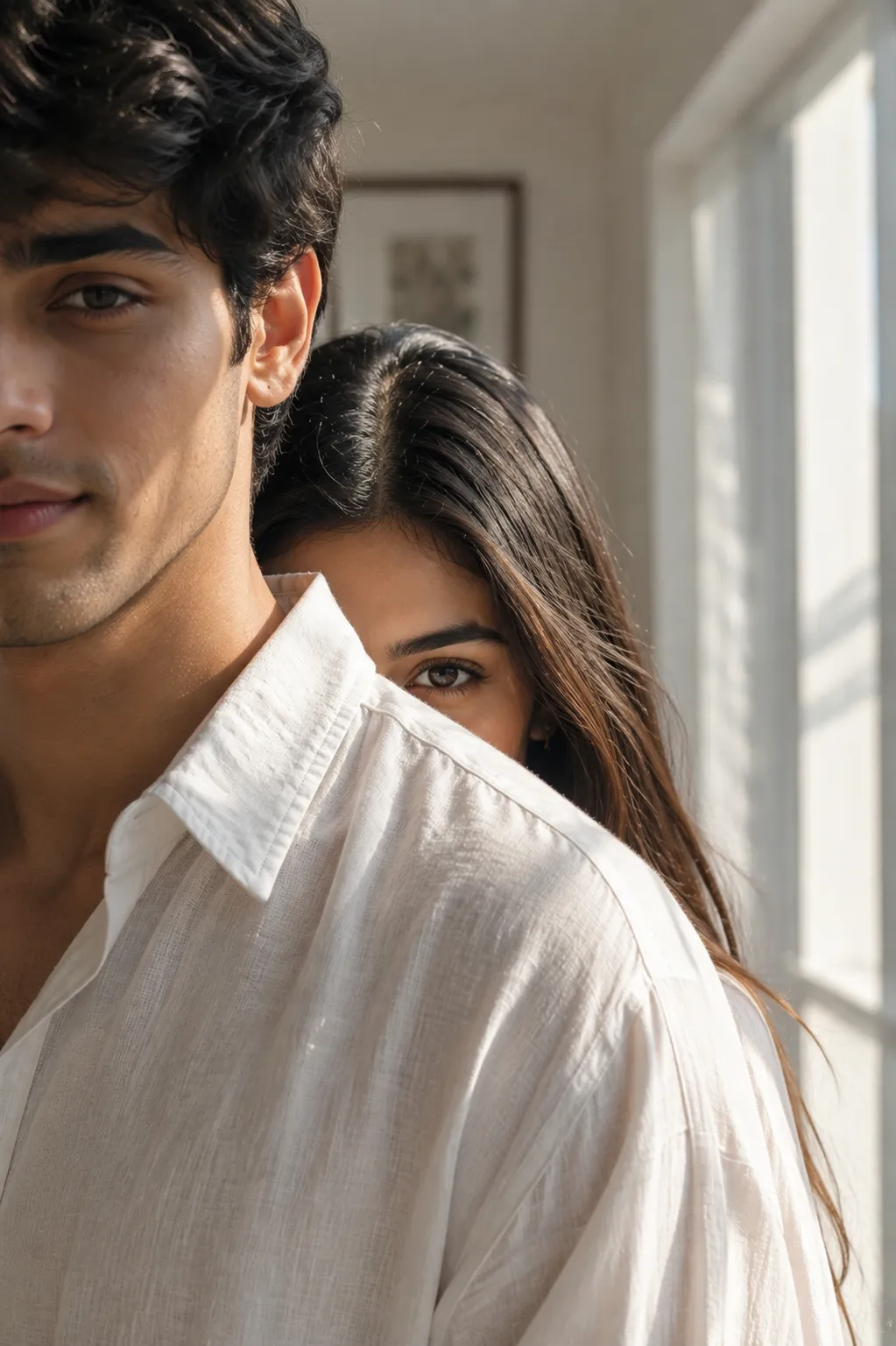
2. Over-the-Shoulder Couple Portrait Prompt
A bright, minimal indoor portrait where a second person peeks over the shoulder, showing just one eye and part of the forehead.
3. Outdoor Couple Selfie Hidden Behind a Phone
A windswept outdoor selfie where her face is partly hidden behind her phone and his mouth is covered by her flowing hair.
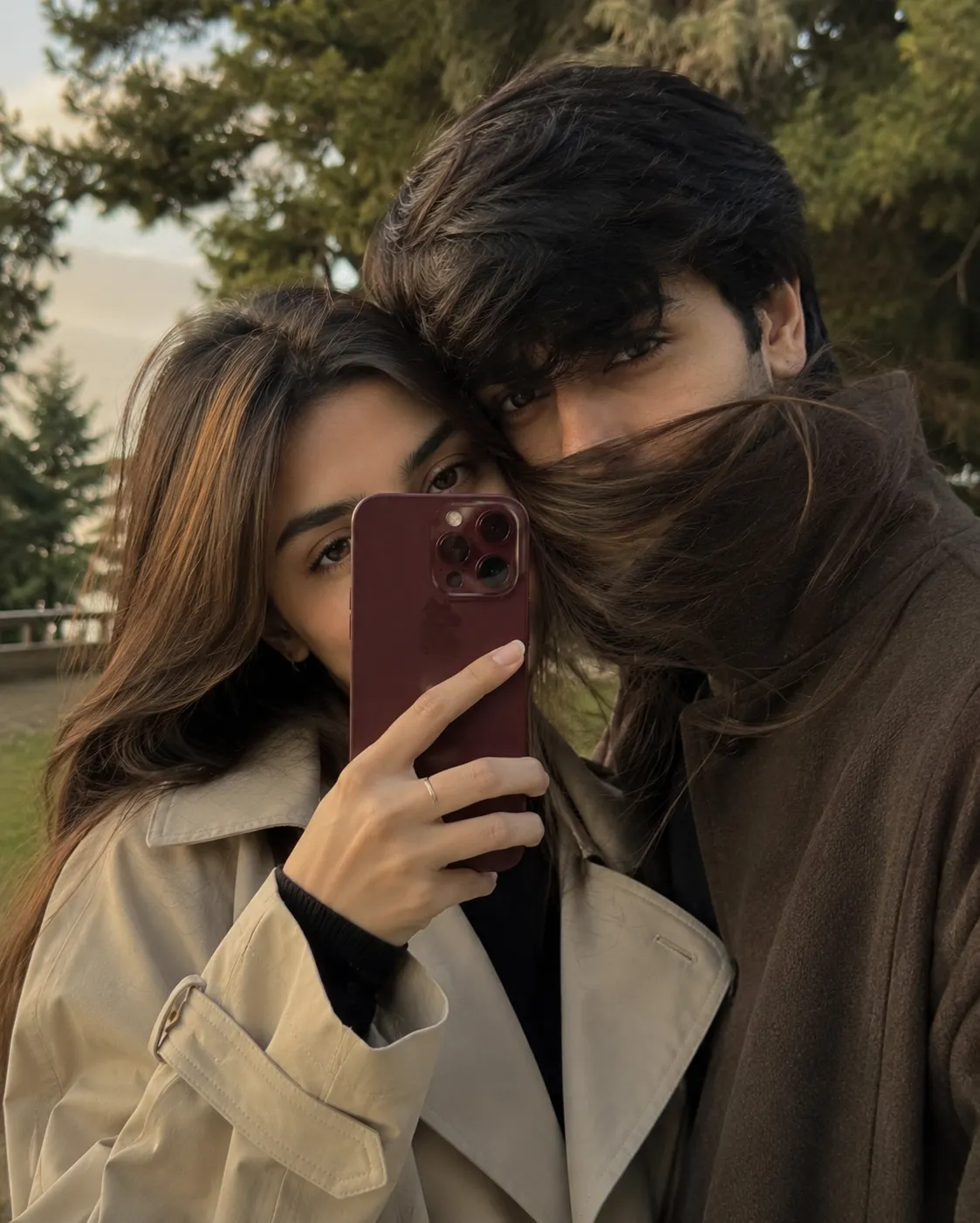
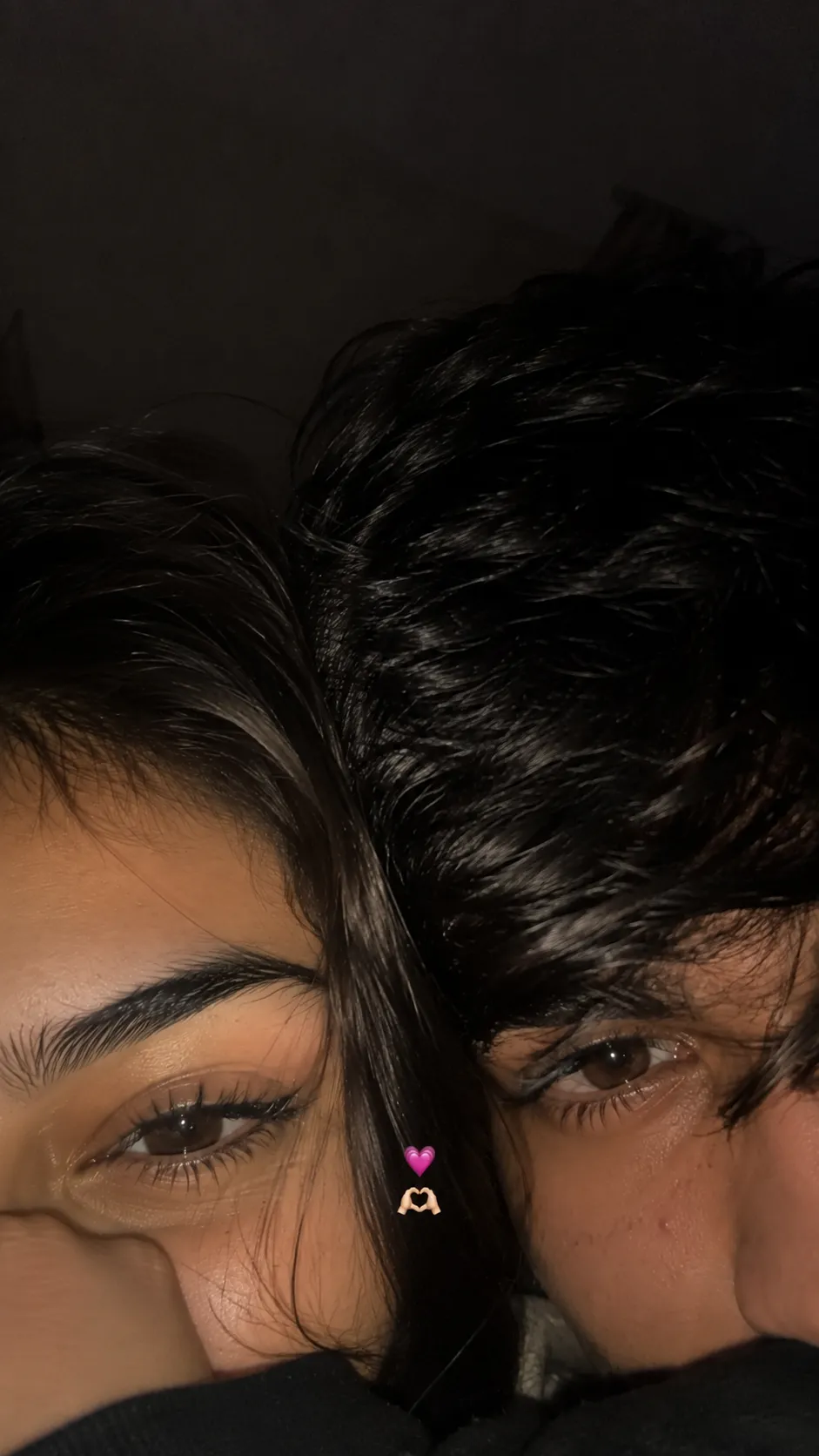
4. Late-Night Flash Selfie, Cheeks Touching
An accidental-looking late-night flash selfie, only the upper half of both faces visible, cheeks touching, built to look unedited.
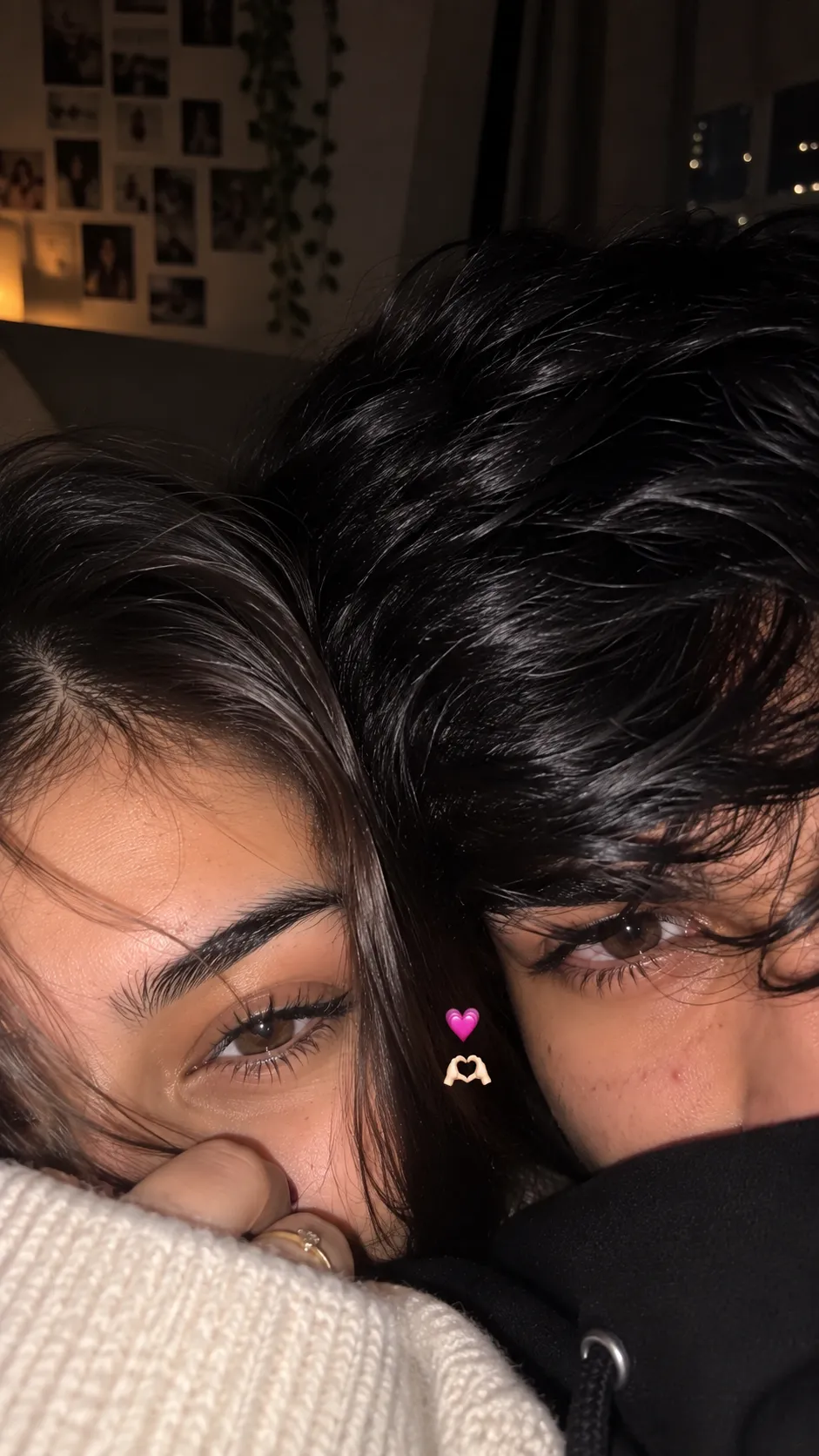
5. Romantic Night Selfie, Faces Pressed Together
A cozy, low-light flash selfie with faces pressed together, one eye each visible, and a small heart emoji placed between them.
How to Use These Prompts
1. Upload one clear, front-facing photo of each partner, this is what the AI uses to keep both faces recognizable.
2. Copy the prompt for the style you want and paste it into ChatGPT or Gemini along with both photos.
3. For the flash-selfie styles, keep the lighting and mood cues as written, they’re what make the result look like a real phone photo instead of a polished render.
4. If a detail doesn’t match what you pictured, edit that one line, the hair color, the emoji, the lock screen date, and regenerate.
Tips for Better Results
Clear, even lighting on both source photos gives every one of these prompts the cleanest identity match, especially the close-crop styles where only part of each face is visible. If a face starts to drift, add a line like “keep both faces exactly as shown in the uploaded photos, do not alter or morph them.” For the realistic flash-selfie prompts, resist the urge to ask for a “cleaner” or “prettier” version, the imperfections are what make them look authentic instead of AI-generated.
Conclusion
These five prompts cover the close-crop, eyes-only aesthetic from a few different angles, a lockscreen wallpaper, a soft daylight portrait, and three flash-lit selfie styles. Start with two clear photos, pick the mood that fits the occasion, and adjust small details in the prompt instead of writing one from scratch.
FAQ
Do these couple eyes prompts work with both ChatGPT and Gemini?
Yes. Every prompt in this post is written in plain language, so it works on both ChatGPT and Gemini without any extra tweaking.
Why do only one eye each show in most of these prompts?
It’s a popular aesthetic trend, cropping the frame to just the eyes and part of the face reads as intimate and candid, and it keeps both people’s identities recognizable without needing a full front-facing shot.
Will these look like real iPhone photos or obviously AI-generated?
Several of these prompts specifically ask for realistic camera imperfections, skin texture, flash highlights, and slight blur, so the goal is a natural, phone-camera look rather than a polished AI render.
Can I use these with just one photo instead of two?
These prompts are built for two people, so you’ll get the most accurate result uploading a clear photo of each partner. A single photo can still work, but the AI will need to generate the second face from the text description alone.
If you enjoyed these prompts, explore more trending AI photo prompts on Prompt Seen and keep creating high-quality images with ease.
← Back to All Prompts