90s Style AI Photo Editing Prompts
Turn your selfie into a 90s throwback. Pick a look, copy the prompt, and paste it into ChatGPT.
After the 1980s AI photo wave, nostalgia has moved a decade forward. The 90s AI photo trend takes an ordinary selfie and turns it into something that looks like it was pulled straight out of an old photo album, direct flash, faded film colours, and the unmistakable styling of the decade.
Below are five ready-to-copy 90s prompts, each built around one specific setting so you can pick the look that matches the mood you want. Every prompt keeps your face exactly as it is and only changes the styling, setting and camera feel around you.
90s Mall Studio Portrait Prompt
A classic early-1990s mall photo studio portrait, mottled blue-grey laser backdrop, chunky knit sweater and soft frontal flash.
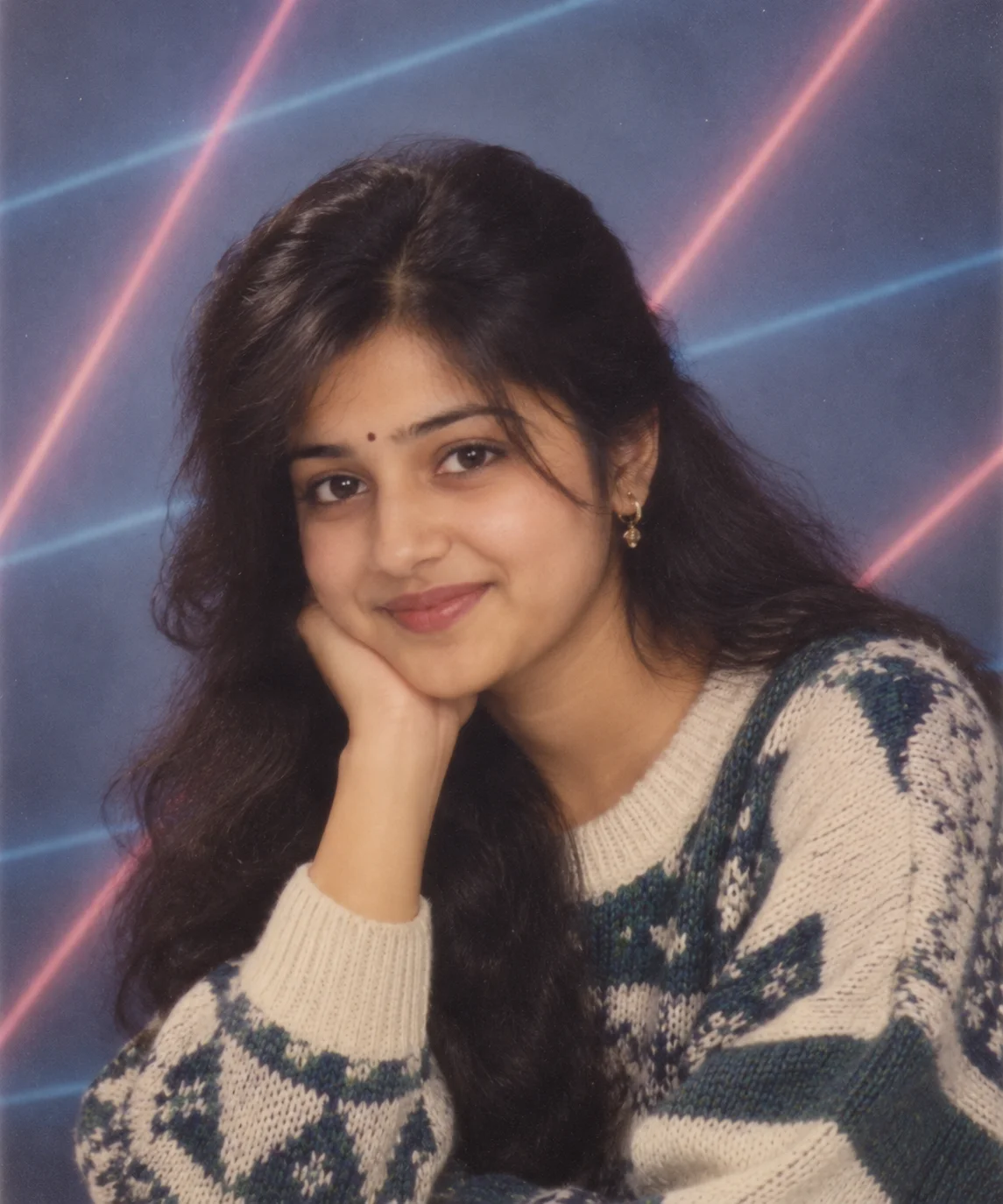
Early-1990s mall studio look, mottled blue-grey laser backdrop, chunky knit sweater, soft flash lighting.
90s School Yearbook Photo Prompt
A realistic 1990s school portrait, neutral studio background, simple school clothing and slightly faded print colours.
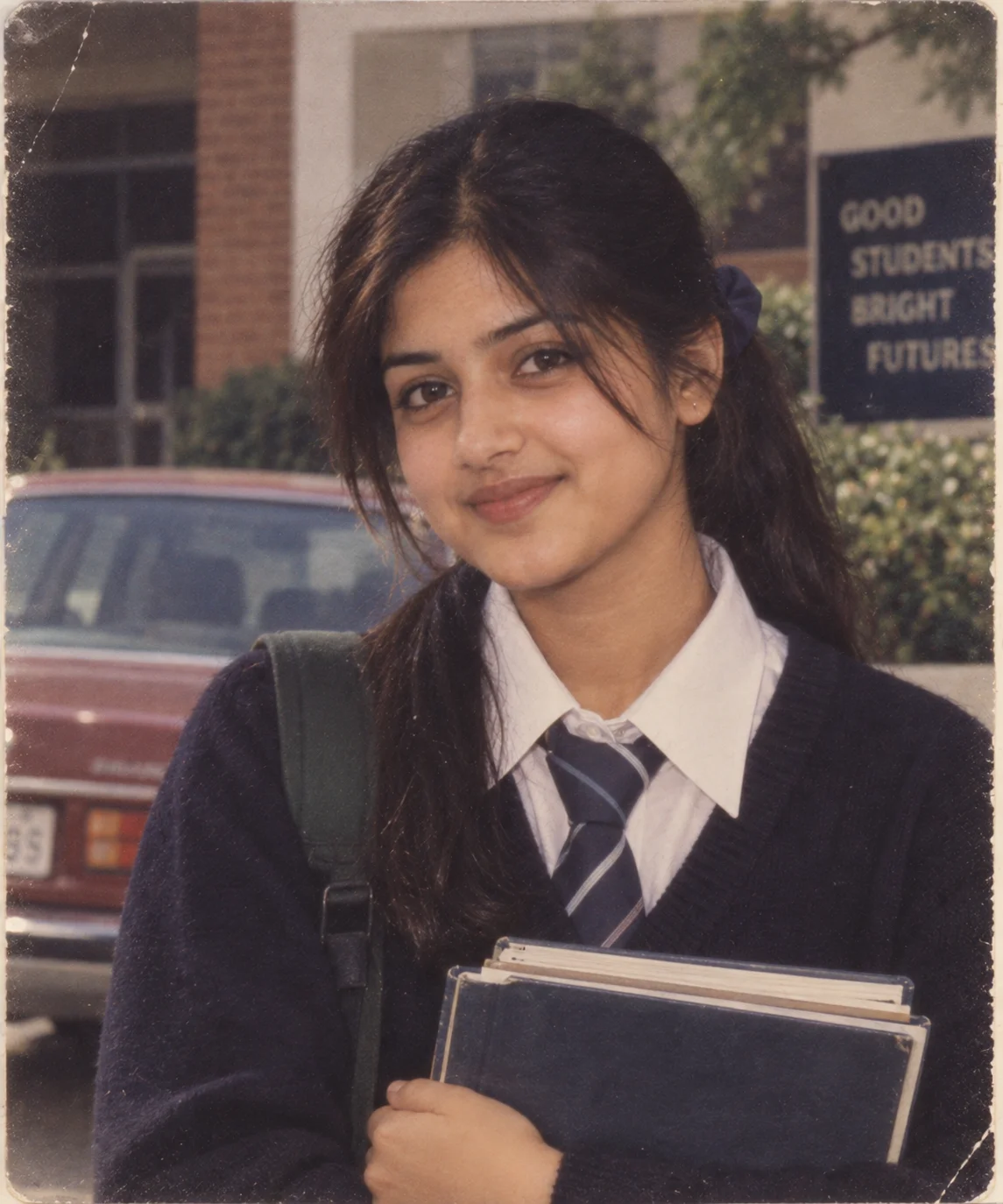
Realistic 1990s South Asian school portrait with a brick school building, faded film colours and natural skin texture.
90s Bollywood Cinema Heartthrob Prompt
An early-1990s cinema heartthrob portrait, retro aviators, acid-washed denim jacket and warm golden-hour grading.
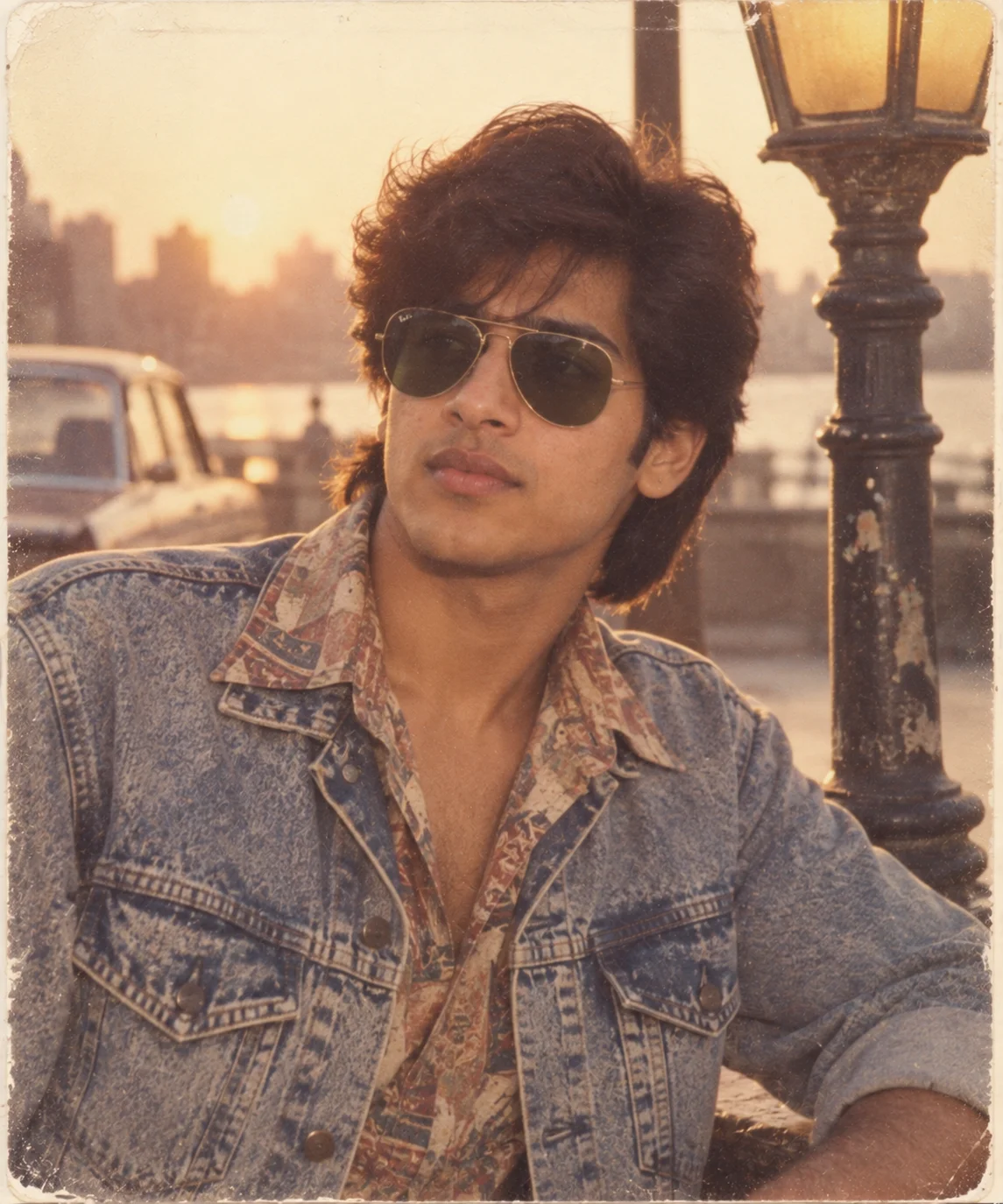
Retro 90s cinema-poster styling with aviators, acid-washed denim and warm kodak-gold film grading.
90s Road-Trip Snapshot Prompt
A genuine 1990s road-trip photo, late-90s car, point-and-shoot flash and cool film colours.
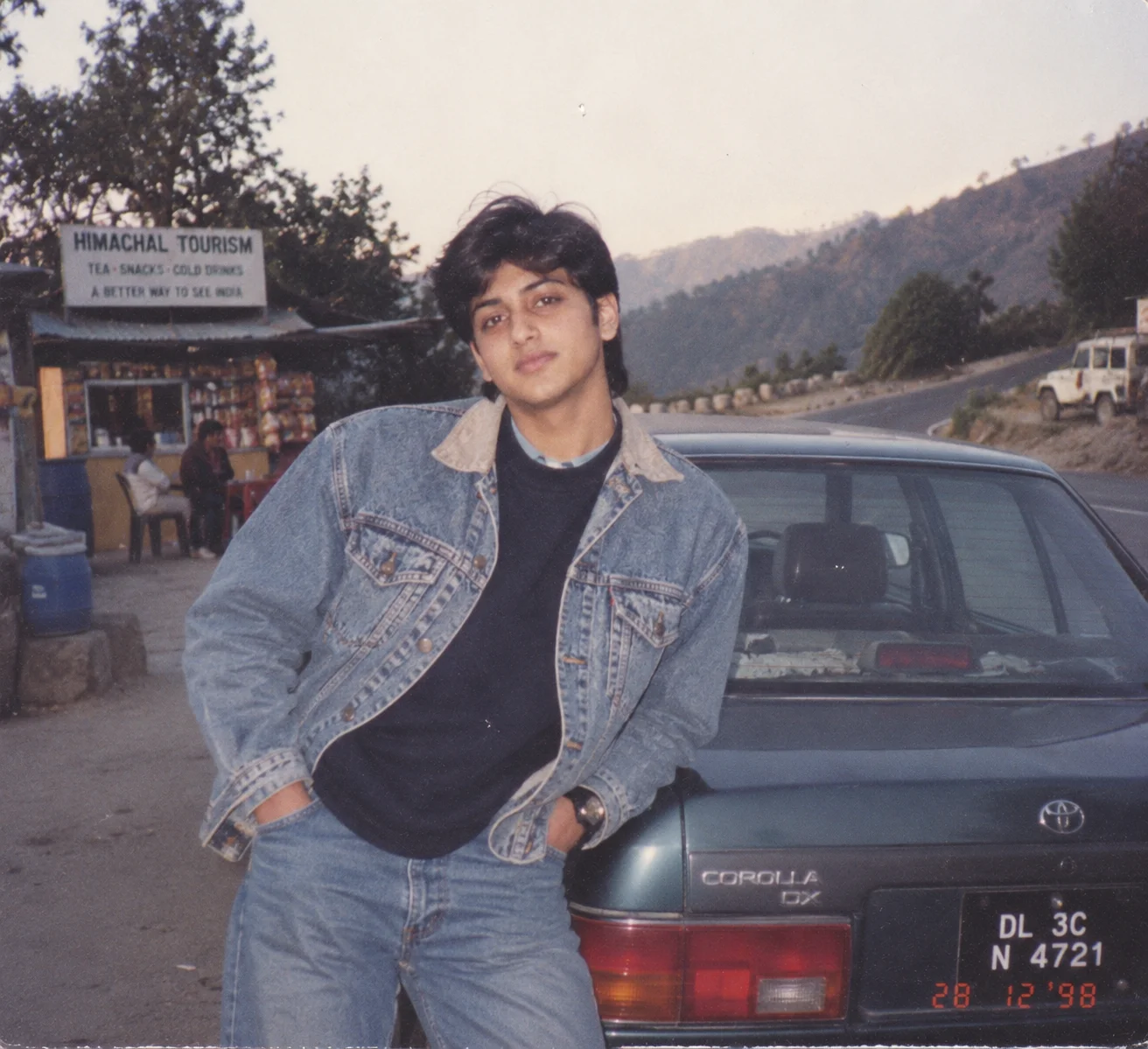
Casual 90s roadside snapshot with a period car, cool film tones and mild grain from a point-and-shoot camera.
90s Birthday Party Snapshot Prompt
A nostalgic 1990s birthday snapshot with balloons, cake, compact-camera flash and mild red-eye.
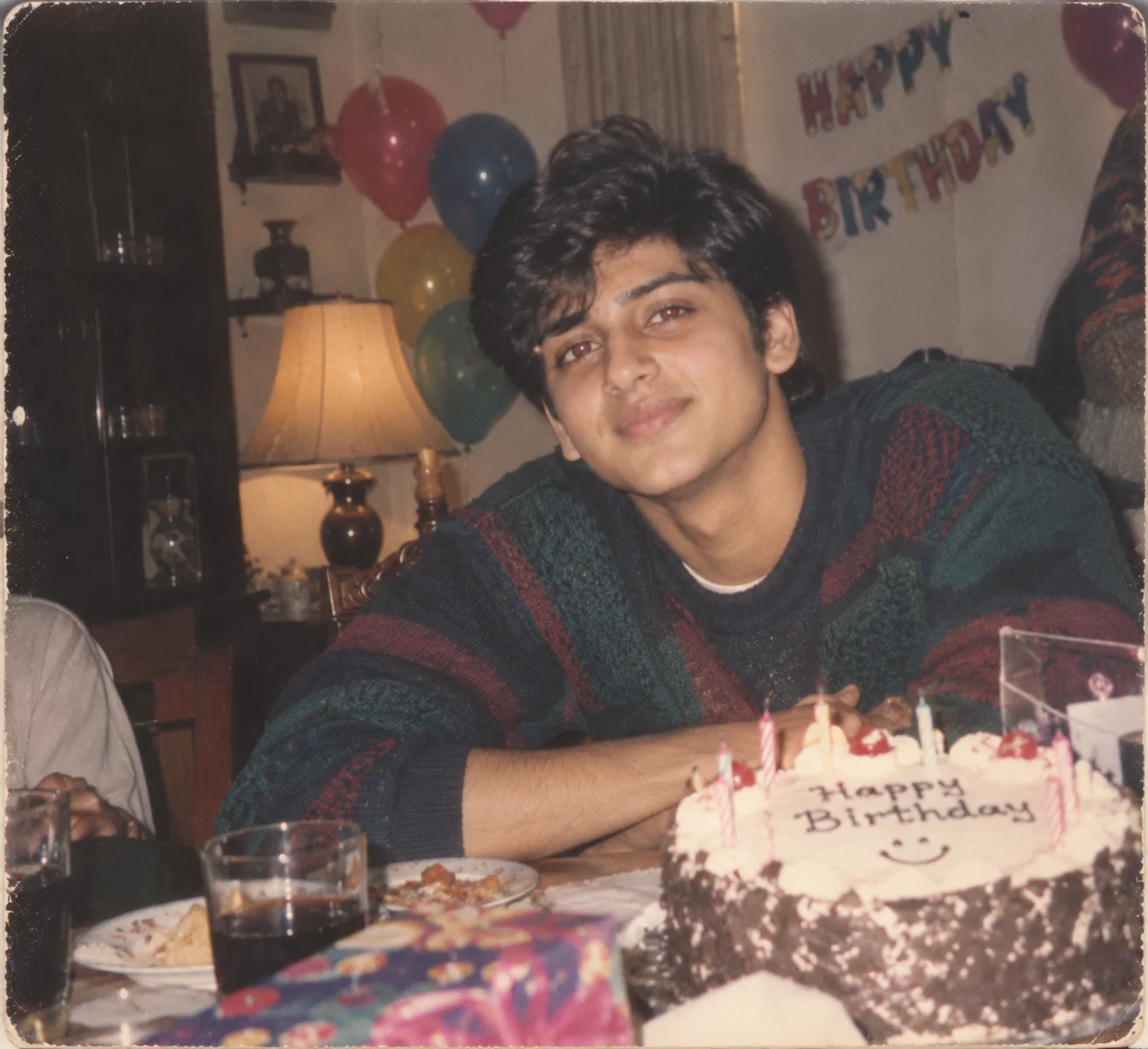
Casual 90s birthday-party photo with balloons and cake, shot with compact-camera flash and soft film colours.
How to Use These Prompts
- Pick one clear, well-lit reference photo where your face is fully visible, this is what stays unchanged in every version.
- Copy the prompt for the look you want and paste it into ChatGPT or Gemini along with your photo.
- Want to try a different look next? Just copy another prompt from this page and run it on the same reference photo.
- If your face or proportions shift too much, ask for a redo and add: “keep everything about my face exactly as shown in the uploaded photo, only change the styling and setting.”
Tips for Better Results
Start from a plain, evenly lit photo with your face in focus and no heavy filter, this gives the AI the clearest base to work from. If the result still looks too modern, add one concrete period detail instead of repeating “make it more 90s”, for example naming a specific camera type, a year, or a period prop like a wired earphone or a landline phone. Faces closer to the camera and simpler backgrounds tend to give the most convincing 90s conversions.
Conclusion
Each of these 90s prompts is built around one clear setting, mall studio, yearbook, cinema glam, road trip or birthday, so you can pick the mood that fits and run it on the same reference photo. Swap in your own styling details once you have the base look working the way you want.
FAQ
What is the 90s AI photo trend?
It is a trend where you upload a present-day photo and use an AI image editor to recreate it as if it were taken in the 1990s, complete with period clothing, settings, camera style and film texture, while your face stays the same.
Do these 90s prompts work on Gemini as well as ChatGPT?
Yes. Each prompt is written as plain descriptive text, so the same wording works on ChatGPT, Gemini, or any other AI image tool that accepts a photo along with a prompt.
How do I keep my face looking like me in a 90s AI photo?
Start from one clear, well-lit reference photo and keep the instruction to preserve your facial identity, skin tone and proportions at the start of the prompt, before any styling details are added.
Why does my 90s AI photo still look modern?
Usually one detail is giving it away, such as a smartphone, a current car, or overly sharp digital focus. Add one concrete period detail, like a specific camera type or a named year, instead of just repeating that the photo should look more 90s.
If you enjoyed these prompts, explore more trending AI photo prompts on Prompt Creen and keep creating high-quality images with ease.
← Back to All Prompts