3 Night Motion-Blur Street Style AI Photo Prompts for ChatGPT & Gemini
3 candid, flash-lit night prompts that make any photo look like an accidental perfect shot 🌃
The most convincing photos on Instagram right now aren’t the sharp, perfectly lit ones. Instead, they’re the blurry, flash-lit, slightly chaotic shots that look like a friend caught you off guard on a night walk — motion smeared across the hair and hands, harsh flash against a dark street, a half-turned glance back at the camera. That “accidentally perfect” candid look has become its own aesthetic, and it’s built entirely on deliberate imperfection.
This post shares three prompts built around that exact mood: a surprised, camera-shy glance mid-walk, a stylish walking-away shot with a look back over the shoulder, and a cinematic street version of the same pose with wet-pavement reflections. Each one only needs one photo for general vibe reference. Instead of copying your face exactly, the AI builds a fresh, non-identical subject.
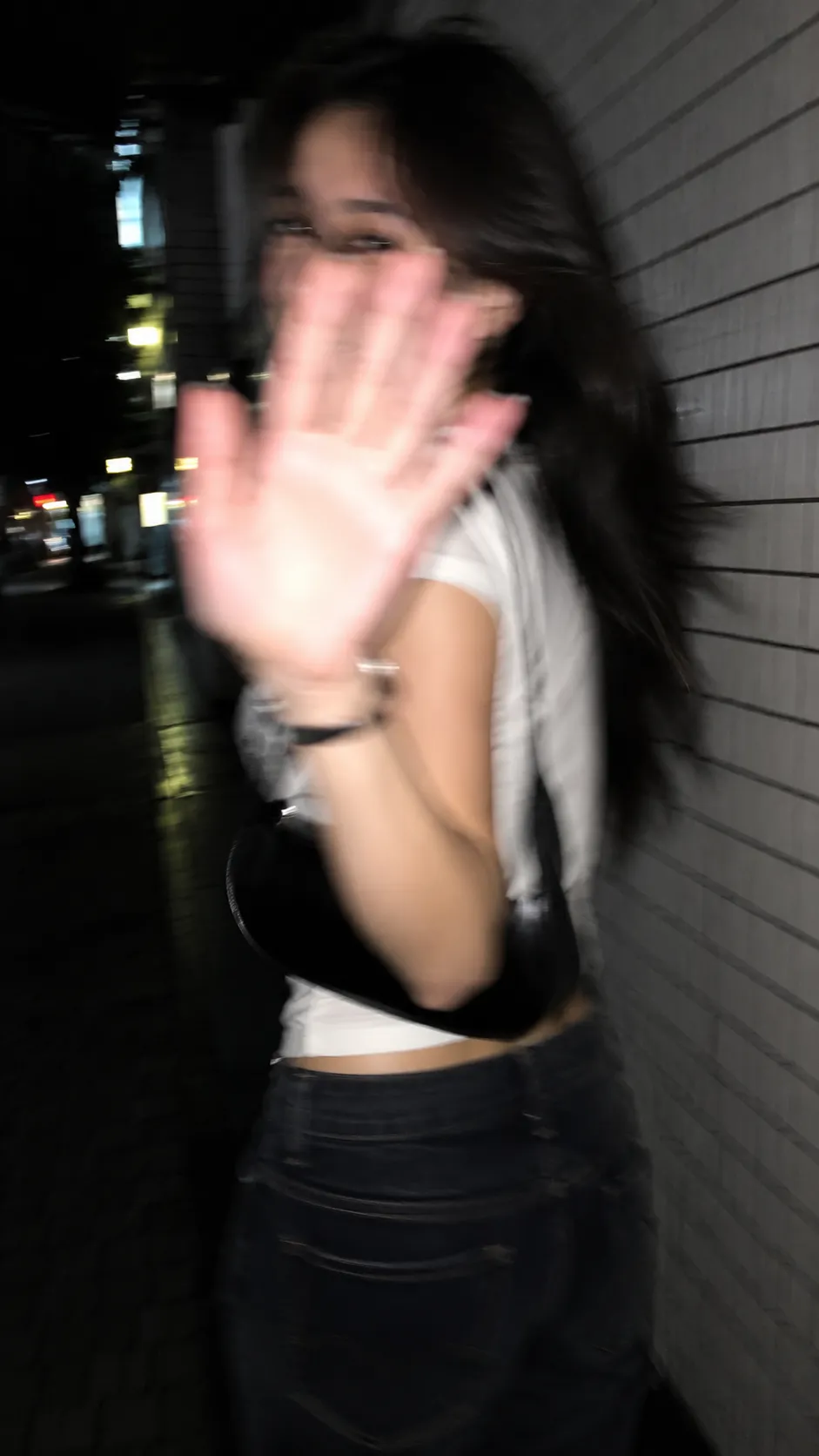
1. Candid Surprised Glance AI Prompt
A raw, flash-lit night shot beside a tiled wall, subject caught turning back mid-step with a shy, suppressed smile.
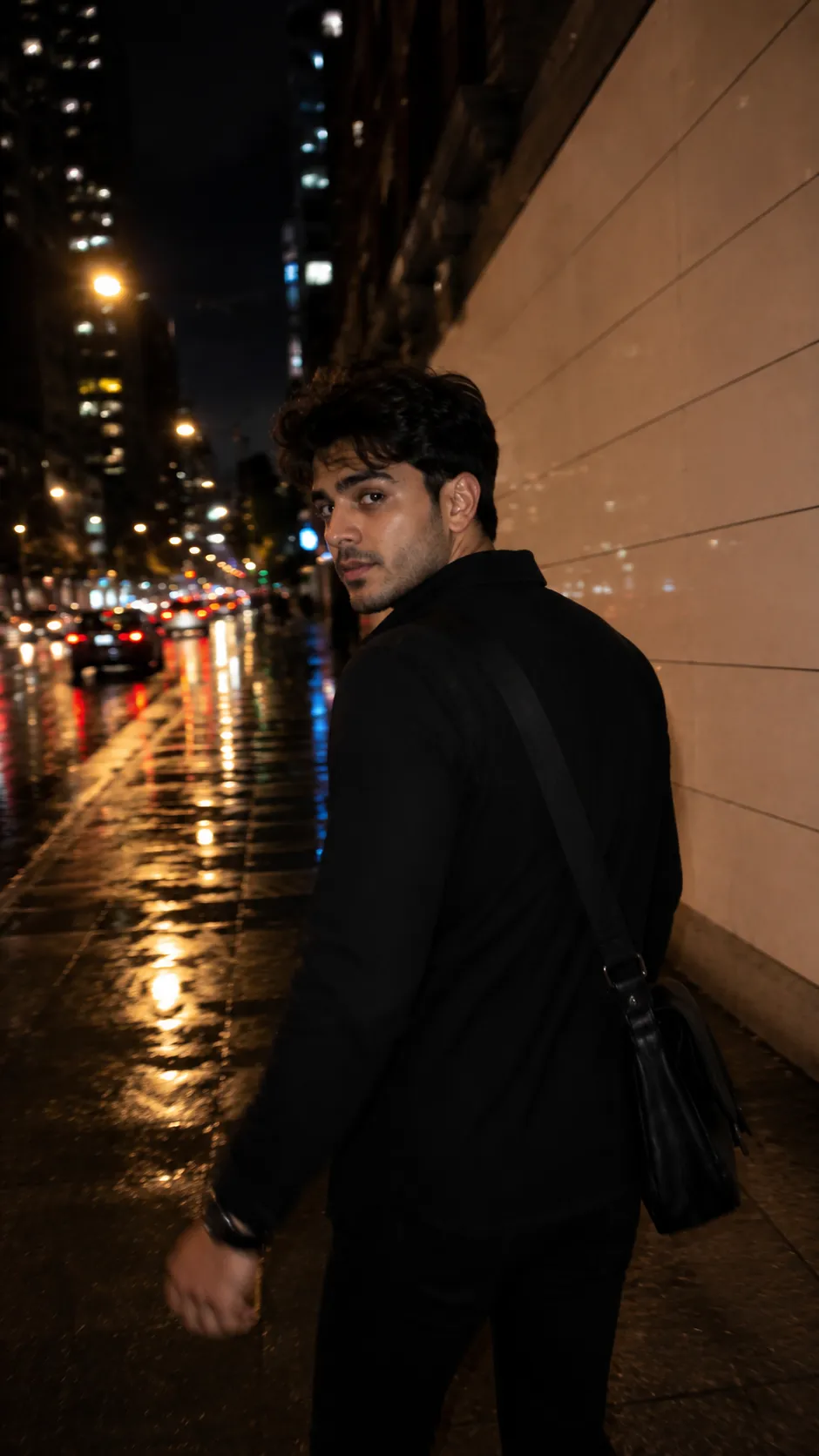
2. Walking Away Night Street AI Prompt
An all-black-outfit night shot beside a tiled wall, looking back over the shoulder, warm streetlights and soft bokeh.
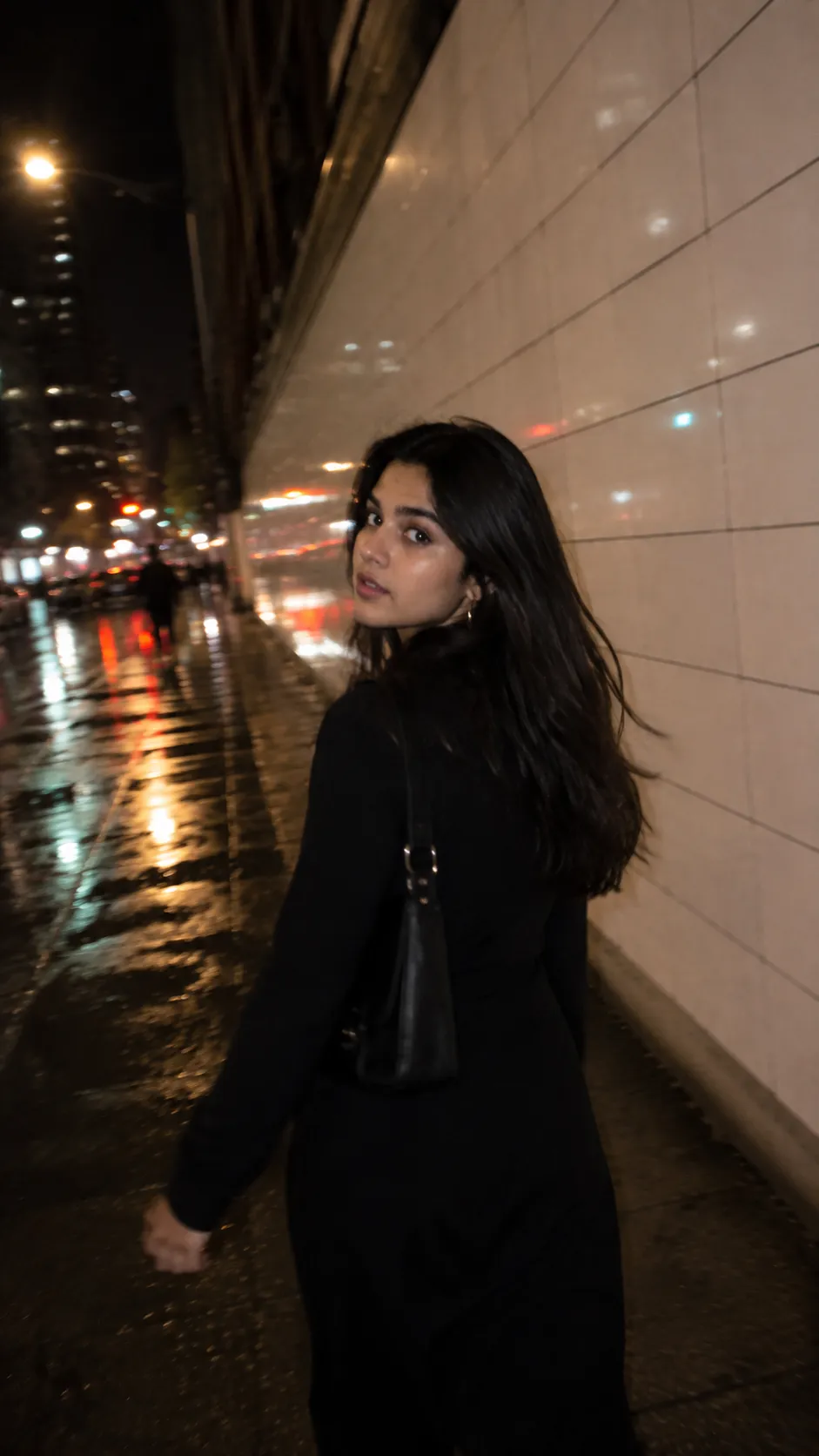
3. Cinematic Street Look-Back AI Prompt
A cinematic night street shot with blurred cars and wet pavement reflections, subject glancing back mid-stride.
How to Use These Prompts
- Pick one clear photo for general vibe reference. Since these prompts intentionally keep the final subject non-identical, a perfect face match isn’t the goal here.
- Next, copy the prompt for the shot you want and paste it into ChatGPT or Gemini along with your photo.
- Want a different city, wall texture, or outfit color? Simply swap that one line in the prompt before pasting it in.
- If the blur feels too heavy or too light, add a short line like “reduce motion blur slightly, keep the face a bit more readable,” then regenerate.
Tips for Better Results
A photo with decent lighting and a visible face works best as the style reference, even though the final image intentionally blurs and reworks it. If the result comes out looking too clean or studio-lit, add a line like “increase camera shake and flash harshness, remove any soft or beauty lighting.”
For the walking-away shots, naming one outfit color and one background detail — wet pavement or blurred traffic — is usually enough. Stacking too many scene elements, however, tends to pull the composition away from the candid, accidental feel.
Why This Look Is Trending
Part of why this aesthetic works is that it looks unplanned. After all, a sharp, well-lit portrait reads as staged the moment people see it, while a slightly blurred, flash-harsh night shot reads as a real moment someone happened to catch. These prompts lean into that on purpose — uneven exposure, partial sharpness, imperfect framing — because those flaws are exactly what make the result believable.
Conclusion
All three prompts above share the same core formula: night setting, motion blur, harsh flash, and a candid glance back, just with small shifts in pose and camera style. So, pick the version closest to the mood you want, paste it in, and adjust one detail like the outfit or background instead of starting from scratch.
FAQ
Do these night motion-blur street prompts work with both ChatGPT and Gemini?
Yes, on both platforms. All three prompts in this post are written in plain language on Prompt Seen, so each one runs on ChatGPT and Gemini without any extra edits.
Why do these prompts say the subject should stay non-identifiable, not a face copy?
That instruction tells the AI to use your photo only as a general style and vibe reference rather than replicating your exact face, which keeps the candid, motion-blurred look consistent with how these prompts are meant to be used.
What makes the face only partly sharp in the finished image?
Partial sharpness, around 60 to 70 percent, is intentional. It matches how a real handheld night photo looks when the subject is mid-motion, and it’s what separates this candid aesthetic from a posed, fully sharp portrait.
Can I change the outfit or city setting in these prompts?
Definitely. Every detail, including the outfit color, city backdrop, or wall texture, is just text, so you can edit it to match your own idea before pasting the prompt in.
If you enjoyed these prompts, explore more trending AI photo prompts on Prompt Seen and keep creating high-quality images with ease.
← Back to All Prompts