Cinematic Black & White Boy AI Photo Prompts for ChatGPT & Gemini
2 moody black & white prompts, one Royal Enfield look and one luxury SUV look 🏍️
Black and white portraits have a way of making an ordinary photo feel like it belongs in a magazine. Strip out the color and what’s left is pose, light, and mood, which is exactly why this style keeps showing up on Instagram feeds right now, usually paired with a vehicle, a moody backdrop, and a subject who isn’t even looking at the camera.
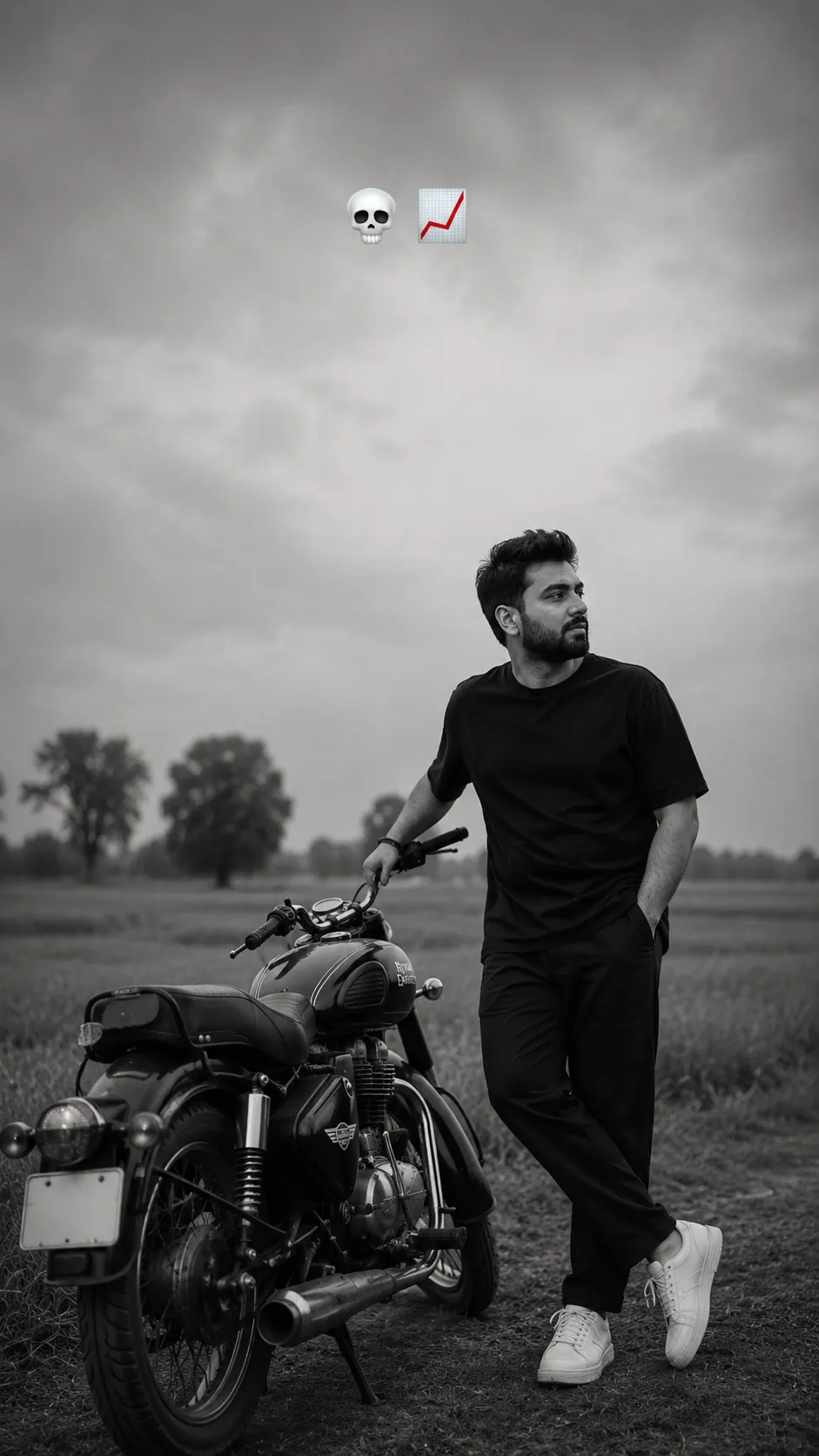
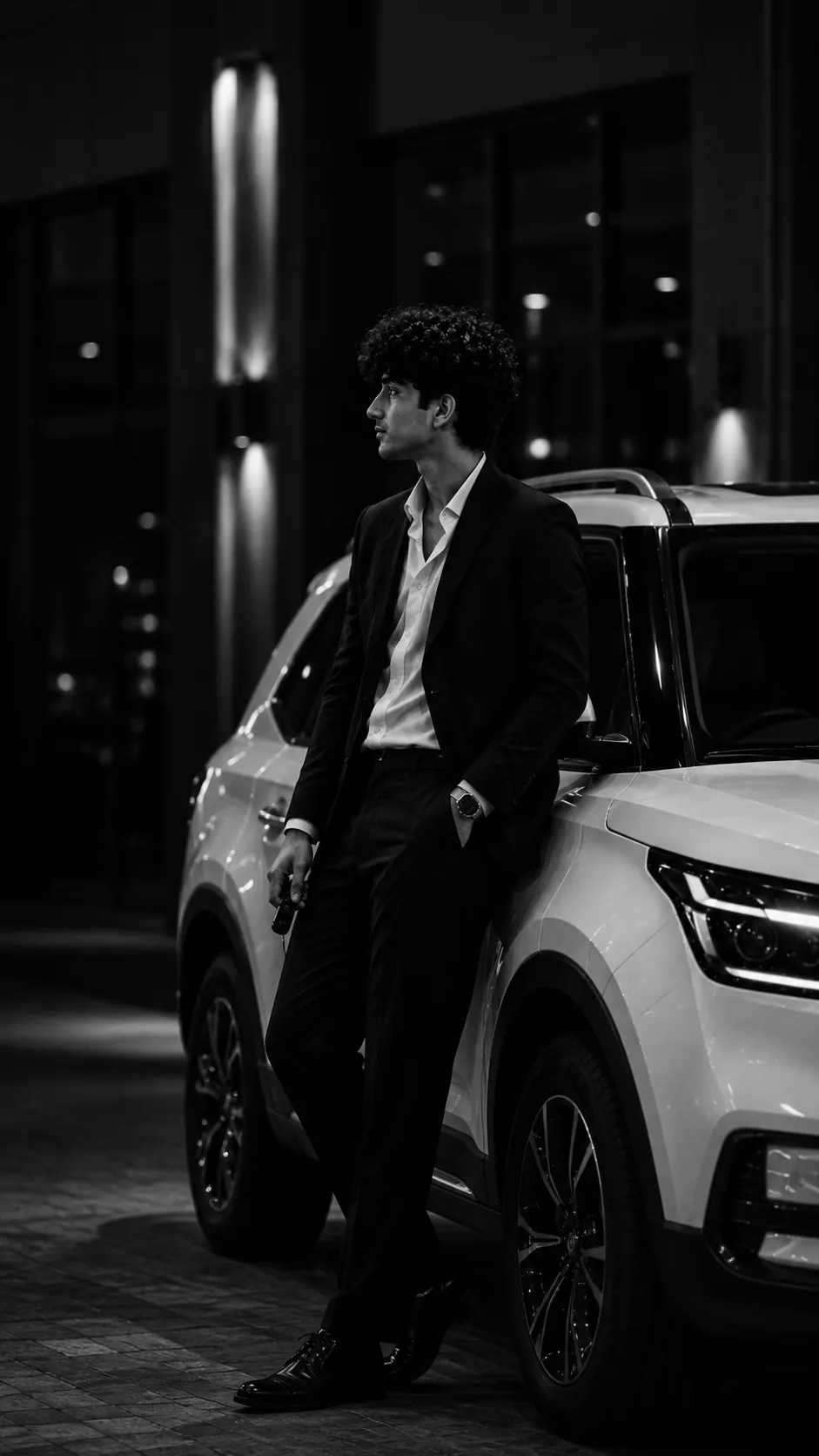
This post shares two prompts built around that look: one places the subject beside a Royal Enfield in an open rural field with a grainy, documentary film feel, the other leans into luxury with a tailored black suit and a premium white SUV. Both only need one clear photo of your face, the AI builds the rest of the scene.
1. Royal Enfield Rural Field AI Prompt
A moody, grainy black-and-white side-profile portrait beside a Royal Enfield Bullet 350 in an open countryside field.
2. Luxury SUV Black Suit AI Prompt
A high-contrast black-and-white editorial portrait in a tailored black suit, leaning against a premium white SUV.
How to Use These Prompts
1. Pick one clear, front-facing photo with even lighting, this is the reference both prompts use to keep your face unchanged.
2. Copy the prompt for the style you want and paste it into ChatGPT or Gemini along with your photo.
3. Want a different bike, SUV color, or outfit detail? Swap that one line in the prompt before pasting it in.
4. If the pose or lighting doesn’t come out right the first time, regenerate, small wording tweaks usually work faster than rewriting the whole prompt.
Tips for Better Results
A neutral, well-lit source photo without strong colored lighting keeps the black-and-white conversion clean instead of leaving a color tint behind. If your face starts to look altered, add a line like “keep the exact same face as the uploaded photo, do not change the identity.” For the vehicle and outfit details, keep the description to one or two specifics, matte black bike or tailored black suit, rather than stacking multiple styles in one line.
Why This Style Is Trending
Both looks lean on the same idea: a subject who isn’t posing directly for the camera, paired with a vehicle that adds status without needing words. The grainy Royal Enfield version reads as nostalgic and grounded, while the SUV version reads as polished and aspirational. Together they cover two very different moods from the same basic formula, upload a face, describe a scene, convert to black and white.
Conclusion
Both prompts above only need a single clear photo to work, everything else, the bike, the suit, the SUV, the lighting, comes from the wording itself. Start with the mood that fits your feed, paste the prompt in, and adjust one outfit or background detail if you want it closer to your own style.
FAQ
Do these black and white boy AI photo prompts work with both ChatGPT and Gemini?
Yes. Both prompts on Prompt Seen are written in plain language, so they run on ChatGPT and Gemini without any extra edits.
Why do these prompts say to use the photo only as a face reference?
That instruction tells the AI to keep your actual face, expression, and features while changing everything else, the outfit, bike, SUV, and background. Without it, the AI sometimes alters the face along with the scene.
Can I change the outfit or background in these prompts?
Yes. Every detail in both prompts is just text, so you can swap the outfit color, vehicle, or background setting to match your own idea before pasting it in.
Why does the result sometimes look too color-graded instead of true black and white?
This usually happens when the source photo has strong colored lighting. Using a neutral, well-lit source photo and adding a line like “convert fully to monochrome, no color tint” usually fixes it on the next try.
If you enjoyed these prompts, explore more trending AI photo prompts on Prompt Seen and keep creating high-quality images with ease.
← Back to All Prompts