Traditional Indian Wedding Couple AI Photo Prompt for ChatGPT & Gemini
Royal palace, golden light, two photos turned into a regal portrait 👑
A real royal-palace wedding shoot means months of planning, a location fee, and a full bridal team on standby. Most people don’t have that kind of budget just to get one striking couple photo, but the look itself, heavy gold jewelry, rich fabric, a grand palace backdrop, is something AI can now recreate from two ordinary photos.
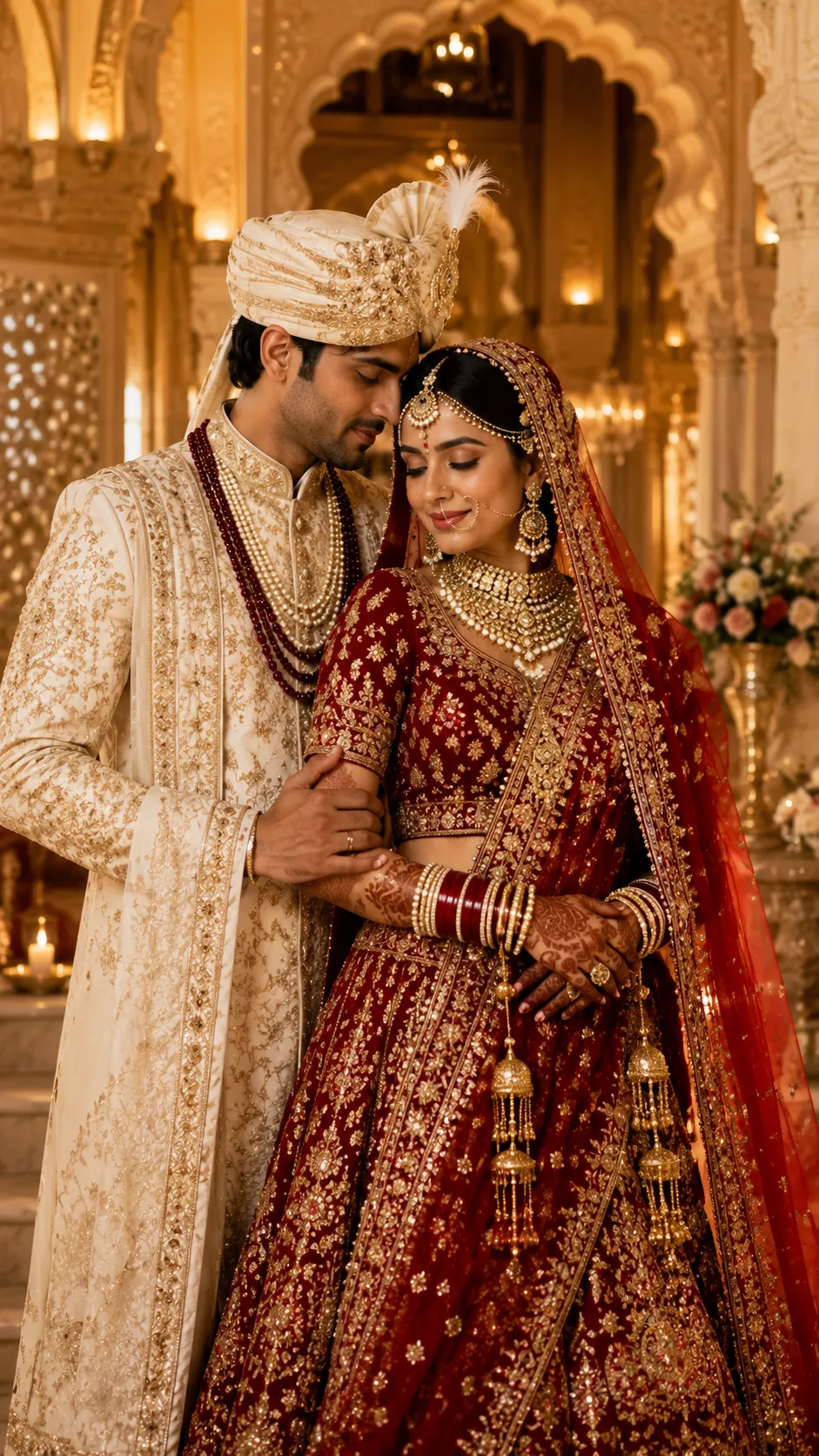
This post shares one prompt built around a traditional Indian bride and groom in full wedding attire, posed inside a royal palace setting with warm golden lighting across the frame. It works well for pre-wedding posts, anniversary edits, or anyone who wants a regal couple portrait without booking an actual venue. Paste it into ChatGPT or Gemini along with a clear photo of each partner.
Traditional Indian Wedding Couple AI Prompt
Traditional Indian bride and groom in luxurious wedding attire, royal palace background, elegant poses, golden lighting, ultra-realistic, 8K.
How to Use This Prompt
1. Pick one clear, front-facing photo of each partner with even lighting, this is the reference the wedding attire and pose are built around.
2. Copy the prompt above and paste it into ChatGPT or Gemini along with both photos.
3. Want a specific outfit color, jewelry style, or a different palace setting, marble courtyard, arched hallway, or garden view? Add that in one short line at the end of the prompt.
4. If the pose or fabric detail doesn’t render cleanly the first time, regenerate, small wording adjustments usually work faster than rewriting the whole prompt.
Tips for Better Results
Sharp, front-facing lighting on both faces keeps the identity match steady once the palace background and heavy attire are added in. If a face starts to drift, add a line like “keep both faces exactly as shown in the uploaded photos, do not alter or morph them.” For the wedding attire itself, naming one main color and one accent, like deep red with gold, is usually enough; listing too many colors and patterns together tends to make the outfit look cluttered instead of regal.
Conclusion
A royal wedding-style couple photo doesn’t need an actual palace booking, just two clear portraits, this prompt, and a small tweak to the outfit or setting line if you want it closer to your own vision. Paste it in, generate, and refine from there instead of starting a new prompt from scratch.
FAQ
Does this traditional Indian wedding prompt work with both ChatGPT and Gemini?
Yes. The prompt is written in plain language on Prompt Seen, so it runs on both ChatGPT and Gemini without any extra edits.
Do I need actual wedding outfits or a palace photo?
No. You only need one clear photo of each partner. The prompt already describes the wedding attire, palace background, and golden lighting, so the AI builds that scene around your photos.
Can I change the outfit colors or the palace style in this prompt?
Yes. Every detail is just text, so you can swap the outfit color, jewelry style, or palace setting to match your own idea before pasting it in.
Why do the jewelry or outfit details sometimes look blurry?
This usually happens when the source photos are low-resolution or the pose is at an angle. Using two clear, front-facing, well-lit photos and adding a line like “render fine jewelry and fabric details sharply” usually fixes it on the next try.
If you enjoyed this prompt, explore more trending AI photo prompts on Prompt Seen and keep creating high-quality images with ease.
← Back to All Prompts