3 Two Shades Dual-Portrait AI Photo Prompts for a Cinematic Fashion Poster
One photo, two shades, monochrome behind you and full color walking in front.
Most AI photo trends give you one version of yourself. The Two Shades format gives you two in a single frame, a moody black-and-white portrait looming in the background, and a smaller, full-color version of the same person walking confidently in front of it. It reads like a real fashion campaign poster, the kind you’d see outside a store, not a single edited selfie.
The three prompts below all follow the same dual-portrait structure: a large monochrome background shot with a colored smoke effect glowing behind it, and a full-body color foreground shot walking toward the camera. Two versions are built for girls, one with blue smoke and one with orange, and a third matches the same orange-smoke look for boys. Each only needs one clear reference photo.
1. Two Shades Blue Smoke Prompt for Girls
A dual-portrait fashion poster with a large monochrome background portrait behind glowing blue smoke, and a full-color walking shot in front.
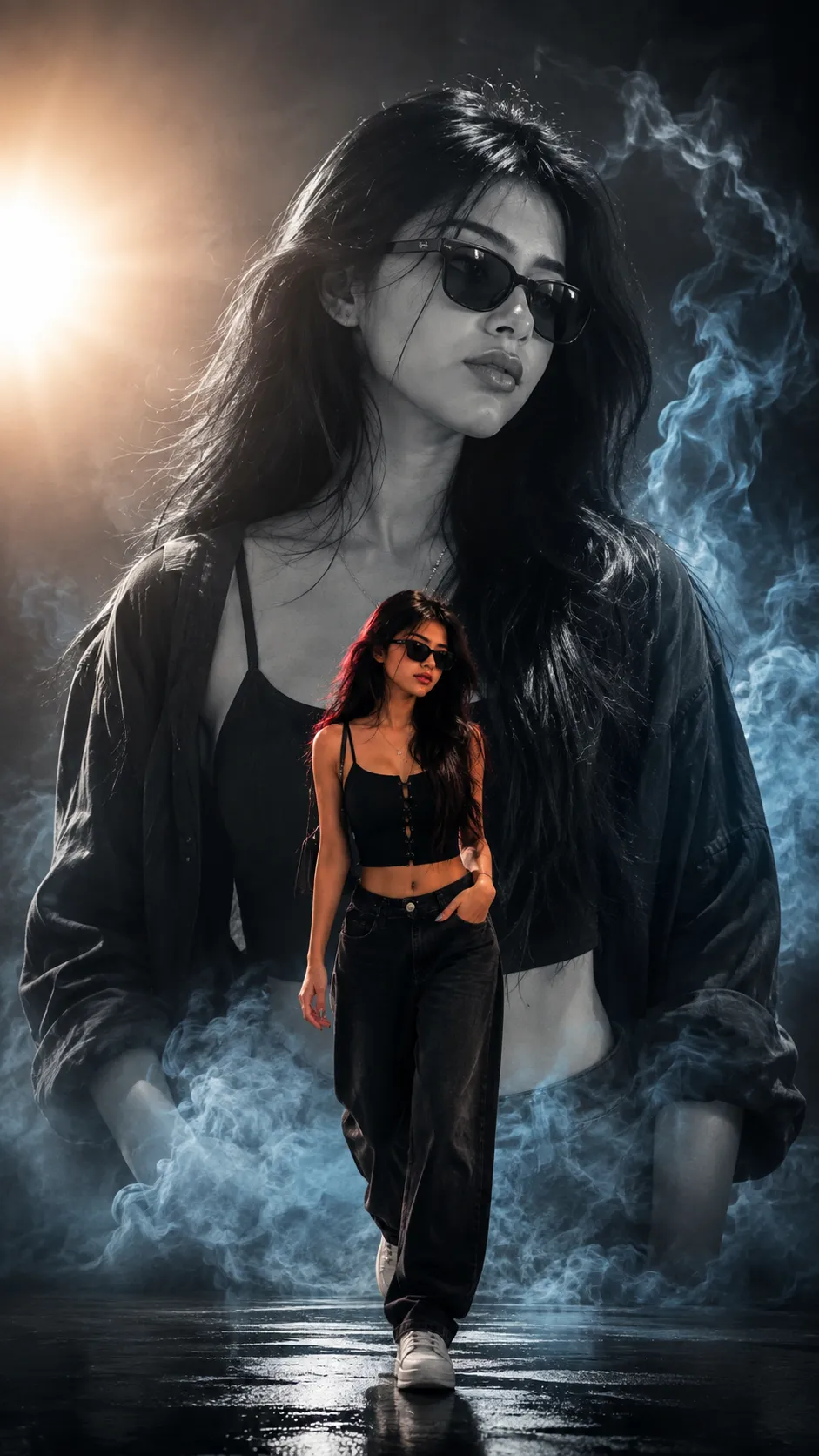
A dual-portrait poster, monochrome background portrait with blue smoke, color foreground walking shot.
2. Two Shades Orange Smoke Prompt for Girls
The same dual-portrait fashion poster structure, swapped to a warm orange smoke glow behind the monochrome background portrait.
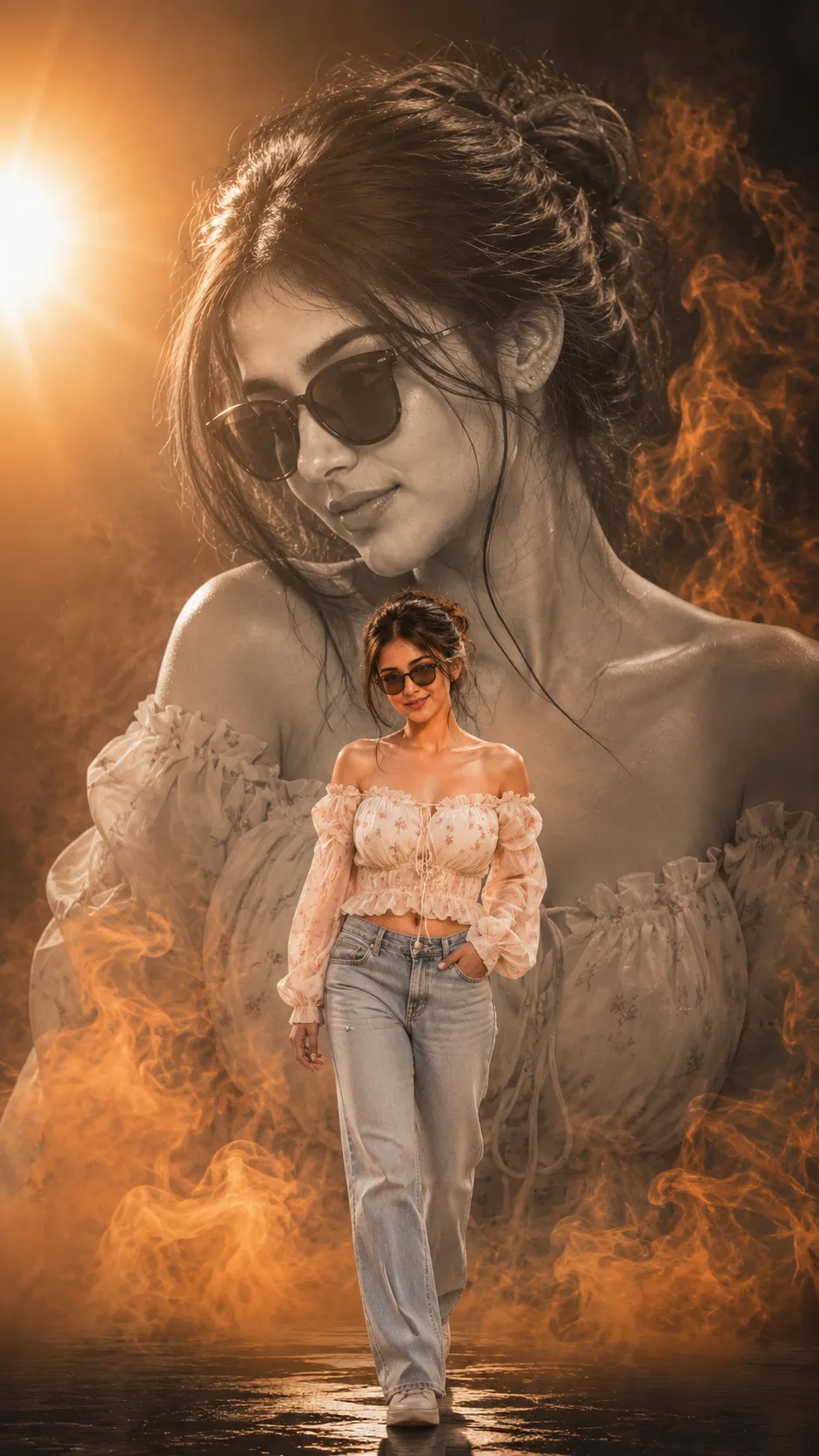
A dual-portrait poster, monochrome background portrait with orange smoke, color foreground walking shot.
3. Two Shades Orange Smoke Prompt for Boys
The male version of the same dual-portrait poster, with a monochrome background portrait, orange smoke glow, and a confident color walking shot in front.
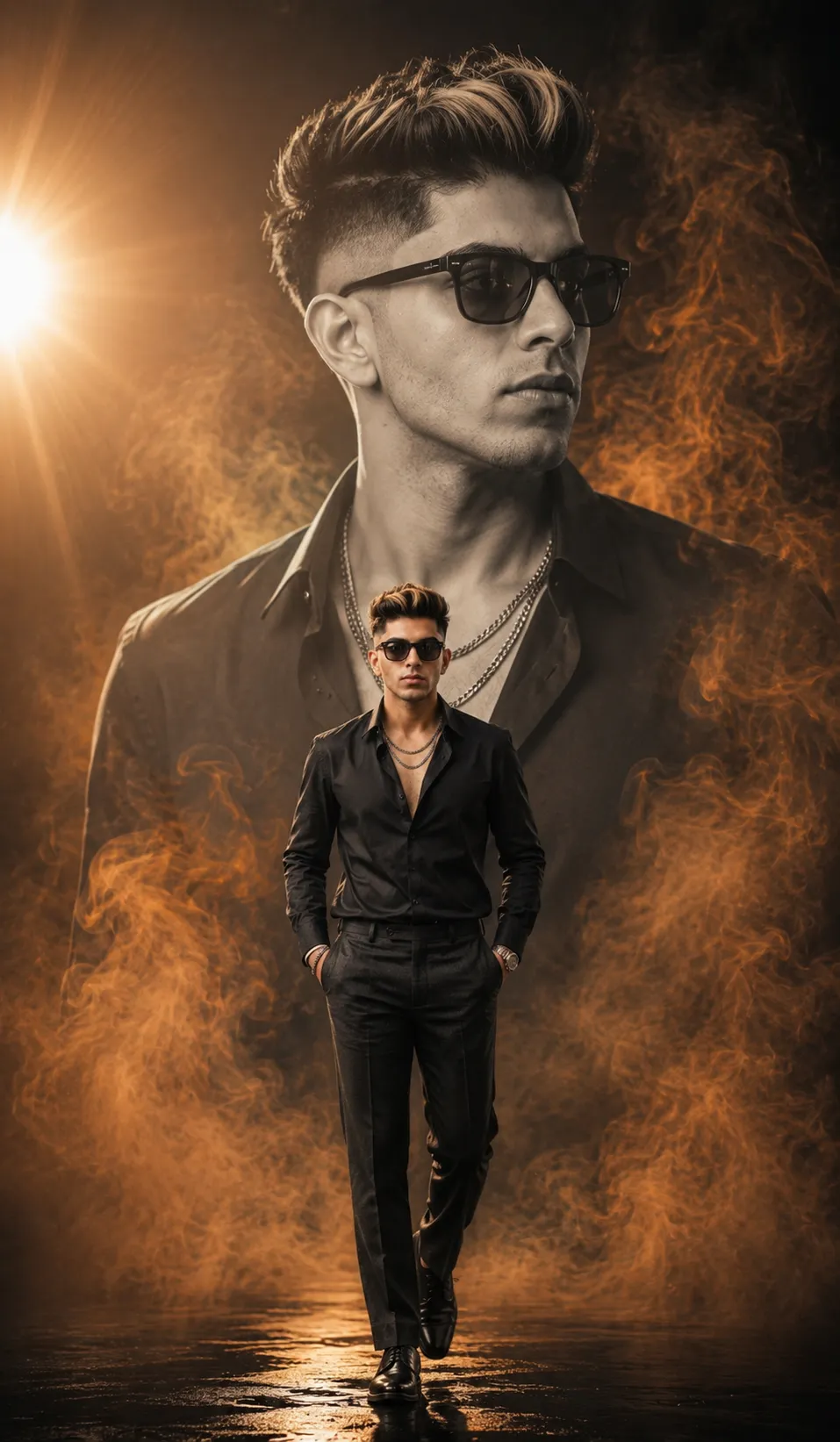
A dual-portrait poster, monochrome background portrait with orange smoke, color foreground walking shot.
How to Use These Prompts
- Pick one clear, front-facing photo with good, even lighting, both the monochrome background and the color foreground are built from this single reference.
- Copy the prompt for the smoke color and gender closest to what you want and paste it into ChatGPT or Gemini along with your photo.
- Want a different smoke color instead of blue or orange? Swap that one word in the prompt and keep the rest of the wording as written.
- If your face comes out altered in either portrait, ask for a redo and add: “keep my face 100% identical to the uploaded photo in both the background and foreground portraits.”
Tips for Better Two Shades Results
Since this format asks the AI to reuse your face across two different portraits in the same poster, a sharp, well-lit reference photo matters more than usual, blurry or dark source photos tend to make the two portraits drift apart. If the outfit or pose comes out too different from the example, name the outfit pieces directly, such as an open shirt over a dark T-shirt, rather than leaving it general. For a punchier poster feel, ask the AI to increase the contrast on the monochrome background portrait specifically.
Conclusion
All three Two Shades prompts above share the same dual-portrait structure, only the smoke color and gender change from one to the next. Start with the version closest to your own photo and the mood you want, then adjust one detail, the smoke color, the outfit, or the pose, until the poster feels like your own.
FAQ
What is the Two Shades trend in these AI photo prompts?
Two Shades refers to a dual-portrait poster style that pairs a large monochrome background portrait with a smaller full-color foreground shot of the same person walking, so one image shows two moods at once.
Do these Two Shades prompts work on Gemini as well as ChatGPT?
Yes. All three prompts are written as plain descriptive text, so the same wording works on ChatGPT, Gemini, or any other AI image tool that accepts a photo along with a prompt.
Why do these prompts say identical to the reference image with no morphing?
That instruction tells the AI to treat your uploaded photo as a strict identity reference, keeping your real face and features unchanged in both the monochrome background portrait and the color foreground shot.
Can I change the smoke color or use these prompts for a group photo?
Yes. The smoke color, whether blue or orange, is just a text detail you can swap for any other color. These prompts are written for a single uploaded photo, so for a group you would generate one poster per person.
If you enjoyed these prompts, explore more trending AI photo prompts on Prompt Seen and keep creating high-quality images with ease.
← Back to All Prompts